Connecting power supply and turntable
Turntable
Connect the turntable to the Control Box the
cable which is supplied.
Power supply
Connect the control box either to the Track output of your
digital layout or to the AC power supply of your analogue
layout (not exceeding 18 Vac). Do not mix up the
connections!
See Fig. 2+3 on page 3
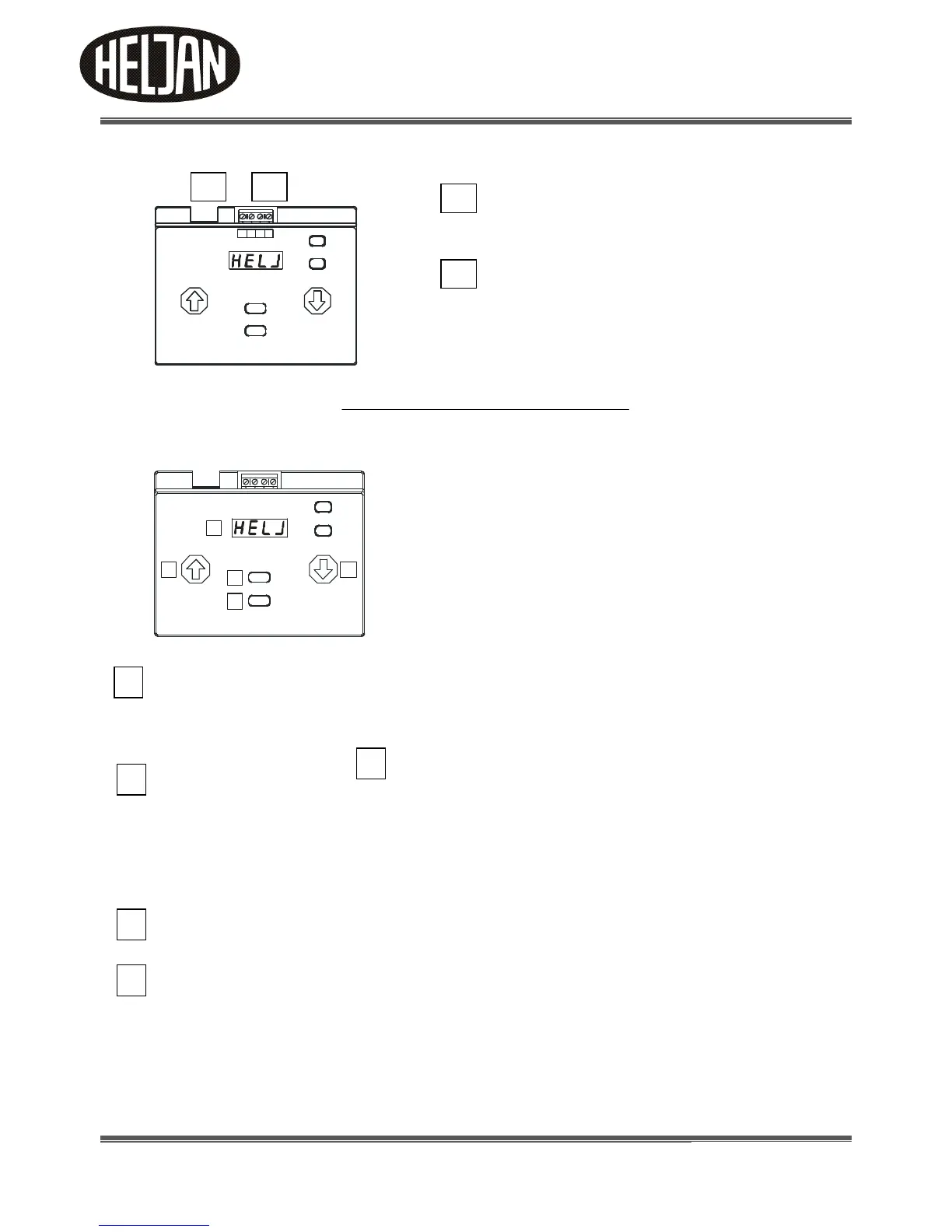
Display and function keys of the Control Box
Display
The digital display has 4 digits. During operation and while making settings, all relevant information is shown
here. A flashing display indicates that you can make settings or that the bridge is moving.
Function key ``UP´´ (CW)* and Function key ``DOWN´´ (CCW)*
The function keys ``UP´´ and ``DOWN´´ are used for:
- to scroll in the menu or
- to alter values to be set
Where a wide choice of values is available the keys have a repeating function:
When pushing them for a longer time the values are not altered one by one but very quickly.
Function key ``ESCAPE´´
The function key ``ESCAPE´´ is used to quit a menu point. If settings have been made, they are not saved.
Function key ``GO/SET´´
The function key ``GO/SET´´ is used to
- to enter into a menu point or
- to save settings
- to initiate bridge movement
- If you are positioned at a stop and you press ``GO/SET´´ again, the bridge turns 180 degrees from your current
position.



 To Next Page