27
For example:
to select the day 1, comfort mode for 24 hours:
1. Press PRG to choose the personalized programs. Under mode PRG, Press / to
select the day of week.
2. Press PRG again to move to the setting of “heating mode of different period (00:00-24:00)”.
Press button to choose hours, and to choose comfort mode for 24 hours.
3. After 30 seconds it will automatically save program settings.
button
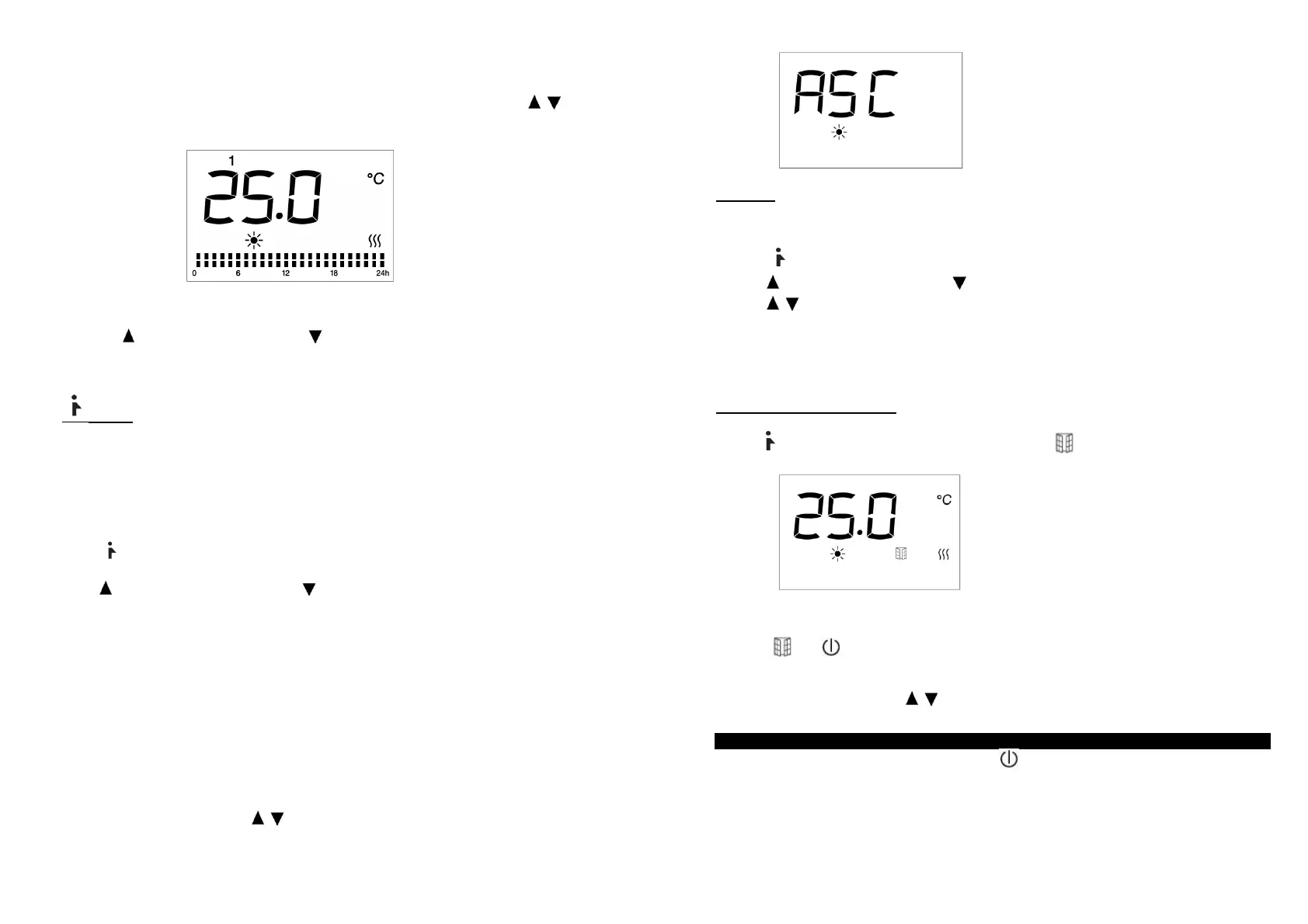
Reservation function (ASC mode)/ Window detection function
Reservation function (ASC mode):
The function which predicts and initiates the optimal start of heating up in order to reach the set-point
temperature at the desired time.
Press once, display will show ASC for 3 seconds and then ‘’12’’
( )hour flashes.
Press to toggle among hour/minute, and to set the hour/minute. After finishing time setting, wait
for 10 seconds and it will be automatically saved (or press and hold PRG button to confirm setting).
And then it will go to temperature setting. Under ASC mode, temperature are adjustable among
15~25 . Af℃ ter finishing temperature setting, wait for 10 seconds and it will be automatically saved (or
press and hold PRG button to confirm setting). After on, "ASC", time and temperature will alternatively
display by 10 seconds each.
Under "ASC" mode, the appliance will work under comfort mode as default in order to reach the set
temperature. The"ASC" mode is available for setting only when the appliance is working instead of
being under standby mode. Before the "ASC" mode starts up, the appliance will remain under standby
mode. The appliance will start to work a certain period of time ahead of the set time according to the
temperature difference between the room temperature and set temperature. The appliance will keep
working for one hour after set time, and then automatically enter ASC-standby mode.
And then the next day repeats the above circle.
You can press other button except / to exit ASC mode.
28
Example:
Set the heater work on 10:00 am at 20°C
1) Press to active ASC function .
2) Press to choose hour or minute, and to set the hour/minute.
3) Press / to set the temperature at 20°C
4) Setting is finished. The appliance will enter ASC-standby mode.
Heater will start to detect the temperature and start working under comfort mode a certain period of
time ahead of 10:00 a.m. After 10:00a.m., the appliance will keep working at comfort mode until 11:00
a.m.. After 11.00 a.m., the appliance will enter ASC-standby mode. The next day repeats.
Window detector function:
Press twice, appliance enter window detection function. will be shown on the display.
Under all working modes except fan mode, the appliance will memory the highest temperature detected,
and if temperature decrease detected, the appliance will automatically enter standby mode. The screen
will show and . Press standby button to activate the appliance and enter window detection
mode.
You can press other button except / to exit window detector mode.
Switch off the heater
To stop the operation of the device, press the switch . Attention: the device is still ready for
use. In order to disconnect the unit from the mains, press the main power switch to position " 0 " on
the device and unplug the plug from the socket-outlet.


 To Next Page
 Loading...