EasyManua.ls Logo

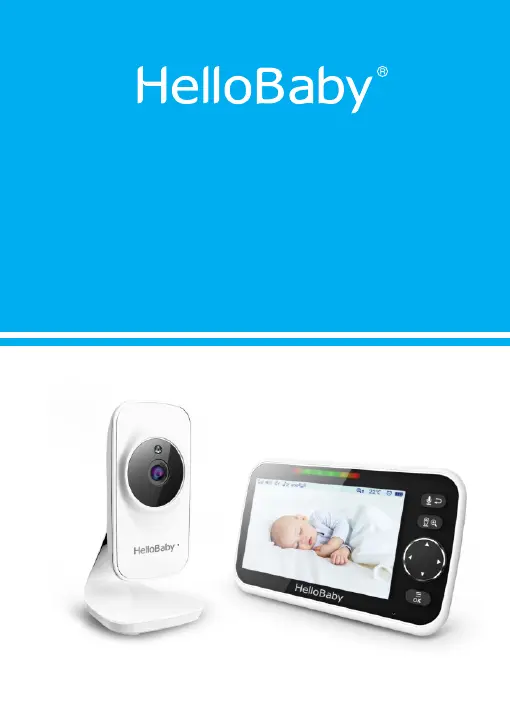
HelloBaby HB50 - User Manual

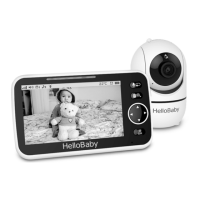
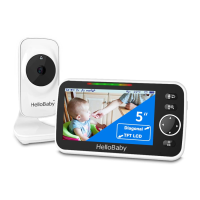
HelloBaby HB50
13 pages
Print Icon
To Next Page IconTo Next Page
Loading...
2.4GHz Digital Wireless Video Baby Monitor
User Manual
Model: HB50
Ver: 1.1

Questions and Answers

  • C
    Charles GrahamJul 29, 2025
    How to fix a frozen picture on HelloBaby HB50 Baby Monitor?
    • J
      Julie PatelJul 29, 2025
      If the picture on your HelloBaby Baby Monitor is frozen, try these steps: first, repower the baby unit by unplugging the adapter from the socket and then plugging it back in. If that doesn't work, press the RESET key located on the back of the parent unit.
  • J
    jenniferramirezAug 5, 2025
    What to do if my HelloBaby Baby Monitor has no reception?
    • T
      trevinobryanAug 5, 2025
      If your HelloBaby Baby Monitor isn't receiving a signal, first, make sure both the camera and monitor are turned ON and that the power adapters are correctly connected. The camera might be too far from the monitor, so try moving them closer. Also, the camera and monitor may need to be paired again; follow the PAIRING instructions to ensure they are properly connected.
  • S
    Samantha CannonAug 13, 2025
    Why does my HelloBaby HB50 Baby Monitor have interference?
    • O
      owensstevenAug 13, 2025
      If you're experiencing interference with your HelloBaby Baby Monitor, try moving the monitor closer to the camera. Also, the camera or monitor may be placed too close to metal objects.
  • T
    Tasha WelchAug 20, 2025
    Why does my HelloBaby Baby Monitor have audio feedback?
    • L
      Leah SimpsonAug 20, 2025
      Audio feedback, like a high-pitched noise, on your HelloBaby Baby Monitor can occur if the camera and monitor are too close together or if the volume on the monitor is set too high. Try increasing the distance between the camera and monitor. You might also try lowering the volume on the monitor.

Summary

Safety Instructions

General Safety Precautions

Covers choking hazards, water/moisture, ventilation, heat sources, and power source.

Strangulation Hazard

Warning regarding cord strangulation risk for children and keeping cords out of reach.

Electrical Safety and Repair

Instructions on not using damaged cords or attempting unauthorized repairs.

Warranty Terms

Installation and Placement Guidelines

Environmental Factors and Interference

Details on how metal objects, walls, and other electronics affect signal strength.

Optimal Camera Placement

Recommendations for camera positioning to avoid heat sources and ensure range.

Getting Started

Powering On the Units

Steps for connecting the power adapters to both the baby and parent units.

Infrared Night Vision

Product Overview

Icons Overview

Explanation of the various icons displayed on the parent unit screen.

Parent Unit Overview

Diagram and labels for the parent unit's screen and controls.

Baby Unit Overview

Diagram and labels for the baby unit's components like camera and microphone.

Key Operations

Power Save;Screen Off

How to turn the screen on or off using the power key.

Volume and Brightness Adjustment

Instructions for adjusting the volume and screen brightness.

Camera View;Scan

How to view or scan between multiple connected cameras.

Digital Zoom and Pan;Tilt

Operations for zooming, panning, and tilting the camera view.

Two Way Talk

How to use the two-way talk function and its indicators.

Menu Operation

Pairing Camera and Parent Units

Procedure for adding or re-registering a baby unit to the parent unit.

Temperature Unit Setting

How to select between Celsius (°C) and Fahrenheit (°F) for temperature display.

Temperature Alarm Setting

Configuration for setting high and low temperature alert limits.

Lullaby Setting

Instructions for selecting and playing lullabies from the camera unit.

Alarm Setting

How to set reminders for feeding, diaper changes, or sleep schedules.

VOX Setting

Adjusting the sound activation sensitivity for the baby unit.

Language Setting

Procedure for selecting the display language on the parent unit.

Technical Data

Trouble Shooting

No Reception on Monitor

Common causes and solutions for loss of signal on the parent unit.

Interference or Poor Reception

Troubleshooting steps for signal interference and weak reception.

Audio Feedback Issues

Solutions for high-pitched noise or unwanted audio feedback.

Frozen Picture on Screen

Steps to resolve issues with a frozen or static image on the display.

Maintenance

Disposal Guide for Battery and Product

HelloBaby HB50 Specifications

General IconGeneral
Display Size5 inches
Resolution720p
Night VisionYes
Two-Way AudioYes
Pan and TiltYes
RangeUp to 1000 feet
Temperature MonitoringYes
Wireless Technology2.4GHz FHSS
Sound DetectionYes
Vox ModeYes
Power SourceRechargeable battery
Camera Pan/Tilt/Zoom120° tilt
Lullabies5 pre-installed lullabies
ZoomDigital Zoom
Number of Cameras SupportedUp to 4

Related product manuals