EasyManua.ls Logo

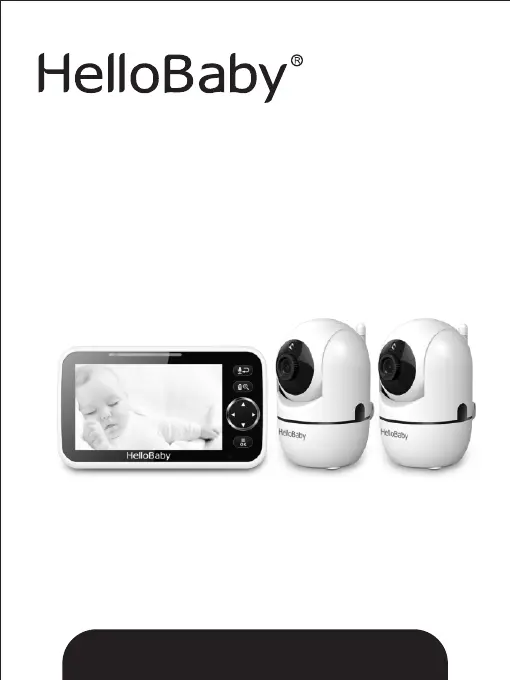
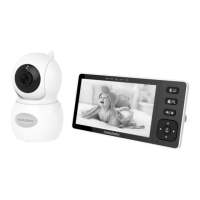
HelloBaby HB6550-2 - User Manual

HelloBaby HB6550-2
12 pages
Print Icon
To Next Page IconTo Next Page
Loading...
Ver: 1.2
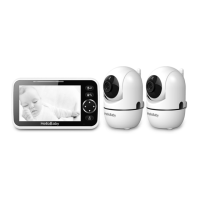
2.4GHz Digital Wireless Video Baby Monitor
User Manual
The pictures are for reference only, please subject to practicality.
www.hellobaby.net.cn
service@hellobaby.net.cn
Model: HB6550-2

Questions and Answers

  • L
    Leon ThomasAug 7, 2025
    What to do if my HelloBaby Baby Monitor has no reception?
    • Y
      ymannAug 7, 2025
      If your HelloBaby Baby Monitor isn't receiving a signal, first ensure both the camera and monitor are powered ON. Check that the power adapters are correctly connected. If the issue persists, follow the PAIRING instructions to connect them. Also, make sure the camera isn't too far from the monitor.
  • L
    Luke CollinsAug 15, 2025
    Why is my HelloBaby HB6550-2 picture frozen?
    • C
      Charles WilliamsAug 15, 2025
      If the picture on your HelloBaby Baby Monitor is frozen, try these steps: First, repower the baby unit by unplugging the adapter from the socket and then plugging it back in. If that doesn't work, press the RESET key located on the back of the parent unit.
  • B
    Bryan FoleyAug 23, 2025
    Why does my HelloBaby HB6550-2 Baby Monitor have interference?
    • S
      Shelia CarterAug 23, 2025
      Interference or poor reception on your HelloBaby Baby Monitor can occur for several reasons. Try moving the monitor closer to the camera. Ensure that neither the camera nor the monitor is too close to metal objects. Other electronic devices might also be interfering with the signal. Finally, check that the battery power isn't too low.
  • P
    penachristineAug 30, 2025
    How to stop audio feedback on HelloBaby HB6550-2 Baby Monitor?
    • A
      Andrew AdkinsAug 30, 2025
      Audio feedback, like a high-pitched noise, on your HelloBaby Baby Monitor can often be resolved by ensuring the camera and monitor are not placed too close to each other. Also, check the volume level on the monitor and lower it if it's set too high.

Summary

Safety Instructions

Warranty and Terms

Baby Monitor Placement

Stand or Wall Mounted Installation

Instructions for mounting the camera unit on a stand or wall.

Getting Started

Turn On Baby Unit

Steps to power on the baby unit.

Turn On Parent Unit

Steps to power on the parent unit.

Infrared Night Vision

Explanation of automatic infrared night vision function.

Product Overview

Icons Overview

Explanation of icons used on the parent unit display.

Parent Unit Components

Identification of components and buttons on the parent unit.

Baby Unit Components

Identification of components and features of the baby unit.

Key Operations

Turn On;Off Parent Unit

Instructions for turning the parent unit on or off.

Camera Pan and Tilt Controls

Operation of the UP, DOWN, LEFT, and RIGHT keys for camera control.

Camera View and Scan

How to view or scan between different cameras.

Digital Zoom Function

How to use the digital zoom function.

Two-Way Talk Feature

How to use the two-way talk feature.

Menu Operations

Pairing Camera and Parent Units

Guide to registering new baby units or re-registering lost links.

Volume Adjustment

Instructions for adjusting the volume level on the parent unit.

Display Brightness Settings

Instructions for adjusting the screen brightness level.

Temperature Unit Settings

How to set the temperature unit to Celsius or Fahrenheit.

Temperature Alarm Settings

How to enable or disable temperature alarm functions.

Temperature Alert Limits

Setting high and low temperature alert thresholds.

Lullaby Settings

Instructions for playing lullabies from the camera unit.

Alarm Settings

How to configure alarm times and behavior.

VOX Sensitivity Settings

Adjusting the sound activation sensitivity for the baby unit.

Language Settings

Procedure to change the display language of the parent unit.

Technical Data

Troubleshooting

Maintenance and Disposal

Regulatory Information

HelloBaby HB6550-2 Specifications

General IconGeneral
Two-Way AudioYes
Camera Resolution720P
Night VisionYes
FeaturesTemperature monitoring, pan/tilt/zoom
TypeDigital
Power SourceBaby Unit: DC 5V/1A; Parent Unit: DC 5V/1A, Rechargeable Battery

Related product manuals