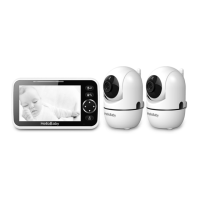
register a new baby unit, follow the procedure below:
Note : Camera icon with " " means it is well registered. You should select and pair with
the camera icon without " " sign.
8.1 .1 ADD CAMERA
1. Press the MENU key then the menu will pop up;
2. Press the ◀/▶/▲/▼ key until the camera icon is selected by red box;
3. Press OK key to enter into sub-menu, then press ▲ / ▼ key to select your desired
camera;
4. Press key enter into sub-menu; Press ▲ / ▼ key to select then press key;
5. While the icon ... displayed on the LCD screen, press the PAIR button on the back of
camera;
6. Once paired, Successful pairing icon shows on the LCD screen;
7. If fails, repeat the above steps.
8.1.2 DELETE CAMERA
1. Press the MENU key and the menu will pop up;
2. Press the ◀/▶/▲/▼ key until the camera icon is selected by red box ;
3. Press OK key, to enter into sub-menu, then press ▲ / ▼ key to select the camera
you want to delete;
4. Press key enter into sub-menu; Press ▲ / ▼ key to select then press key;
5. Press ◀ / ▶ key to select for deleting the camera;
6. Press OK key to confirm the option.
8.2 TEMPERATURE UNIT SETTING
1. Press the MENU/OK key and the menu will pop up;
2. Press the◀ / ▶ / ▲ / ▼ key until the temperature icon is selected by red box;
3. Press key enter into sub-menu;
4. Press the◀ / ▶key to select the ℉ or ℃ for setting temperature unit;
5. Press the key to confirm;
6. Press the key to Exit.
Note: The temperature detection range is 0~40 ℃ .
8.2.1 TEMPERATURE ALARM SETTING
1. Press ◀ / ▶ / ▲ / ▼ key to select for turning on alarm function; press key
to confirm;
2. Press ◀ / ▶ / ▲ / ▼ key to select for off alarm function; press key turning
to confirm;
8.2.2 SET TEMPERATURE HI/LO ALERT LIMITS
1. press ◀ / ▶ to select (red)or (green)for Hi/Lo limits settings;
2. Press ▲ / ▼ keys to adjust the Hi limit when (red)is selected;
3. Press ▲ / ▼ keys to adjust the Lo limit when (green)is selected;
Note: The high temperature alarm default setting is 36 ℃, and the low temperature
alarm default setting is 8 ℃. When the temperature goes above or below the settings, the
temperature iconwill display on the screen. It will alert user by beeps. Press any key on
5
service@hellobabyfamily.com


 To Next Page