4 5
Switching the HX2+ on and o
Switching on: Press the power buon for 2 seconds and release.
The HX-2+ will display an animaon followed by the main screen.
Switching o: The HX-2+ can be completely switched o or put into
Sleep Mode. Pressing the power buon for 2 seconds while the
HX-2+ is switched on will display a conrmaon page asking you to
“Power o” or “Restart”. Select “Power o” to completely switch o
the HX-2+.
Registering your HX-2+: The rst me you switch on your HX-2+
you will be guided through the setup process by a Setup Wizard. This
will help connect your HX-2+ to the Internet and allow you to sign in.
To access three-year subscripon register your device to access wi
cloud services updates.
Important: The HX-2+ needs connected GPS recepon to set the
correct date and me to register.
RESET
Important: Please fully charge your HX-2+’s baery as soon as possible.
During charging, do not leave the HX-2+ lying or mounted on your dash-
board where it will be exposed to extreme temperature condions.
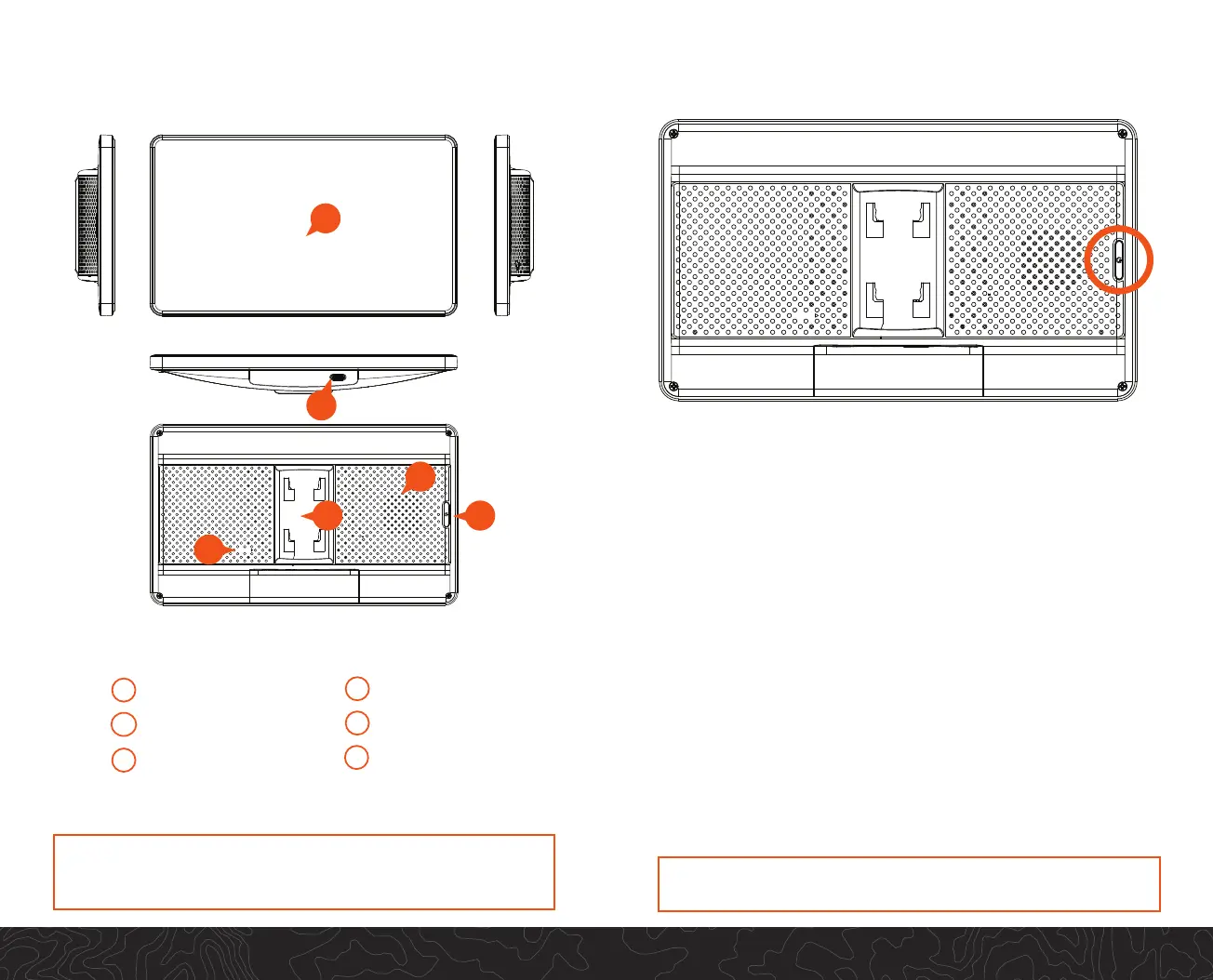
Getting to know your HX2+
B
Power buon
A
C
Reset buon
E
Speaker
Mounng slot
D
Touch screen
F
Charging port (USB-C)
RESET
D
C
F
A
E
B



 To Next Page