10 11
4WD MAPS
To start o, you will need to create a new account or sign in with an
exisng Memory Map© account.
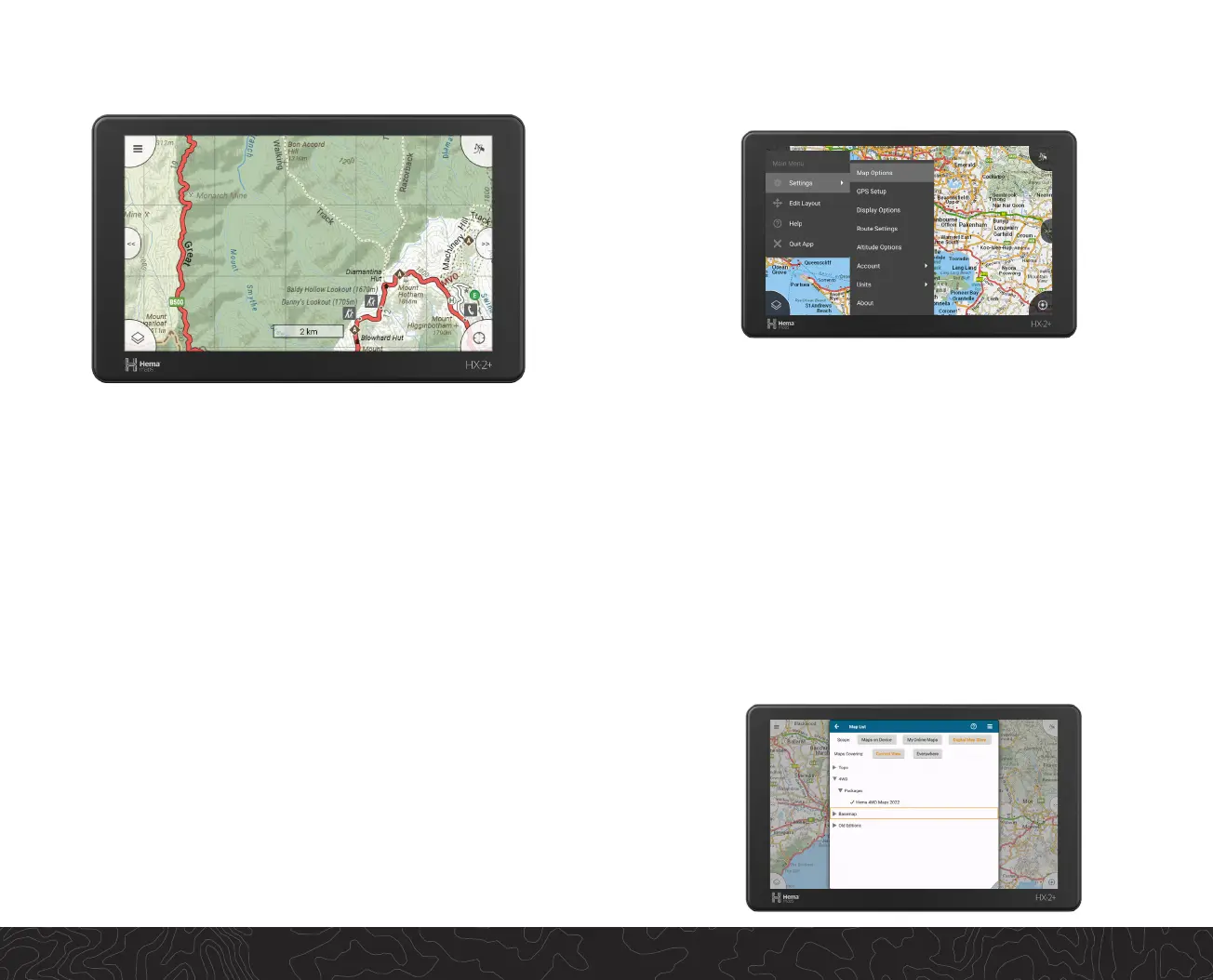
Tap on the Main Menu icon (three horizontal lines on the top right of
the screen) and then “Account”. Follow the Account sign-in process to
acvate.
Signing In (Subscripon Required)
Downloading the Hema 4WD Maps
Package 2022 or Additional Maps.
Once logged in, head to the “Digital Map Store”. Tap the Map List icon
(boom le of the screen) and scroll through the list of maps. Please
be aware of the download size. For example, the Hema 4WD Maps
Package 2022 is approx. 2.8GB, which may take around 15 minutes on a
broadband connecon.
Hema 4WD Maps powered by Memory Map© (Subscripon
required) provides access to Hema’s high detailed digital print maps.
The stac nature of print maps allows explorers to retain context for
local surroundings plus detailed navigaon / locaon informaon for
these remote areas.
The HX-2+ 4WD Maps account provides:
• Hema Maps Print Maps including Iconic Map Series, Regional/
Remote Maps, State Maps, Australia wide maps
• Access to the Memory Map Digital Map Store
• Integrated maps at view funcon
• Full track recording capability
• Route to locaon
• Map centre, map lock and zoom
• Detailed track and navigaon stascs
4WD MAPS


 To Next Page