16 17
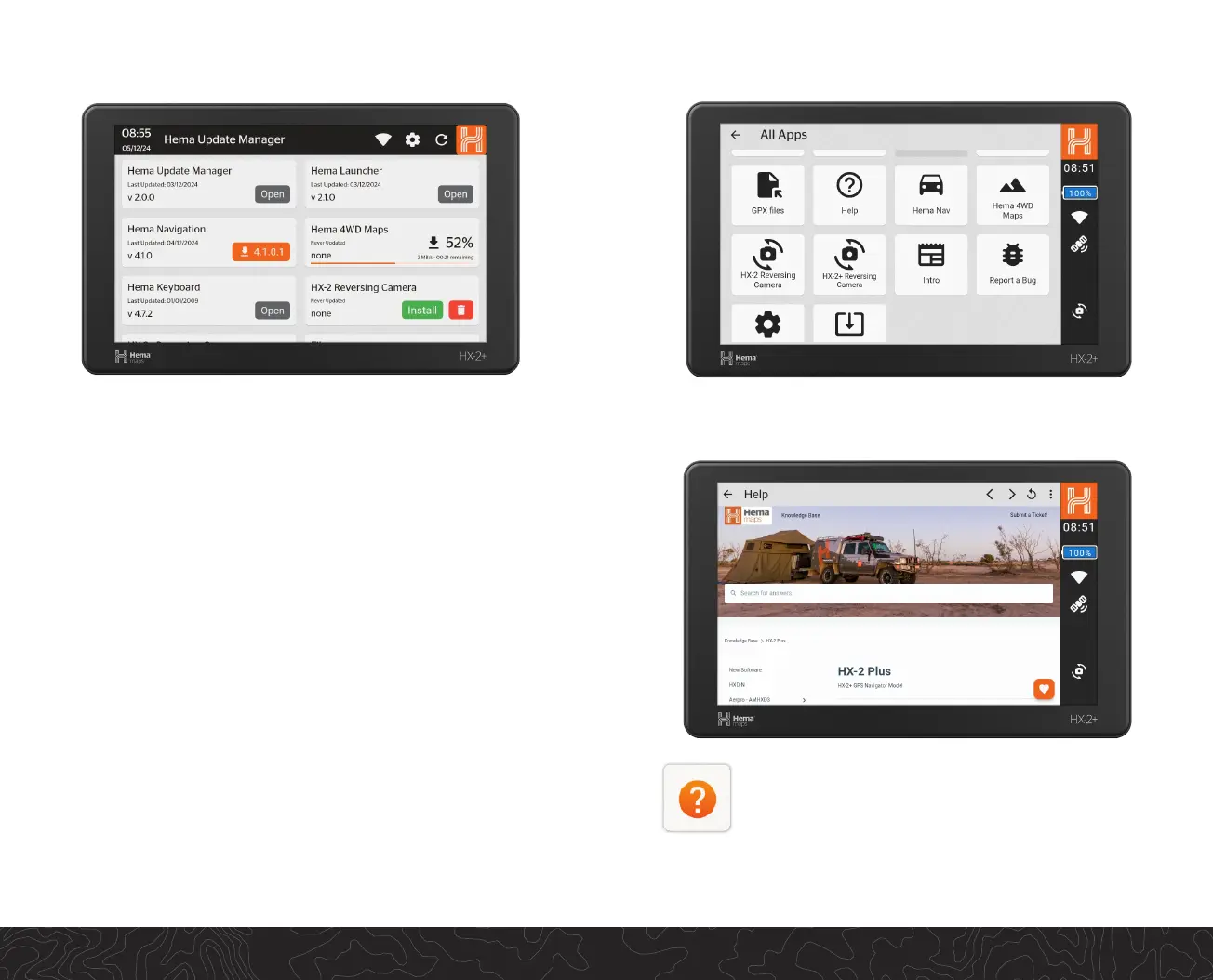
All Apps
Help
For support in using your HX-2+, accessing our FAQ’s or
viewing our detailed user manual, connect your device
to Wi-Fi and browse our knowledge base.
For technical support, click the Submit a Ticket buon
and one of our customer service team will get in contact
with you.
All Apps provides access to addional features and funcons for the
HX-2+ including reversing camera and help guides.
Hema Update Manager
Within The Hema Update Manager:
All updates are completed over a Wi-Fi connecon. These les may
be large, especially mapping le updates. Please ensure you have
a stable internet connecon and the HX-2+ is plugged in to power
before commencing any updates.
When connected to Wi-Fi, the HX-2+ will show any available
updates for your device. These can include system, soware or
mapping updates.
Please complete one update at a me by clicking on the orange
buon with the download arrow. The HX-2+ provides a status bar to
monitor the progress of your download.
Once the download has nished, you will be prompted to install the
update. When completed choose either open to run the new update
or done.


 To Next Page