EasyManua.ls Logo

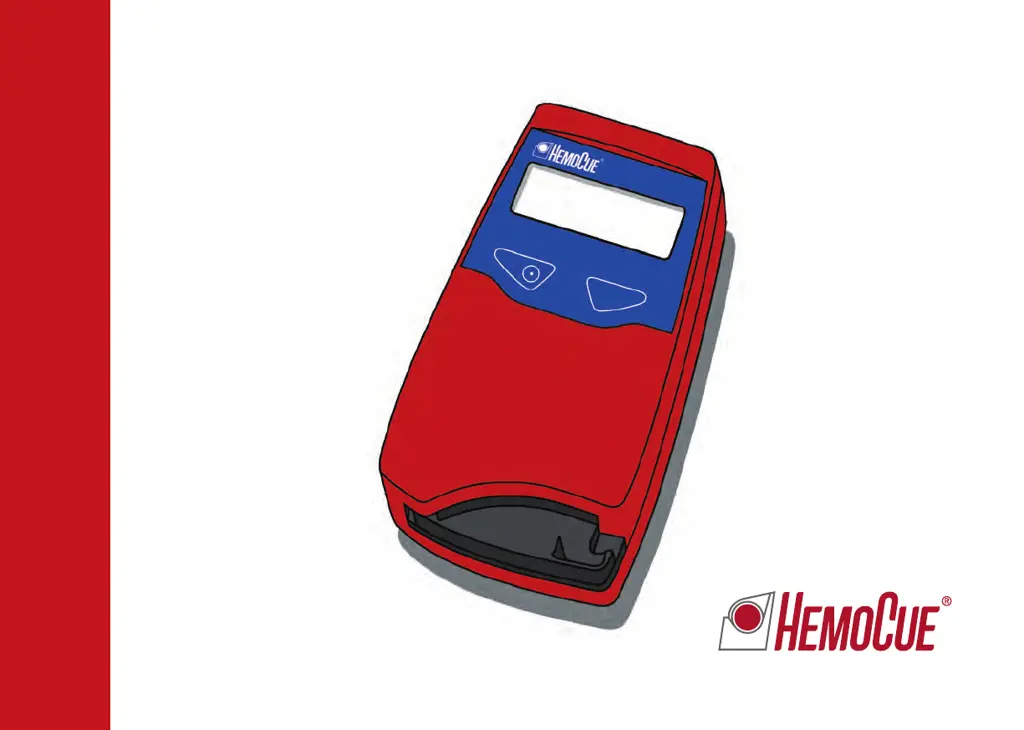
HemoCue Hb 201+ - User Manual

HemoCue Hb 201+
88 pages
Print Icon
To Next Page IconTo Next Page
Loading...
1
HemoCue Hb 201
+
Operating Manual
Bedienungsanleitung
Manuel d’utilisation
Gebruiksaanwijzing

Other manuals for HemoCue Hb 201+

Questions and Answers

  • D
    delacruzjosephSep 9, 2025
    Why HemoCue Measuring Instruments display shows ” ”?
    • S
      stevenmullinsSep 9, 2025
      If the display of your HemoCue Measuring Instruments shows ” ”, it could be due to the batteries needing replacement or, if using mains power, an issue with the mains adapter or the circuit board. Try replacing the batteries (4 type AA, 1.5 V) first. If using mains power, ensure the adapter is properly connected and working. If problems continue, the analyzer requires service; contact your distributor.
  • S
    Steven SweeneySep 7, 2025
    What to do if HemoCue Medical Equipment displays E01-E05 E09-E30 errors?
    • S
      Sarah MclaughlinSep 7, 2025
      If the HemoCue analyzer displays error codes E01-E05 or E09-E30, it suggests a dirty optronic unit or a faulty electronic or optronic unit. Turn off the analyzer and clean the optronics. If the problem persists, the analyzer requires service.
  • L
    linda29Aug 22, 2025
    What to do if HemoCue Measuring Instruments shows an error code?
    • S
      Suzanne DeleonAug 22, 2025
      If your HemoCue Measuring Instruments shows an error code, turn it off and then on again after 30 seconds. Use a new microcuvette and repeat the measurement. If the error persists, further investigation of the specific error code is needed.
  • T
    Terry LittleSep 5, 2025
    What does E00 error mean on HemoCue Medical Equipment and how to fix it?
    • K
      Kelly CarpenterSep 5, 2025
      Error code E00 indicates that no stable endpoint was found within the time range, possibly due to a faulty cuvette or circuit board. Check the microcuvette expiry date and repeat the measurement with a new microcuvette. The analyzer may require servicing if the issue persists.
  • M
    Matthew WongSep 4, 2025
    What to do if HemoCue Medical Equipment displays E07 error?
    • J
      Justin GibsonSep 4, 2025
      If the HemoCue analyzer displays error code E07, it indicates that the battery power is too low. Turn off the analyzer, replace the batteries with 4 type AA batteries. Alternatively, use a power adapter if necessary.
  • J
    Jeremy MeyerSep 2, 2025
    What to do if HemoCue Medical Equipment analyzer shows an error code?
    • D
      Donald DixonSep 2, 2025
      If the HemoCue analyzer displays an error code, it might be a temporary issue. Try turning the analyzer off, waiting for 30 seconds, and then turning it back on. Use a new microcuvette and repeat the measurement. If the error persists, further investigation of the specific error code is needed.
  • L
    Laura WestSep 1, 2025
    What to do if Quality Control (QC) is out of range too HIGH or too LOW on HemoCue Medical Equipment?
    • T
      Troy HernandezSep 1, 2025
      If the Quality Control (QC) is out of range, it could be due to several reasons: * Microcuvettes or QC being past their expiry date, damaged, or improperly stored. * Contamination of the microcuvette's optical eye. * QC not properly mixed or not at room temperature. * Air bubbles in the cuvette. * A dirty optronic unit. * Changes in the analyzer's calibration. To resolve this: * Check the expiry dates and storage conditions of both the microcuvettes and the QC. * Repeat the test with a new microcuvette, ensuring the QC is well mixed and at room temperature. * Inspect the microcuvette for bubbles. * Clean the optronic unit. * Note that the analyzer may require service.
  • J
    Joseph LawrenceAug 31, 2025
    What does E35 error mean on HemoCue Measuring Instruments?
    • K
      kellyrobbinsAug 31, 2025
      The E35 error code on your HemoCue Measuring Instruments indicates that a measurement has been incorrectly stored. Normally, no action is required. If storage problems persist, the analyzer needs service; contact your distributor.
  • J
    Joe WilliamsAug 30, 2025
    What does E09–E30 error mean on HemoCue Measuring Instruments?
    • A
      Adrienne WhiteAug 30, 2025
      The error codes E09–E30 on your HemoCue Measuring Instruments indicate a fault or dirt in the optronic or electronic units. Turn off the analyzer and clean the optronic unit using the HemoCue Cleaner. If the problem continues, the analyzer needs service; contact your distributor.
  • F
    frankhicksAug 28, 2025
    What does E01–E05 error mean on HemoCue Measuring Instruments?
    • A
      ann60Aug 29, 2025
      The error codes E01–E05 on your HemoCue Measuring Instruments indicate a fault or dirt in the optronic or electronic units. Turn off the analyzer and clean the optronic unit using the HemoCue Cleaner. If the problem persists, the analyzer requires service; contact your distributor.

Summary

HemoCue Hb 201+ Analyzer Introduction

HemoCue Hb 201+ Analyzer Overview

Provides a general introduction and overview of the HemoCue Hb 201+ Analyzer's capabilities and intended use.

Analyzer Components and Initial Setup

Included Analyzer Components

Lists and illustrates all components included with the HemoCue Hb 201+ system.

Start-up and Initial Configuration

Instructions for powering on the analyzer and configuring settings like audio, date, and time.

Performing Blood Measurements

Capillary Blood Sampling Procedure

Step-by-step instructions for collecting and preparing capillary blood samples for analysis.

Venous and Arterial Blood Sampling

Procedures for collecting and preparing venous or arterial blood samples for measurement.

Quality Control and Data Management

Performing Quality Control Tests

Instructions for executing quality control tests on the HemoCue Hb 201+ Analyzer.

Accessing and Deleting Stored Results

How to view, manage, and delete measurement results stored in the analyzer's memory.

Connectivity and Maintenance

PC and Printer Connectivity

Instructions for connecting the HemoCue Hb 201+ Analyzer to a PC or printer.

Daily and Optical Parts Maintenance

Guides for performing daily cleaning of the analyzer and its optical components.

Troubleshooting Analyzer Issues

Troubleshooting Error Codes and Display Issues

Steps to resolve errors like E00-E35, HHH, display faults, and incorrect character displays.

Troubleshooting Measurement and Result Errors

Resolving issues with out-of-range results, control materials, and patient sample readings.

Analyzer Specifications and Compliance

Technical Specifications and Limitations

Key technical data, measuring range, limitations, and essential performance of the HemoCue Hb 201+.

Electromagnetic Compatibility (EMC) Information

Information regarding electromagnetic immunity and emission standards for the HemoCue systems.

Symbols and Manufacturer Information

Symbols Used in the Manual

Explanation of various symbols and notations found throughout the operating manual.

Manufacturer Contact Information

Contact information and address for HemoCue AB, the manufacturer of the analyzer.

HemoCue Hb 201+ Specifications

General IconGeneral
Sample Volume10 µL
CalibrationFactory calibrated
DisplayLCD
Measurement PrinciplePhotometric
Measurement Range0–25.6 g/dL
Operating Temperature15–30 °C
Storage Temperature0–50 °C
Power Supply4 x AA batteries or AC adapter
Weight350 g (with batteries)
Precision< 1.5% CV
Measuring TimeApproximately 1 minute
Power4 AA batteries
Data Storage600 results
ConnectivityNot available

Videos

How to Measure Hb 201+

How to Clean Hb 201+

Related product manuals