11
EN
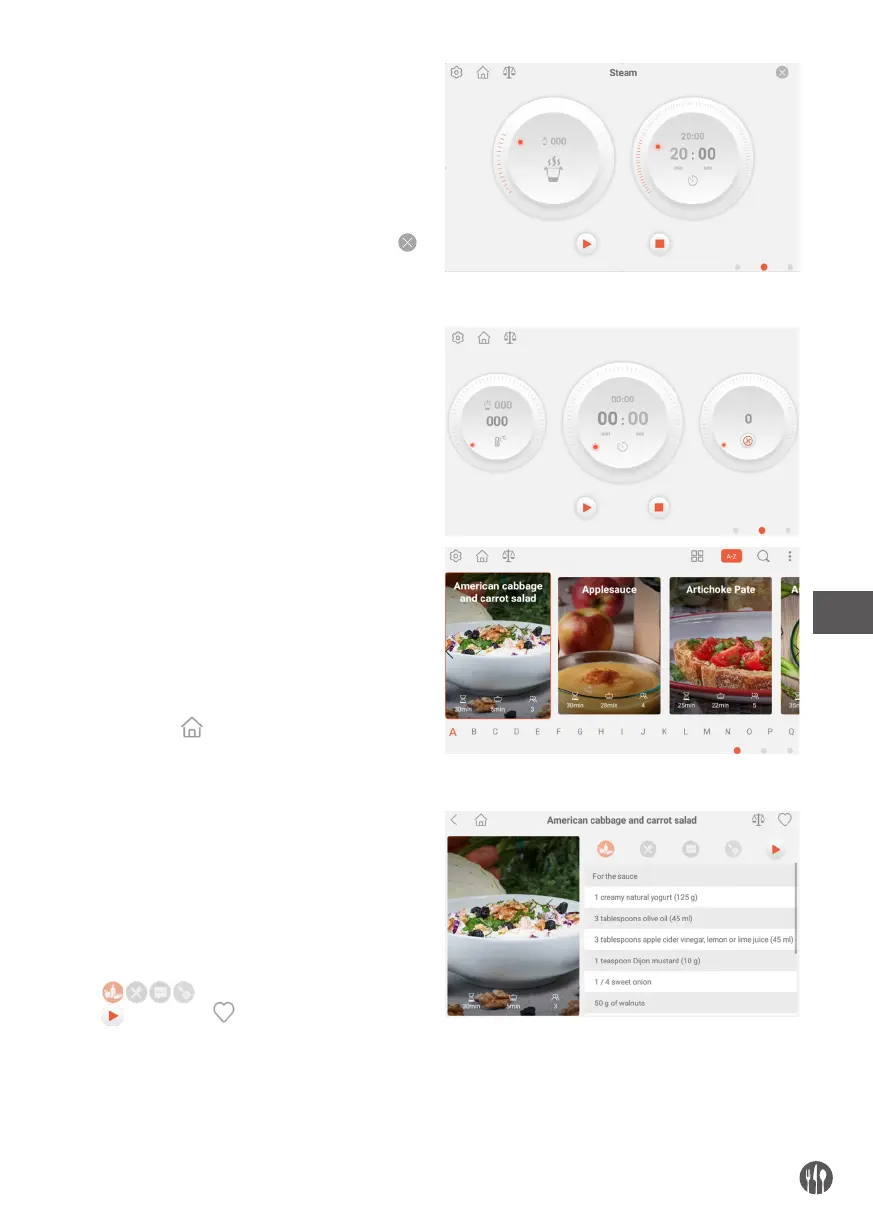
Click the function icon in common function menu
to go to the corresponding screen interface. Start
working after completing the step 7 and 8. Click
to exit this interface. This icon is for steaming.
By sliding right in screen or click the left dot in red
circle or turn the knob in anticlockwise to go to recipe
menu. Click the or click the middle dot in red
circle to go back to the initial step for reset.
Click the recipe photo, enter into recipe interface,
click to check all the recipe details.
Click to start and for favourite collection.


 To Next Page