EasyManua.ls Logo

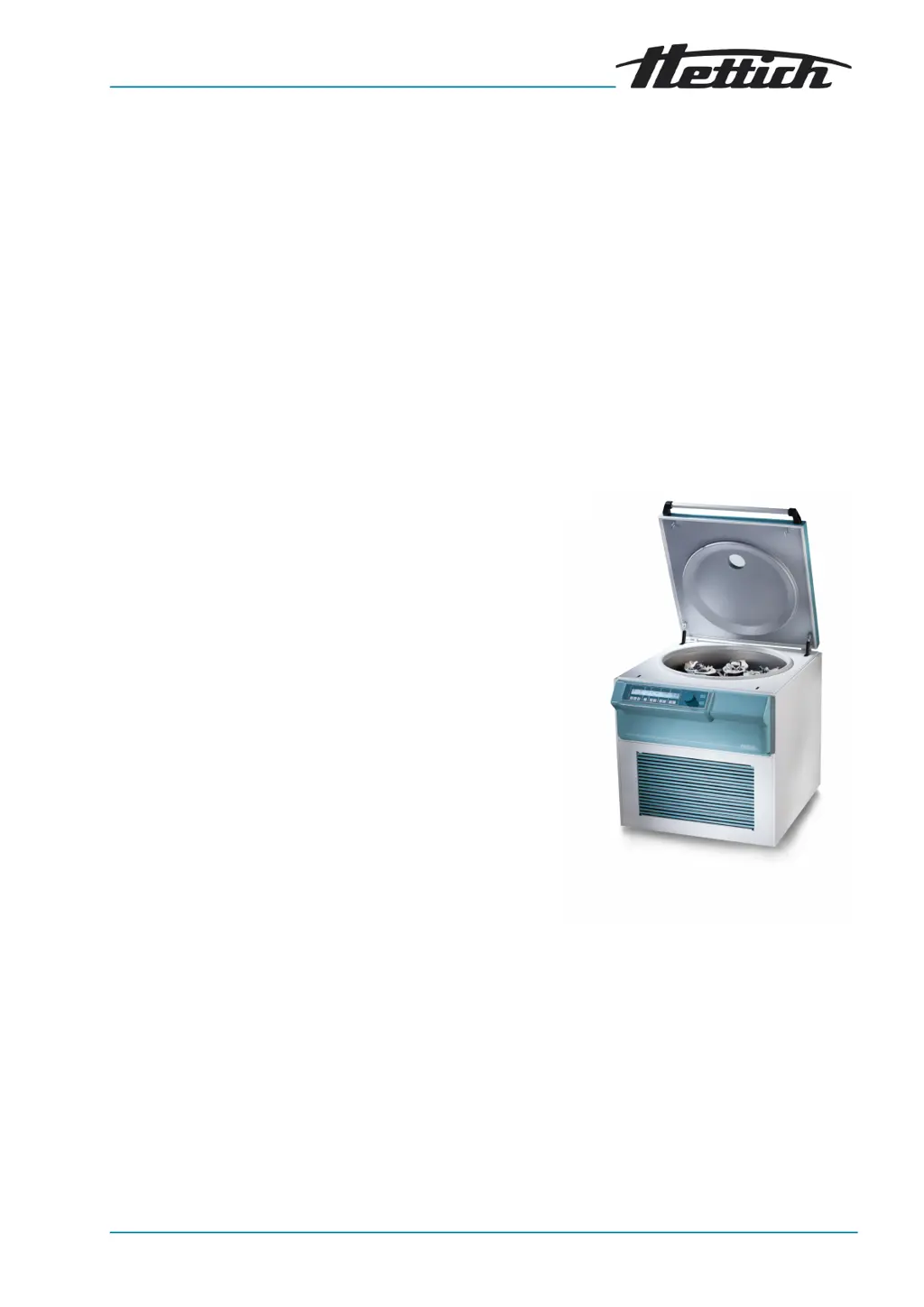
Hettich ROTO SILENTA 630 RS - User Manual

Hettich ROTO SILENTA 630 RS
86 pages
Print Icon
To Next Page IconTo Next Page
Loading...
ROTO SILENTA 630 RS
Rev.: 04 / 11.2023AB5005en_SA
Inhalt des Dokuments / content of the document
Operating instructions (EN)
Rotoren und Zubehör / Rotors and accessories

Table of Contents

Questions and Answers

  • G
    Gina BakerAug 20, 2025
    What to do if my Hettich ROTO SILENTA 630 RS Laboratory Equipment shows IMBALANCE / UNWUCHT error?
    • K
      Kelly MosleyAug 20, 2025
      If the Hettich Laboratory Equipment displays 'IMBALANCE / UNWUCHT', it means the rotor is unevenly loaded. To resolve this, open the lid or hatch, check the rotor loading, and then repeat the centrifugation run.
  • R
    Russell QuinnAug 22, 2025
    Why is there no display on my Hettich ROTO SILENTA 630 RS?
    • K
      Kimberly PopeAug 22, 2025
      If your Hettich Laboratory Equipment has no display, it could be due to no power or triggering of the overcurrent protection fuse (for centrifuges 5005-08 only). Check the supply voltage and ensure the mains switch is in the [I] position.
  • J
    Joseph OwensAug 25, 2025
    What does MAINS INTERRUPT mean on my Hettich ROTO SILENTA 630 RS?
    • L
      Lauren SandersAug 25, 2025
      If your Hettich Laboratory Equipment shows 'MAINS INTERRUPT', it means there was a loss of mains power during the centrifugation run, and the run was not completed. Open the lid and press the [START] button. If needed, repeat the centrifugation run.
  • A
    Andrea RichardsAug 26, 2025
    How to fix N > ROTOR MAX 96 error on Hettich Laboratory Equipment?
    • J
      Joan WilliamsAug 26, 2025
      The 'N > ROTOR MAX 96' error on your Hettich Laboratory Equipment indicates that the speed in the selected program is greater than the maximum rotor speed. You should check and correct the speed. Alternatively, if you've changed the rotor to one with a higher maximum speed, but it hasn't been recognized yet, set a speed up to the maximum speed of the previously used rotor and press the [START] button to perform rotor detection.
  • R
    Robert McfarlandAug 28, 2025
    What causes TACHO - ERROR 01, 02 on Hettich ROTO SILENTA 630 RS?
    • M
      Morgan KlineAug 28, 2025
      The 'TACHO - ERROR 01, 02' on your Hettich Laboratory Equipment indicates a defective tacho, motor, inverter, or electronics. To attempt a fix, open the lid, set the mains switch to [0], wait at least 10 seconds, turn the rotor vigorously by hand, and then set the mains switch to [I]. The rotor must rotate while switching on.
  • M
    Michael HawkinsAug 30, 2025
    What does CONTROL - ERROR 04, 06-09 mean on Hettich Laboratory Equipment?
    • V
      vrobinsonAug 30, 2025
      If your Hettich Laboratory Equipment displays 'CONTROL - ERROR 04, 06-09', it indicates a lid lock error. Perform a MAINS RESET to resolve this.
  • L
    Lauren HesterSep 1, 2025
    What does N > MAX 05 error mean for Hettich ROTO SILENTA 630 RS Laboratory Equipment?
    • V
      Victor BennettSep 1, 2025
      If your Hettich Laboratory Equipment displays 'N > MAX 05', it indicates an overspeed error. Perform a MAINS RESET to resolve this.
  • D
    David CaldwellSep 3, 2025
    What does N < MIN 13 error mean on Hettich ROTO SILENTA 630 RS?
    • R
      Roy VangSep 3, 2025
      If your Hettich Laboratory Equipment displays 'N < MIN 13', it indicates an underspeed error. Perform a MAINS RESET to resolve this.
  • L
    Leah HuntSep 5, 2025
    How to fix ROTORCODE 10 error on Hettich ROTO SILENTA 630 RS?
    • S
      Sharon HuntSep 5, 2025
      If your Hettich Laboratory Equipment displays 'ROTORCODE 10', it indicates a rotor coding error. Perform a MAINS RESET to resolve this.
  • A
    Alexandra AndersenSep 7, 2025
    What causes VERSION-ERROR 12 on Hettich Laboratory Equipment?
    • M
      matthew18Sep 7, 2025
      If your Hettich Laboratory Equipment displays 'VERSION-ERROR 12', it indicates no conformity of the electronic components, or an error/defect in electronics. Perform a MAINS RESET to resolve this.

Summary

Safety

Intended Use

Defines the device as a laboratory centrifuge for medical applications, specifically for blood processing.

Non-intended Use and Foreseeable Misuse

Details improper uses and potential dangers, including explosive atmospheres and hazardous substances.

Safety Instructions

Provides critical warnings for hazards like contamination, fire, electric shock, and mechanical damage.

Device Overview

Technical Data

Presents detailed specifications including manufacturer, model, voltage, power, capacity, and dimensions.

Commissioning

Setting Up and Connecting the Centrifuge

Details requirements for installation, including safety distances and ambient conditions.

Operation

Removing and Installing the Rotor

Provides detailed instructions for safely removing and installing rotors using a clamping nut.

Loading

Covers filling centrifuge tubes and loading rotors, emphasizing safety and balance.

Centrifugation

Covers the fundamental centrifugation process and its various modes.

Centrifugation in Continuous Operation

Describes how to set up and run the centrifuge for continuous operation without a set time.

Centrifugation with Time Preselection

Explains how to set a specific runtime for the centrifugation process.

Software Operation

Centrifugation Parameters

Details how to set and adjust various centrifugation parameters.

Ramp-Up and Ramp-Down Parameters

Explains how to set acceleration and deceleration profiles for the rotor.

Runtime

Describes how to set the duration of the centrifugation run in minutes and seconds.

Setting the Relative Centrifugal Force (RCF;RZB)

Details how to input and adjust the desired Relative Centrifugal Force value.

Centrifugation of Substances with Higher Density

Provides formulas and guidance for reducing speed when centrifuging substances denser than 1.2 kg/dm³.

Programming

Covers the creation, saving, and retrieval of centrifugation programs.

Cooling (for Centrifuges with Cooling)

Covers instructions, standby cooling, and precooling features for centrifuges with cooling options.

Machine Menu

Details how to access and query system information and settings via the machine menu.

Program Links

Covers the functionality of linking multiple programs together for sequential operation.

Cleaning and Care

Cleaning and Disinfection Instructions

General instructions and safety precautions for cleaning and disinfecting the device and accessories.

Disinfection

Covers disinfection procedures, including chemical recommendations and safety warnings.

Maintenance

Outlines routine maintenance tasks such as greasing and checking components.

Troubleshooting

Fault Description

Lists common faults, their causes, and recommended remedies for the centrifuge.

Perform a MAINS RESET

Provides instructions for performing a MAINS RESET to resolve certain operational errors.

Hettich ROTO SILENTA 630 RS Specifications

General IconGeneral
BrandHettich
ModelROTO SILENTA 630 RS
CategoryLaboratory Equipment
LanguageEnglish

Related product manuals