83
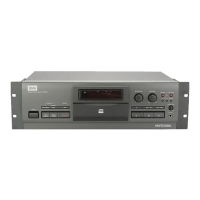
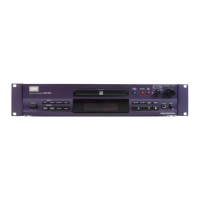
CDR-850
• PANEL FACILITIES
8. PANEL FACILITIES AND SPECIFICATIONS
FRONT PANEL
The operations available using buttons marked (*) are also
available using the buttons with the same names or
inscriptions on the remote control unit.
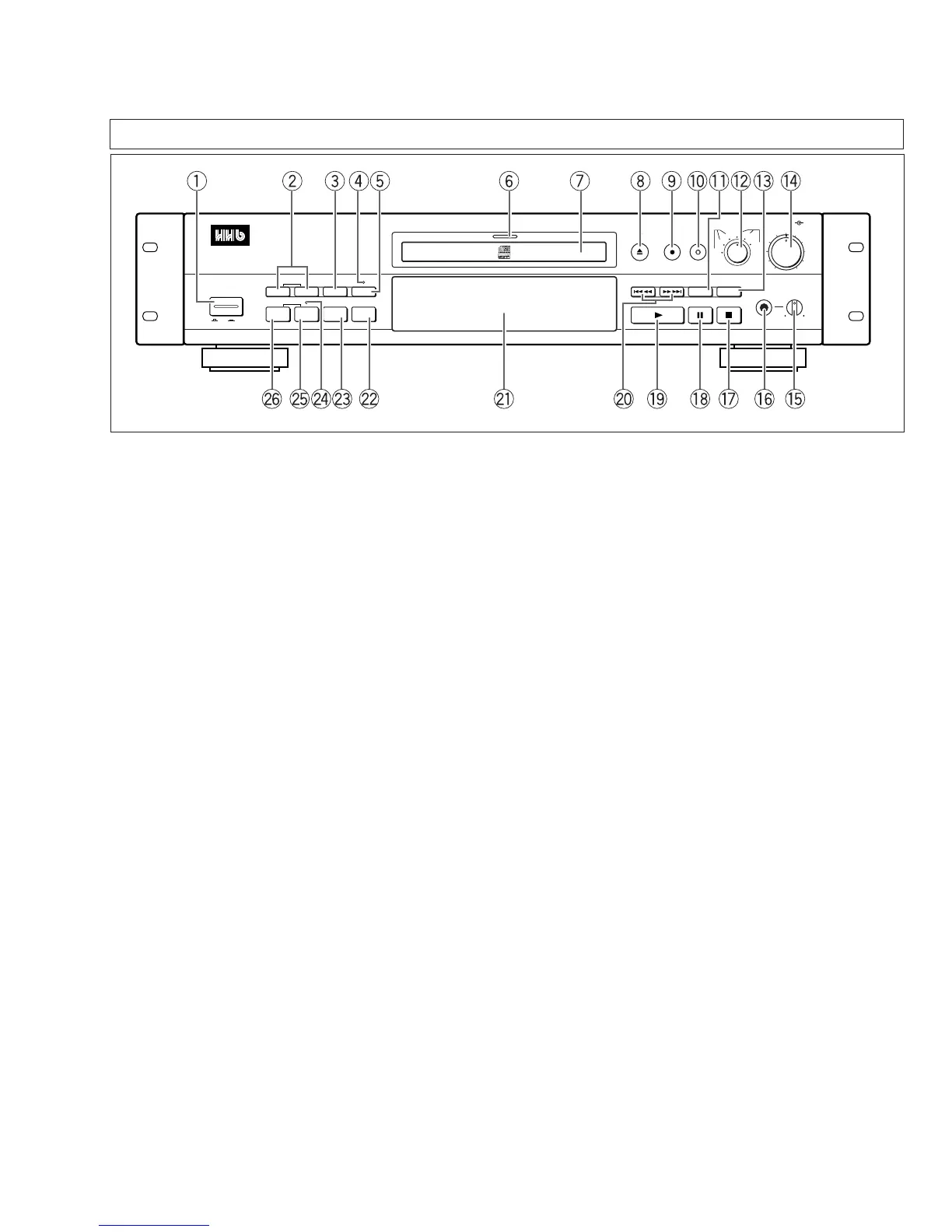
1 POWER switch
2 SKIP ID SET, CLEAR buttons
3 SKIP PLAY button
4 COPY-BIT indicator
5 MENU button
6 Function indicator
Recording .............................................. Lights red
Recording mute and writing to (PMA) ... Blinks red
Playback ................................................ Lights green
Preparing to erase ................................. Blinks orange
Erasing .................................................. Lights orange
7 Disc tray
8 OPEN/CLOSE 0 button
9 RECORD ¶ (record) button*
0 REC MUTE • (record muting) button*
- TIME/MARGIN button*
= INPUT SELECTOR knob
~ DIGITAL SYNCHRO button
! REC LEVEL (recording level) knobs
(outer: Left, inner: Right)
@ PHONES LEVEL (headphone level) control
# PHONES (headphones) jack
$ 7 (stop) button*
% 8 (pause) button*
^ 3 (play) button*
POWER
OFF
SET
AUTO/
MANUAL
WRITE
[MANUAL]
SKIP ID
TRACK NO.
CLEAR SKIP PLAY
FINALIZE
MENU
ERASE
OPEN/
CLOSE
RECORD
REC
MUTE
INPUT SELECTOR
REC LEVEL
LEVELPHONES
DIGITAL
SYNCHRO
TIME/
MARGIN
MIN MAX
LR
5
46
37
28
010
19
AES/
EBU
COAX
OPT
DIGITAL ANALOG
XLR
+4dBu
XLR
–8dBu
LINE
COMPACT DISC RECORDER
CDR-850
ON
PROFESSIONAL
& 4 1, ¡ ¢ (search) buttons*
* Display panel
( ERASE button
) FINALIZE button
_ TRACK NO. WRITE (MANUAL) indicator
+ TRACK NO. WRITE (MANUAL) button*
¡ TRACK NO. AUTO/MANUAL button


 To Next Page