HF2221 Serial Server Device User Manual
http://www.iotworkshop.com - 21 -
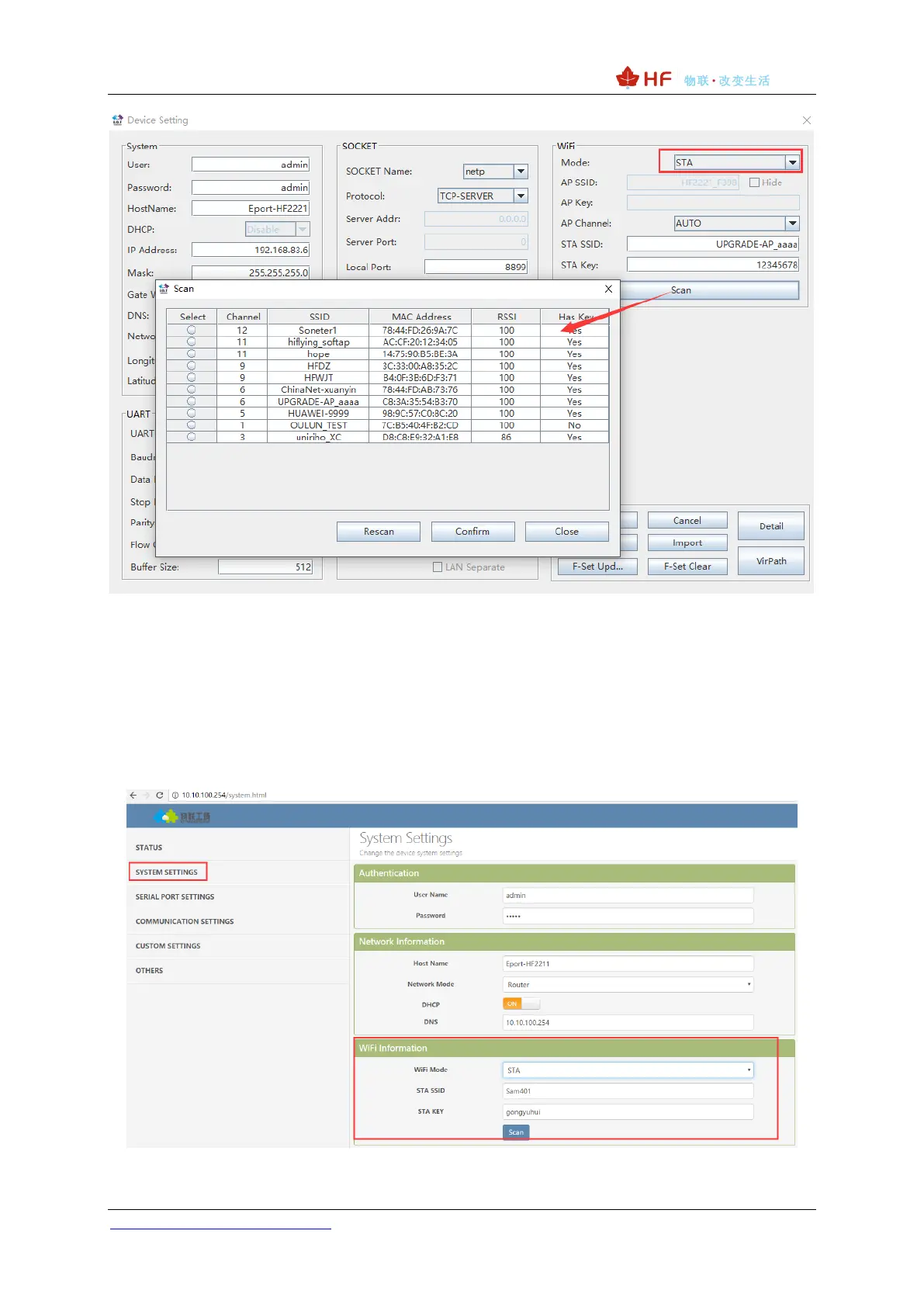
Figure 17. STA Scan Parameter
3.1.5. Webpage Configuration
Use PC to connect with HF2221 through its AP SSID (IP:10.10.100.254) or PC and HF2221 connect
to same router (WAN port connect to router LANN port, IP is assigned by router). Type the product IP,
default username and password: admin/admin) to login the webpage to configure the parameter.
Figure 18. Configure the Wi-Fi Parameter


 To Next Page