HF2221 Serial Server Device User Manual
http://www.iotworkshop.com - 25 -
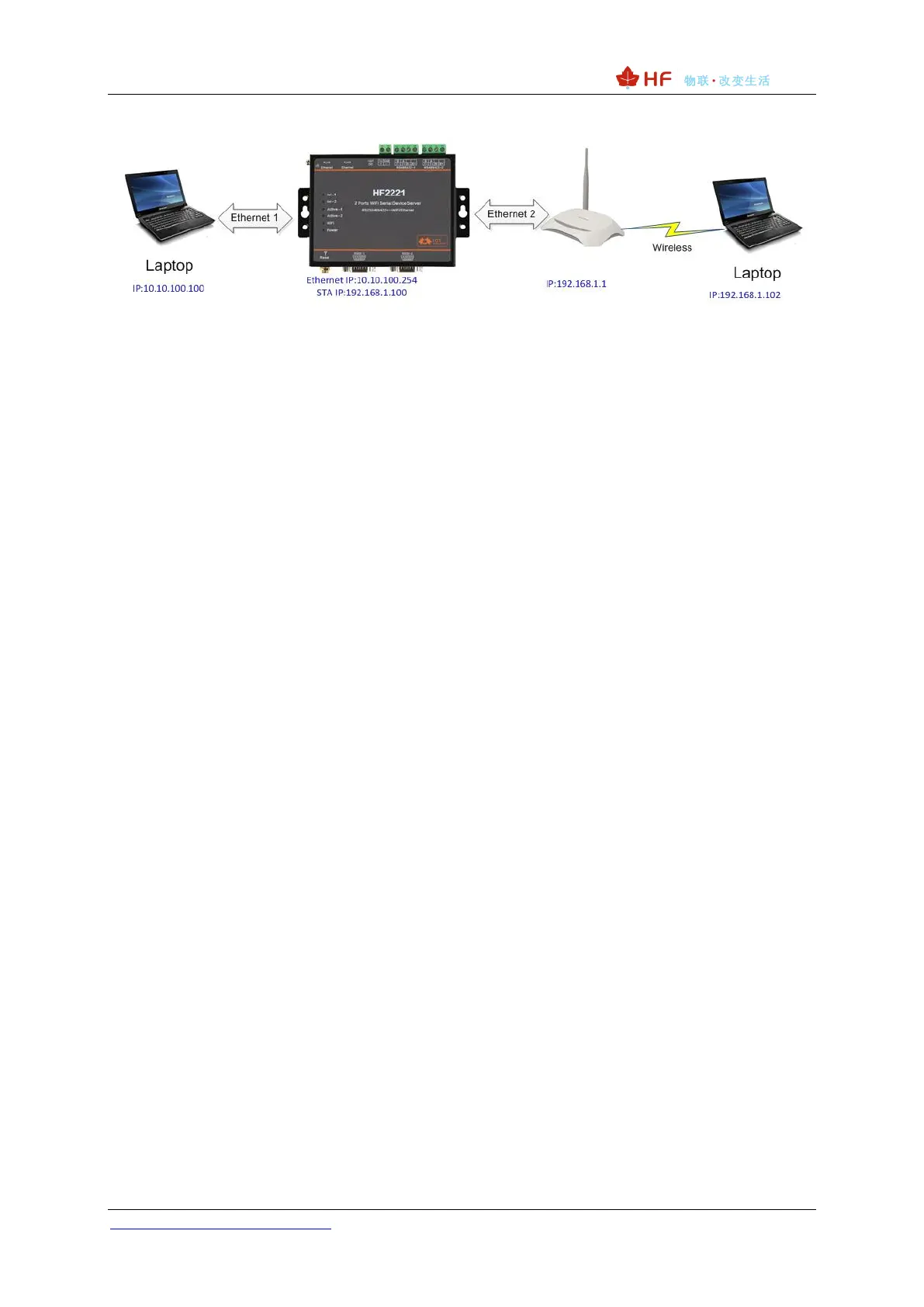
Figure 24. Ethernet Port Function2 (Bridge)
The HF2221 device Ethernet interface work in bridge mode. Default Ethernet 2 is WAN for connecting
to the router while the Ethernet 1 is LAN to connect to the PC. PC acquire the IP address
(192.168.1.101 as figure). In the whole network, device is like a transparent. PC1 and PC2 can
connect each other without any constraint. But iif need to connect other device, it will set as LAN IP
address (192.168.1.10 as figure).
Notes:
Webpage, IOTService, or Cli command to set working mode, by default is router mode.


 To Next Page