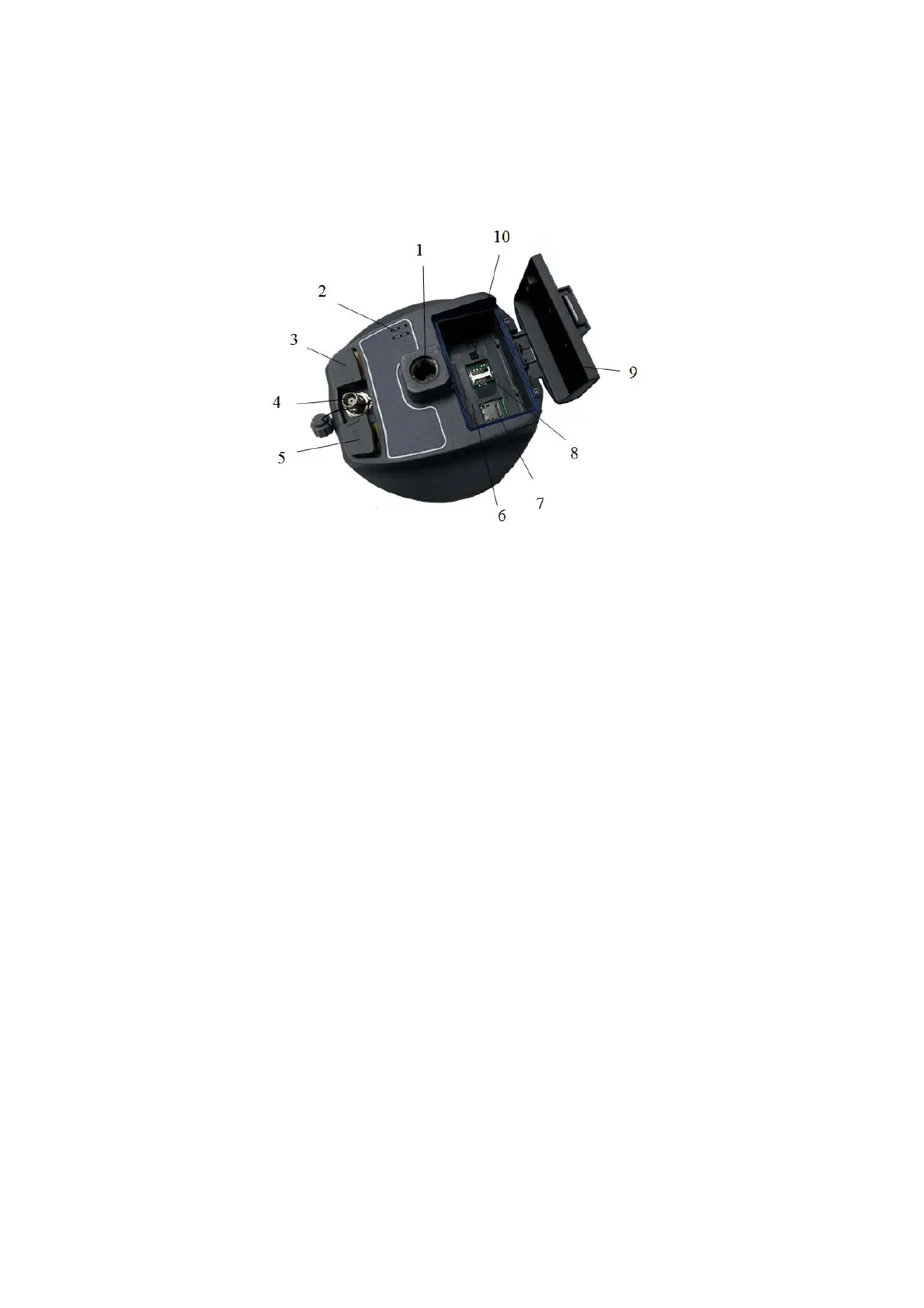
1- Screw connection 2- speaker 3-USB interface and protective plug 4-GPRS/
Antenna Interface 5- Five-pin plug socket and protection 6- Battery compartment 7-
SD card slot 8-SIM card slot 9- Battery Cover 10-SLC Power Block.
Figure 2-4
◇ connection screw: for the instrument fixed to the base or the pole.
◇ Trumpet: Real-time operation and status of the instrument voice
broadcast.
◇ USB interface: For connection to the host and external devices,
upgrade firmware and download the static data, can also be used as USB to
serial port using a special mode of operation (need to install drivers).
◇ 3G / GPRS internal radio antenna connection: Connect 3G / GPRS
antenna using the network, then the built-in UHF radio antenna when using the
radio.
8



 To Next Page