Easy HD Expressway!
WWW.HIDES.COM.TW 6
When the USB-UART dongle is connected to the PC first time, it may take some seconds to install
the driver.
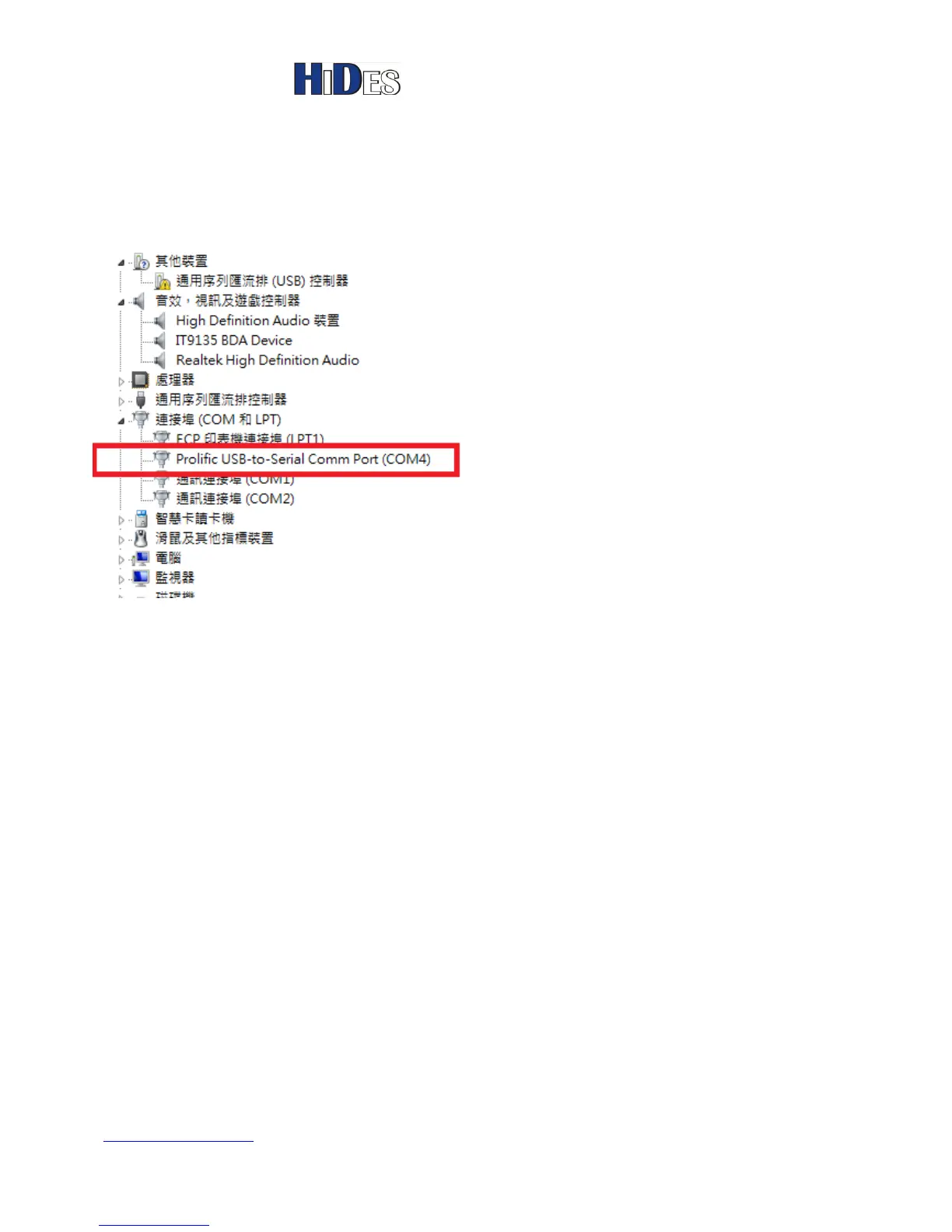
After driver installed, you may check the new RS-232 COM port device assignment in device
manager. COM4 is assigned in the following example.
Launch AVSenderUARTGUI.exe
Note:
If you fail to run AVSenderUARTGUI.exe please,
1. Install the components by
A. Run Setup.exe in the folder <GUI_Setup > first for non-XP system.
B. For XP platform, click to run the EXE file in each folder, including \DotNetFX40, and
\vcredist_x86.
2. If it still fails to run AVSenderUARTGUI.exe after running step 1.
A. Please try to remove manually all the installation of "Microsoft Visual C++ 201x
Redistributable" on your PC in Control Panel first, as shown in the picture below.
B. Then, run step 1 to install the components again.



 To Next Page