Using the Hog iPC Configuration Panel
24 Hog iPC Handbook
Hardware Options
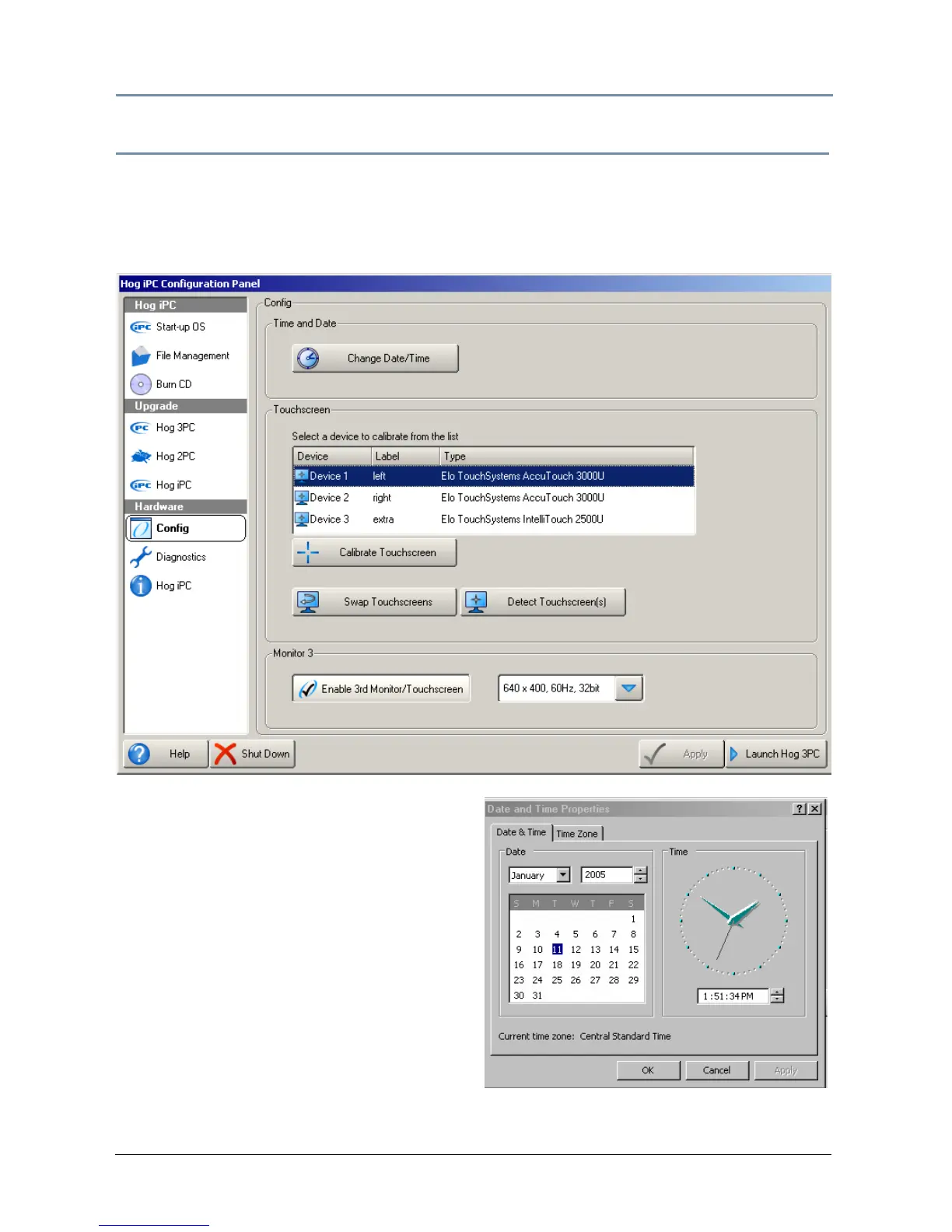
Hardware Configuration
The Hog iPC console’s hardware configuration options include setting the date and time,
calibrating the touchscreen monitors,
and enabling the optional third monitor.
Setting Time and Date
Touching the Change Date/Time button
opens the standard Windows Time and Date
dialog box to set the time, date, and time
zone as well as daylight savings options.
After making needed adjustment, press OK
to save. You have the option to Cancel
your changes at any time.


 To Next Page