Using Hog® 3PC Software
36 Hog iPC Handbook
Launching Hog 3PC
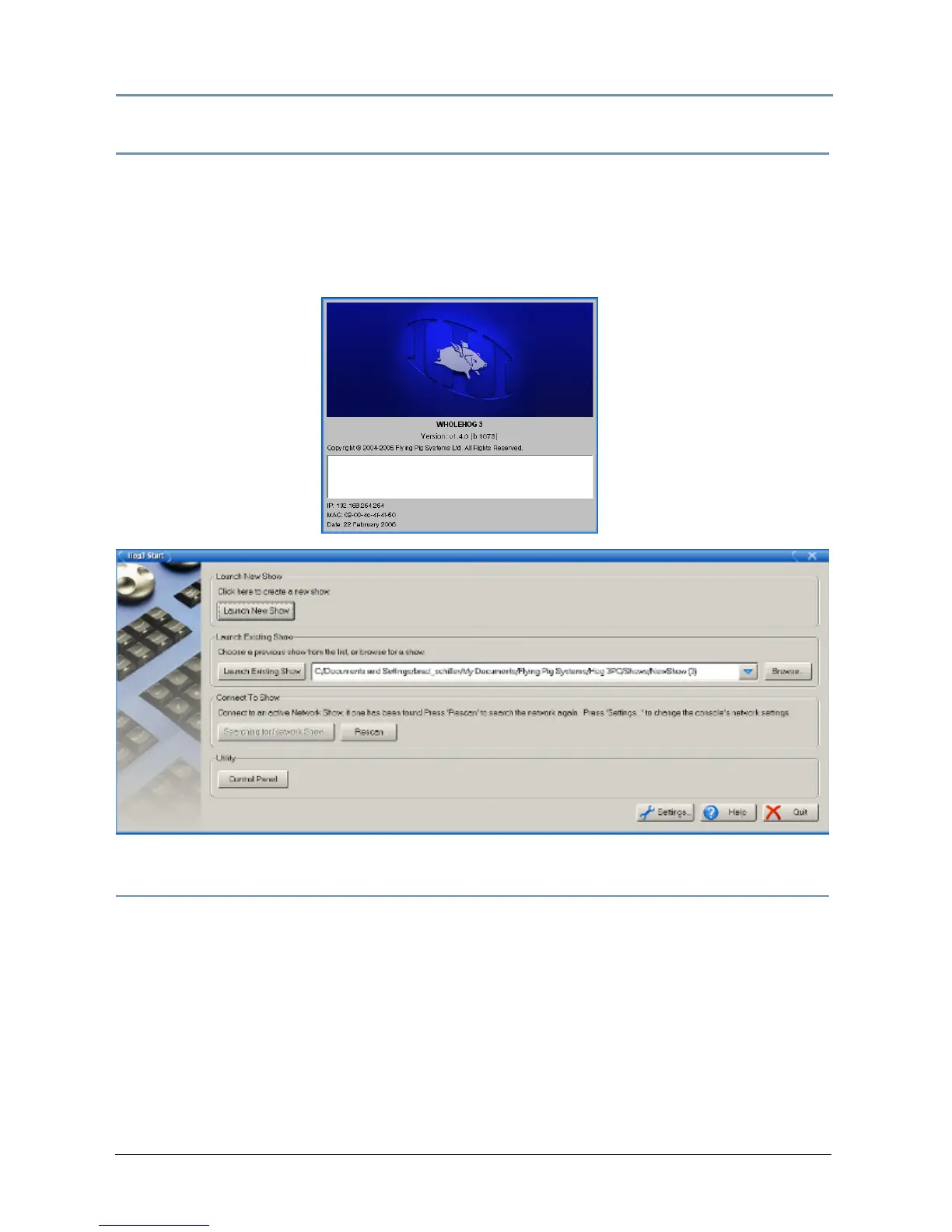
The Hog iPC Configuration Panel allows you to assign the Hog iPC console to launch the
Hog
3PC application, see Start-up OS on page 18. The Splash Screen and the Hog3 Start
window will open.
In the Hog3 Start window, you can choose to Launch New Show, Launch Existing Show, or
Connect to Show.
Working with Hog 3PC Show Files
Creating
All Hog 3PC shows stored on the Hog iPC computer are stored in the Hog 3PC shows folder.
You can create new sub-folders using the Hog
iPC Configuration Panel's File Management tab
or within the Hog
3PC's new show window.
Transferring
A Wholehog 3 show file is actually a folder containing several subfolders and files. Within the
Hog
3PC application and the Hog iPC Configuration Panel, this show folder is displayed as a
single Wholehog 3 show file with a Wholehog
3 icon.


 To Next Page