33 T560MANK5.DOCX
6.
Xport Ethernet Module Setup
The T560-2 and T560-32 use a Lantronix Xport module as the Ethernet/TCP-IP interface. It
can be accessed by connecting to the device via either its IP address or DHCP-provided
hostname, on TCP port 2000. The interface is the same line-oriented ASCII interface as
provided over the serial interface, but can be accessed through a standard telnet client
such as TeraTerm, puTTY, or the OS-provided telnet command.
To confirm that the T560 has been connected successfully, type ST followed by <Enter>.
You should see the status report as defined in 4.6.14.
6.1.
DHCP
The factory default setting for the T560 has its IP address assigned by the network’s DHCP
server. The T560 can be accessed by either IP address or hostname, which will be in the
form: t560-xxxxx, where the xxxxx is the 5-digit unit serial number. If the serial number is
fewer than five digits long, pad it on the left with zeros.
6.2.
Static IP Assignment
The XPort also supports static IP address assignment.
Lantronix provides a PC utility "XportInstaller" to locate an Xport module by MAC address
and assign it an IP address. The Lantronix software utilities may be downloaded from
http://www.lantronix.com.
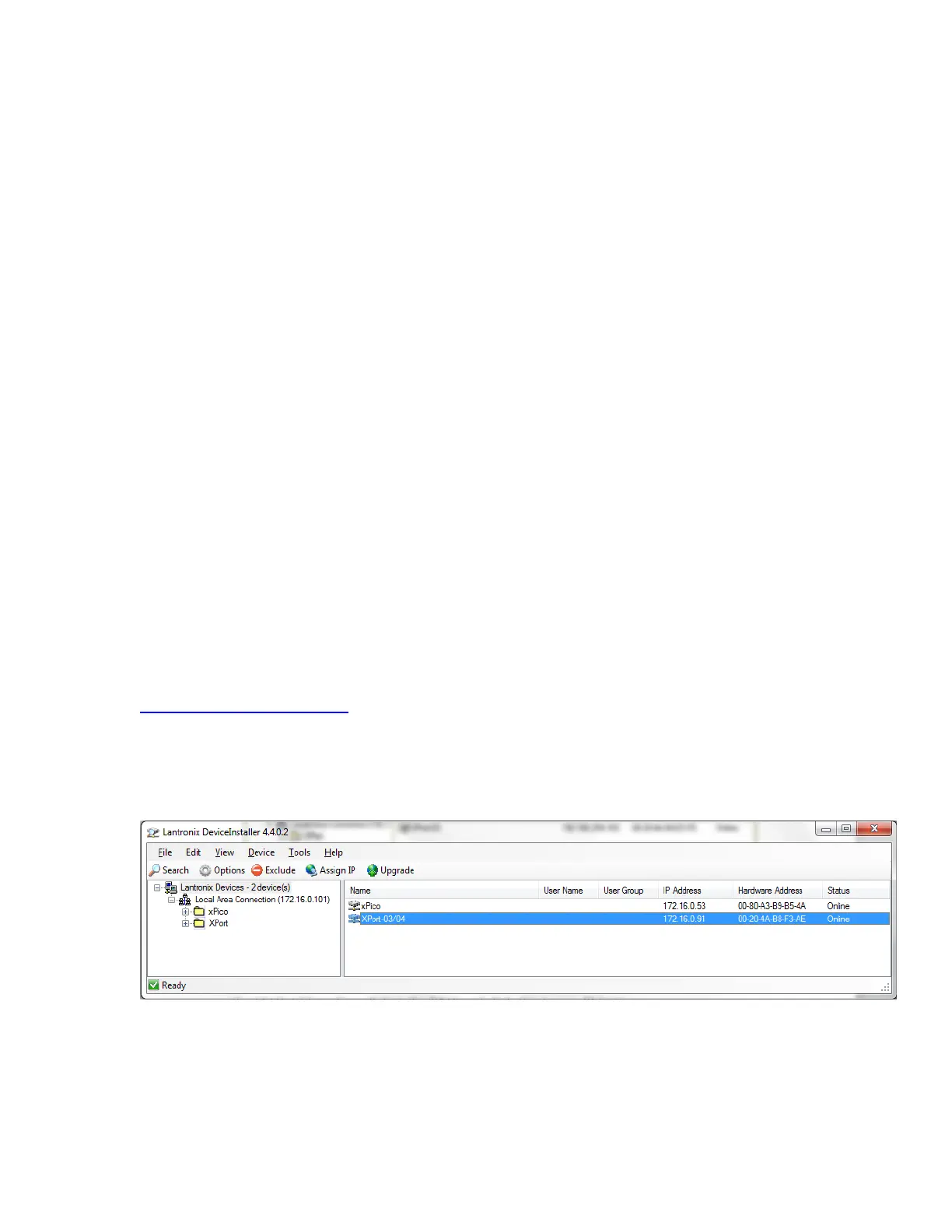
To find the IP address of a T560 unit, the T560 should be connected to the local network.
The Lantronix DeviceInstaller software should be started from a Windows PC connected to
the same network.
Figure 6-1. Lantronix DeviceInstaller Main Screen
Find the T560 in the software by its hardware MAC address. The MAC address can be
found on one of the sides of the T560 and will follow the form xx-xx-xx-xx-xx-xx. In the
above image, the MAC address is 00-20-4A-B8-F3-AE. The IP address will appear in the
software next to the MAC address.



 To Next Page