6
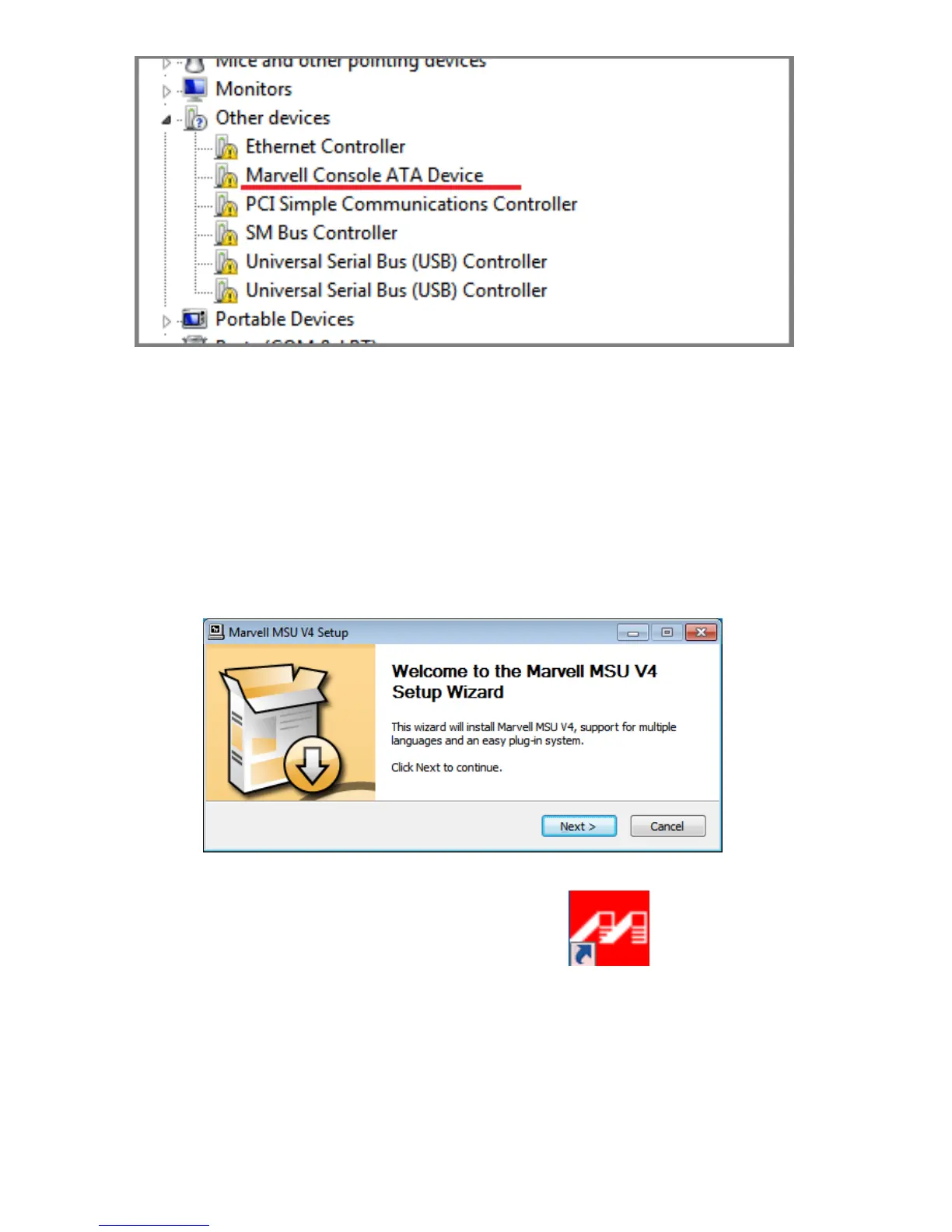
4. Browsetothelocationofthe“Console”devicedriverandclick
“Next”.Driverlocation(Rocket64xLSoftwareCD):
/Driver/R64xL/Windows/driver
5. Whenasked:“Wouldyouliketoinstallthisdriversoftware?”
select“Install”.
6. InstalltheMSUutility.DoubleClickthe“MSUSetup”programto
installtheutility.Driverlocation(Rocket64xLSoftwareCD):
/Driver/R64xL/Windows/utility:
7. After the utility is installed, please click the shortcut on the
Windowsdesktoptoruntheutility.




 To Next Page