3
Hardware Installation:
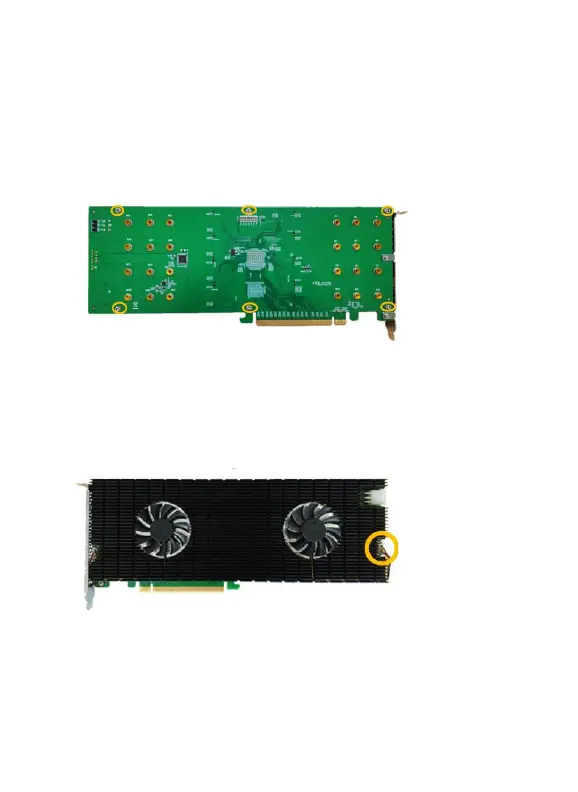
Step 1. On the rear of the SSD7140, remove the six screws that secure
the unit’s heat sink to the PCB.
Step 2. Carefully remove fan’s power cable from the right-side of the
heatsink as shown below, then carefully flip the heatsink to the
left (like turning a page from a book).
Note: Take care when moving the heatsink to prevent damaging
the left fan’s power cable.















 To Next Page