HighPoint NVMe G5 Data RAID Installation Guide (Linux)
13
HighPoint RAID Management (WebGUI) Installation
The HighPoint RAID Management software is used to configure and monitor the SSDs hosted by the NVMe
product.
Download the HighPoint RAID Management software package from the HighPoint website.
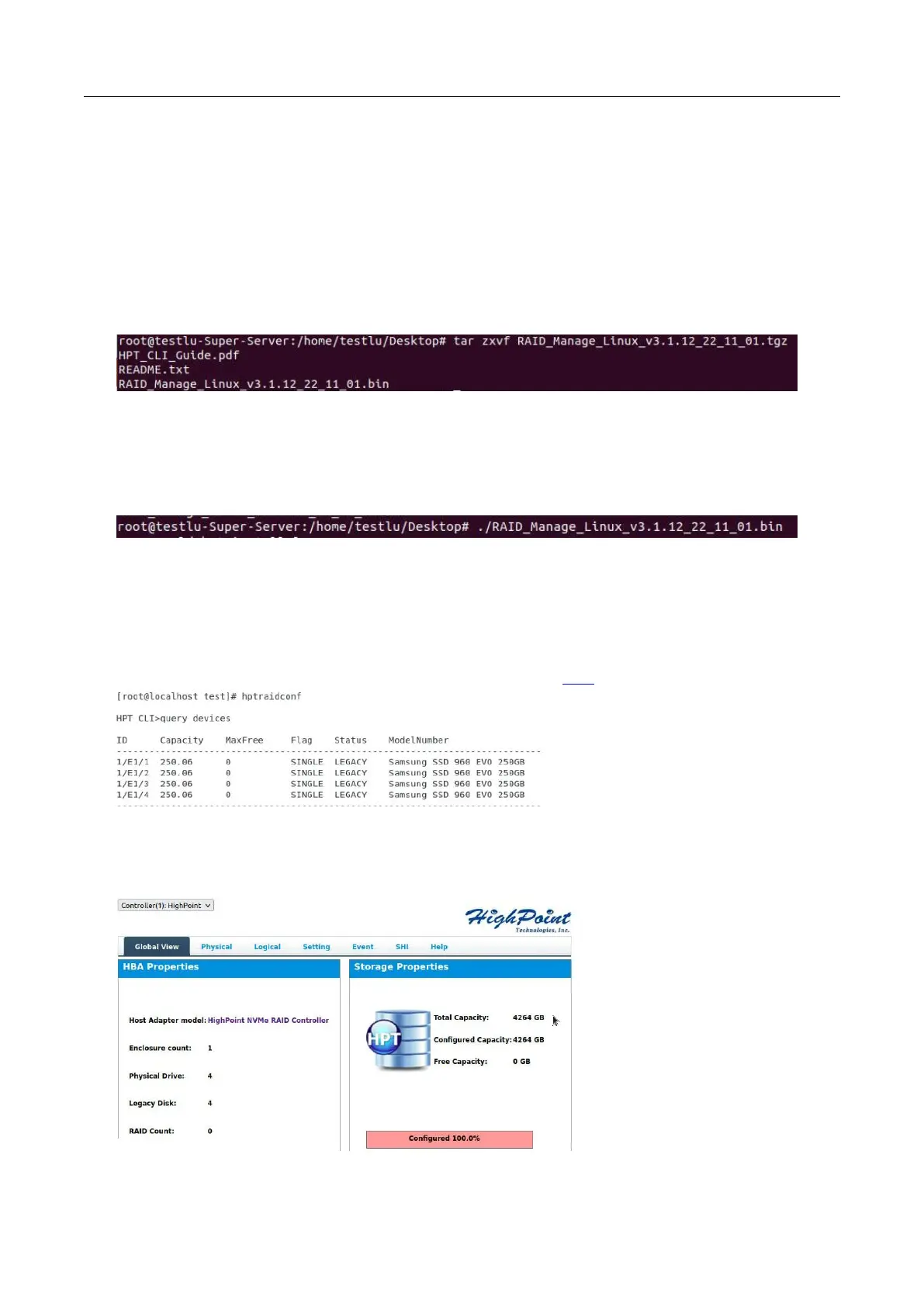
1. Using the system terminal with root privileges, browse to the directory where the software download, and
enter the following commands to extract the management software package:
tar zxvf RAID_Manage_Linux_v3.x.x.x_x_x_x.tgz
Note: The driver revision shown in the screenshots may not correspond with current software releases.
Please make sure to download the latest driver updates from the product’s Software Updates page.
2. Install the HighPoint RAID management software (WebGUI & CLI) using the following command:
./ RAID_Manage_Linux_v2.x.x_x_x_x.bin
3. After the software is installed, open the WebGUI to make sure it can connect to the NVMe product.
4. You can also check the NVMe product using the CLI (command line interface). Using the system
terminal, enter the following command:
hptraidconf
For more information about the CLI, please download the guide: Link.
5. If the WebGUI/CLI can connect to the NVMe product and recognized the NVMe SSD’s, the driver has
been installed and is functioning normally.
Example screenshot















 To Next Page