HighPoint NVMe G5 Data RAID Installation Guide (Linux)
16
Solution
:
01. Make sure at least one NVMe SSD’s has been installed into the NVMe product.
02. Make sure motherboard can recognize the NVMe product and display NVMe information during
the BIOS post.
03. If you use a CentOS system, open the system terminal with root privileges and enter the
following command to install “elfutils-libelf-devel”:
yum install elfutils-libelf-devel
Once complete, install the HighPoint NVMe Linux driver once more.
04. If you use an Ubuntu/Debian system, open the system terminal with root privileges and enter the
following command to install “libelf-dev”:
yum install libelf-dev
Once complete, install the HighPoint NVMe Linux driver once more.
3. Fail to compile gcc, make and other driver files.
For Ubuntu
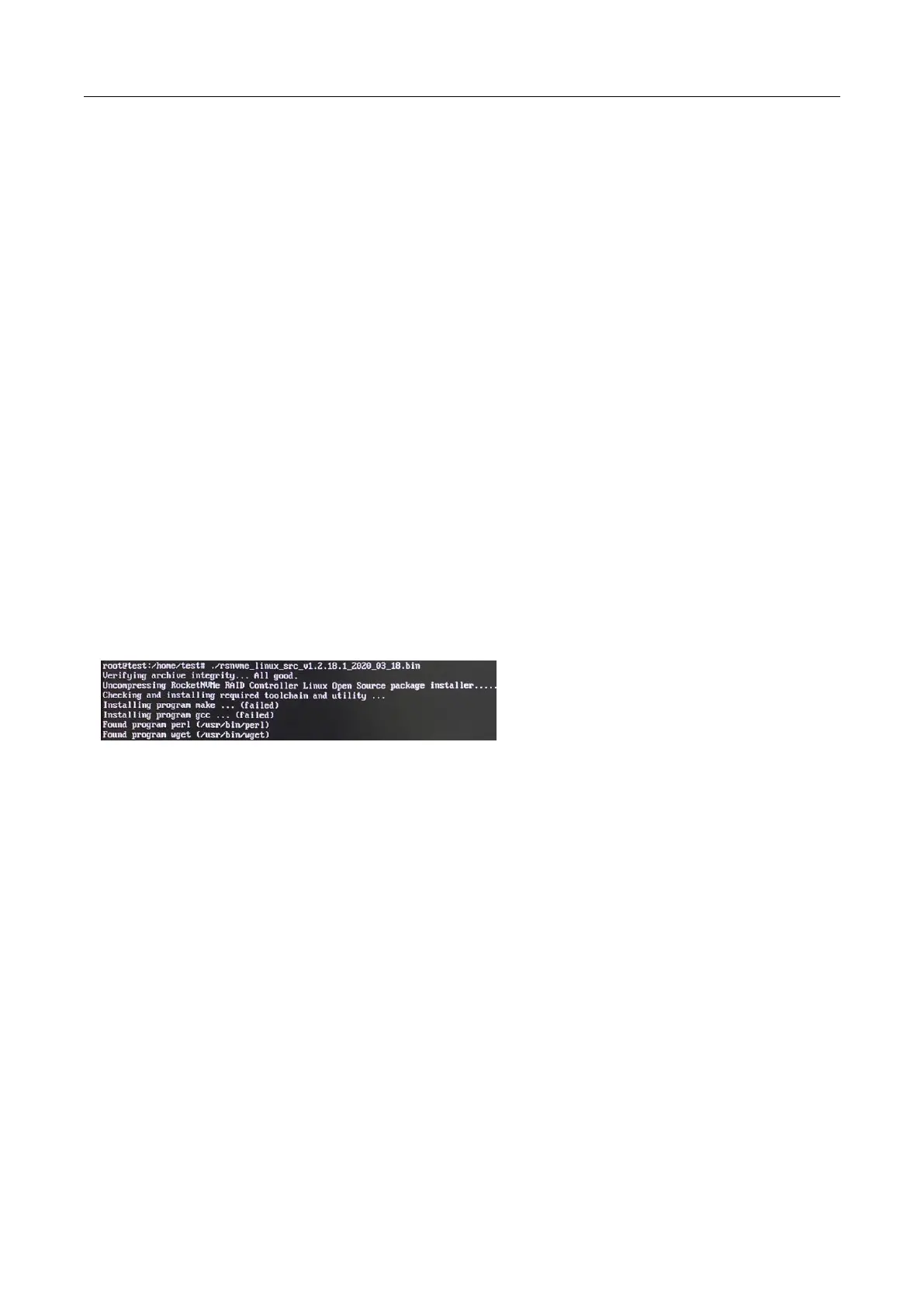
When installing the driver, due to various factors, driver files such as gcc and make cannot be compiled,
thus interrupting the driver installation process:
This problem can be caused by:
a. The system is not connected to a network (internet connection)
Solution
:
Double check the system’s internet connection
Once confirmed, reinstall the driver.
b. System process is occupied/busy
Solution:
Open the system terminal with root privileges and enter the following command:
apt-get update
This will prompt the system to release the process and update the download source. Install the driver
again after the system process has been released.















 To Next Page