SSD7000 NVMe RAID AIC BootRAID Installation Guide
HighPoint Technologies, Inc
m.
Press ALT+F1 to switch back to the installation screen and finish the installation.
Ubuntu Desktop:
Example: Ubuntu Desktop 24.04
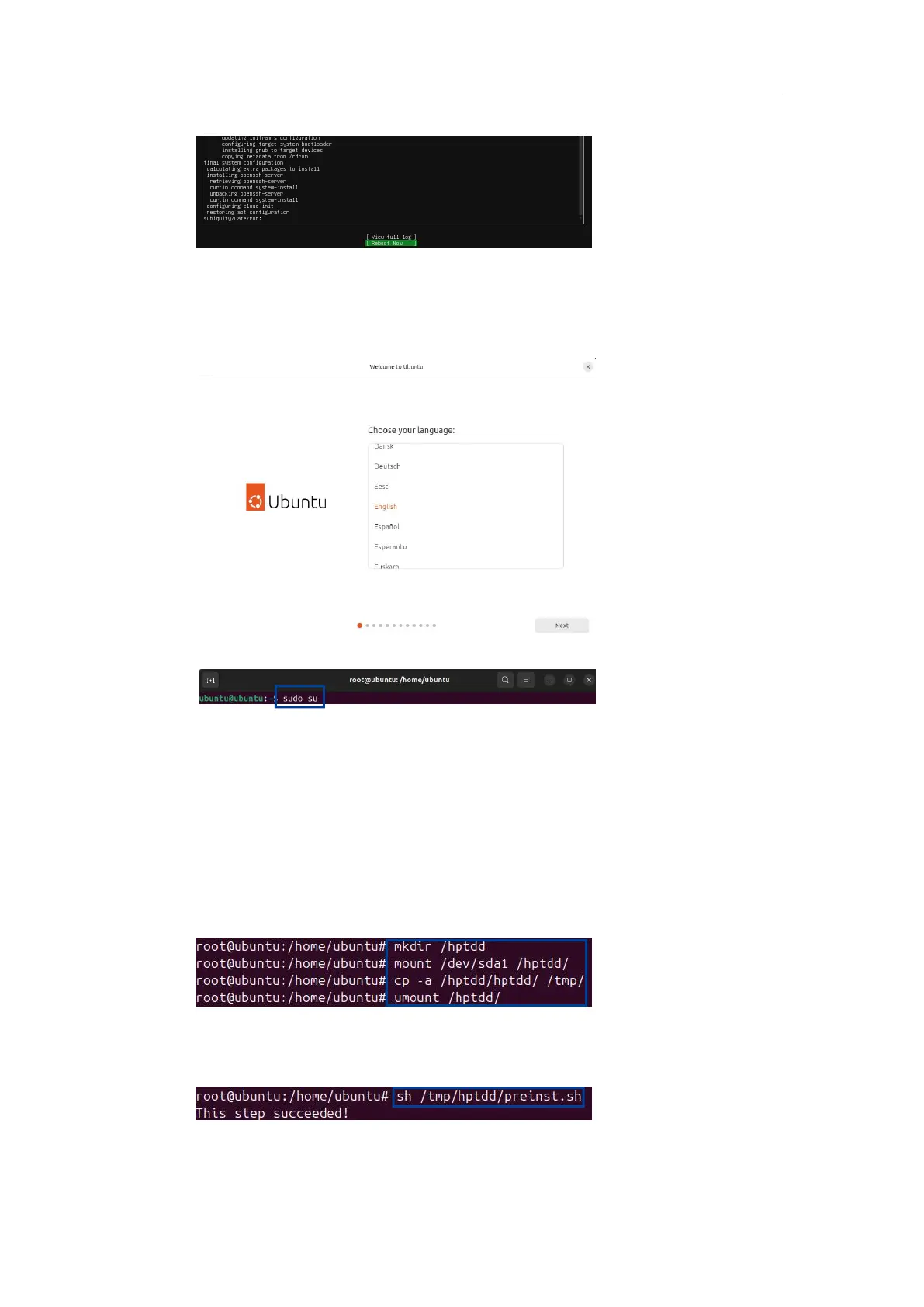
a. When the following window appears during installation. Open the Terminal.
b. Switch to root privileges.
c. Execute the following command to create a mount point for the USB flash drive.
#mkdir /hptdd
d. Execute the following command to mount the USB flash drive to /hptdd.
#mount /dev/sdb1 /hptdd/
e. Execute the following command to copy the binary driver installation file to the system’s
temporary directory.
#cp -a /hptdd/hptdd /tmp/
f. Execute the following command to unmount the USB flash drive.
#umount /hptdd
g. When the USB flash drive is unmounted, please unplug the USB flash drive from the system.
h. Execute the following command to load the NVMe AIC binary driver.
# sh /tmp/hptdd/preinst.sh
i. Close the Terminal and continue the installation.















 To Next Page