5
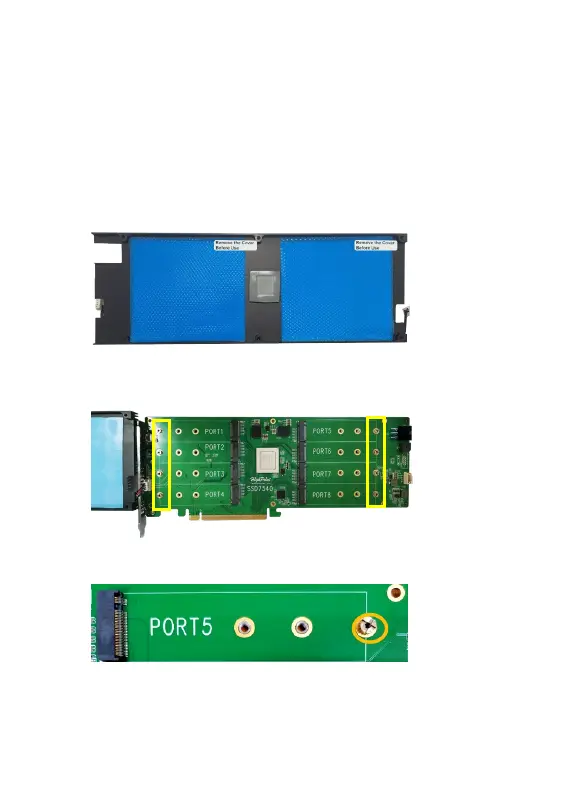
Step 3. After removing the casing, carefully turn it over to view the
thermal pad. The blue films must be removed from the pad before
reinstalling the panel. These films protect the pad from damage and
foreign objects prior to installation, however, they will also prevent the
thermal pad from conducting the heat away from the NVMe SSD's if
we don't remove it.
Step 4. These 8 screws are used to install the NVMe SSD’s.
Step 5. Please remove these screws from each of the M.2 slots.















 To Next Page