SSD7540 Linux CentOS8.2 Installation Guide
- 4 -
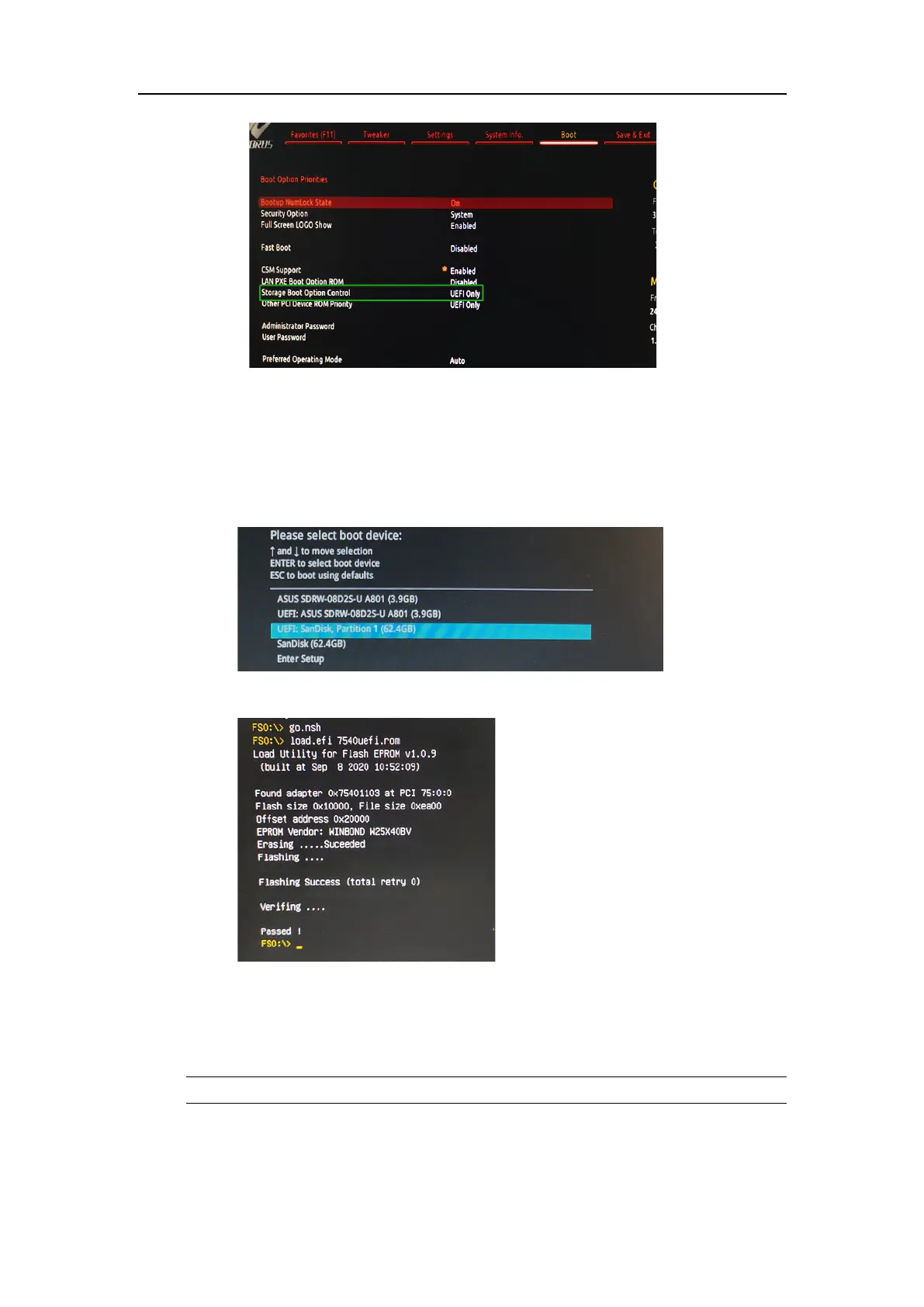
Step 3 Flash UEFI Rom to SSD7540
a. Unzip SSD7540 UEFI package to root dir (/) of a USB flash driver, and insert the
USB flash drive to the motherboard;
b. Booting from the UEFI USB flash and enter the UEFI environment;
c. Command with “go.nsh”, flash UEFI rom to SSD7540 Controller and reboot;
Step 4 Create Array
a. Attach eight NVMe SSD to SSD7540 Controller;
Note
Make%sure%your%USB%flash%partition%format%is%FAT32.%
b. Boot, in the presence of the motherboard Log screen, there will be NVMe SSD
information:















 To Next Page