2. Fix ② on the network cable between ① and ③.
3. Place ⑤ onto the end of ⑥, and plug the RJ45 male connector
into RJ45 female connector.
4. Screw ③ to ⑥ clockwise.
5. Push ② into ③.
6. Secure ① with the ③ in clockwise direction.
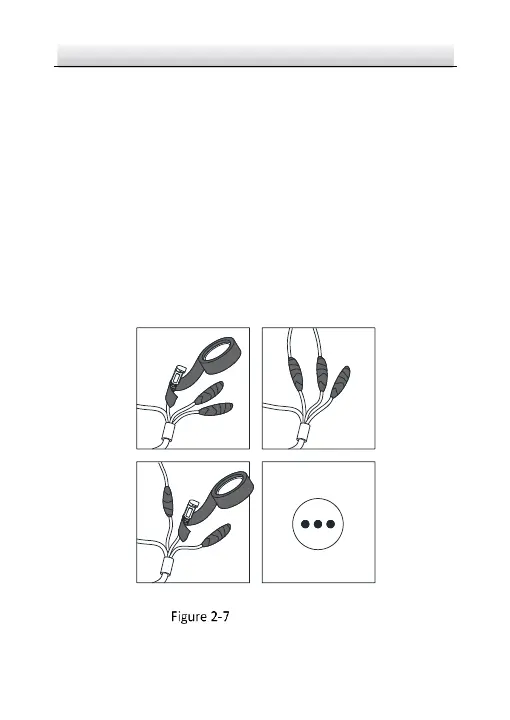
2.3.2 Waterproof Other Cables
After routing and connecting the cables, use the waterproof tapes to
wrap up the cables. Connected cables and spare cables both should
be wrapped up as the figures below.
Waterproof Cables


 To Next Page
 Loading...