
 Need help?
Do you have a question about the HIKVISION DS-2CD2043G0-I and is the answer not in the manual?
Safeguards to prevent serious injury or death from product use.
Precautions to prevent potential injury or material damage from product use.
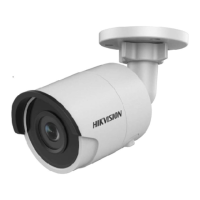
Details and components of the Type I bullet camera model.
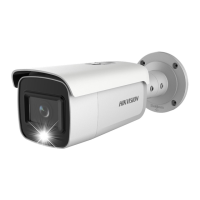
Details and components of the Type II bullet camera model.
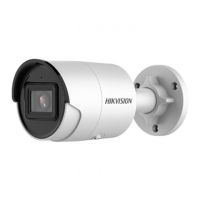
Details and components of the Type III bullet camera model.
Steps for mounting and unmounting a memory card in supported cameras.
Instructions for securely mounting the camera on walls or ceilings.
Procedures for waterproofing network and other cables for outdoor installation.
Guide to activating and accessing the network camera using a QR code.
This document is a Quick Start Guide for a Network Bullet Camera, providing essential information for its installation, activation, and safe operation.
The camera is designed for network surveillance, capturing and transmitting video data over a network. It comes in different types (Type I, Type II, Type III), each with slight variations in features and connectivity options.
The Network Bullet Camera serves as a surveillance device, capturing video footage for security and monitoring purposes. It is equipped with a lens for image acquisition and various interfaces for power, network connectivity, and external storage. Some models support Power over Ethernet (PoE), allowing both power and data transmission over a single Ethernet cable, simplifying installation. Certain camera types also feature Wi-Fi capabilities, enabling wireless network connections. The camera includes a reset button, which can be used to restore default settings, including network parameters and user credentials, if needed. For models with Wi-Fi, a WPS/RESET button facilitates easy connection to a wireless network via the Wi-Fi Protected Setup (WPS) protocol.
The camera offers flexible installation options, suitable for both wall and ceiling mounting. The guide provides detailed steps for securing the camera and adjusting its viewing angle, including pan (0° to 360°), tilt (0° to 90°), and rotation (0° to 360°), to achieve the desired coverage. For models that support memory cards, instructions are provided for installing and unmounting the card, allowing for on-device storage of footage. The camera's network connectivity enables remote access and activation, which can be facilitated by scanning a QR code provided in the guide. This allows users to set up and manage the camera from a mobile device.
Proper maintenance is crucial for the camera's longevity and optimal performance. The guide emphasizes several precautions:
 General
| Type | IP security camera |
|---|---|
| Languages support | Multi |
| Number of languages | 32 |
| Placement supported | Outdoor |
| Connectivity technology | Wired |
| Wide Dynamic Range (WDR) | Yes |
| Ethernet LAN (RJ-45) ports | 1 |
| Form factor | Bullet |
| Mounting type | Ceiling/wall |
| Product color | White |
| Housing material | Metal |
| Protection features | Dust resistant, Water resistant |
| International Protection (IP) code | IP67 |
| Total megapixels | 4 MP |
| Gain control type | Auto |
| Maximum resolution | 2688 x 1520 pixels |
| Image quality adjustment | Brightness, Contrast, Saturation, Sharpness |
| Video compression formats | H.264, H.264+, H.265, H.265+, M-JPEG |
| Noise reduction technology | 3D noise reduction |
| Supported graphics resolutions | 320 x 240, 352 x 240, 352 x 288, 640 x 360, 640 x 480 (VGA), 1280 x 720 (HD 720), 1920 x 1080 (HD 1080), 2304 x 1296, 2560 x 1440, 2688 x 1520 |
| Pan range | 0 - 360 ° |
| Tilt angle range | 0 - 90 ° |
| Angle of rotation | 360 ° |
| Camera shutter speed | 1/3 - 1/100000 s |
| Minimum illumination | 0 lx |
| Sensor type | CMOS |
| Optical sensor size | 1/3 \ |
| Focus | Manual |
| Fixed focal length | 2.8 mm |
| Maximum aperture number | 1.6 |
| Minimum aperture number | 1.2 |
| Alert notification type | |
| Intelligent Video Surveillance (IVS) system features | Face detection, Intrusion |
| Lens mount interface | M12 |
| Behavior analysis | Intrusion detection, Line crossing detection |
| Built-in HDD | No |
| Compatible memory cards | MicroSD (TransFlash), MicroSDHC, MicroSDXC |
| Maximum memory card size | 128 GB |
| LED type | IR |
| Infra-red wavelength | 850 nm |
| Night vision distance | 30 m |
| Number of users | 32 user(s) |
| User access level | Administrator, Operator, User |
| Cabling technology | 10/100Base-T(X) |
| Networking standards | IEEE 802.1x, IEEE 802.3af |
| Ethernet interface type | Fast Ethernet |
| Supported network protocols | TCP/IP, UDP, ICMP, HTTP, HTTPS, FTP, DHCP, DNS, DDNS, RTP, RTSP, RTCP, PPPoE, NTP, UPnP, SMTP, SNMP, IGMP, 802.1X, QoS, IPv6, UDP, Bonjour, SSL/TLS |
| Operating temperature (T-T) | -30 - 60 °C |
| Operating relative humidity (H-H) | 0 - 95 % |
| DC output current | 0.5 A |
| DC output voltage | 12 |
| Power source type | DC, PoE |
| Power consumption (max) | 6 W |
| Power consumption (Power over Ethernet (PoE)) | 7.5 W |
| Minimum RAM | 1000 MB |
| Minimum processor | 2 GHz |
| Minimum system requirements | Operating System: Microsoft Windows XP SP1 and above version; CPU: 2.0 GHz or higher; RAM: 1G or higher; Display: 1024×768 resolution or higher; Web Browser: Internet Explorer 8.0 and above version, Apple Safari 5.0.2 and above version, Mozilla Firefox 5.0 and above version and Google Chrome 18 and above version |
 Weight and Dimensions
| Length | 155.03 mm |
|---|---|
| Weight | 420 g |
| Diameter | 70 mm |
| Package depth | 121 mm |
| Package width | 216 mm |
| Package height | 118 mm |
| Package weight | 700 g |




 To Next Page