Network Camera User Manual
102
you set without saving them.
6. Click Save to save the settings.
Configuring Picture Overlay
Purpose:
Picture overlay enables you to overlay a picture on the image. This function enables a
certain enterprise or users to overlay their logo on the image.
Steps:
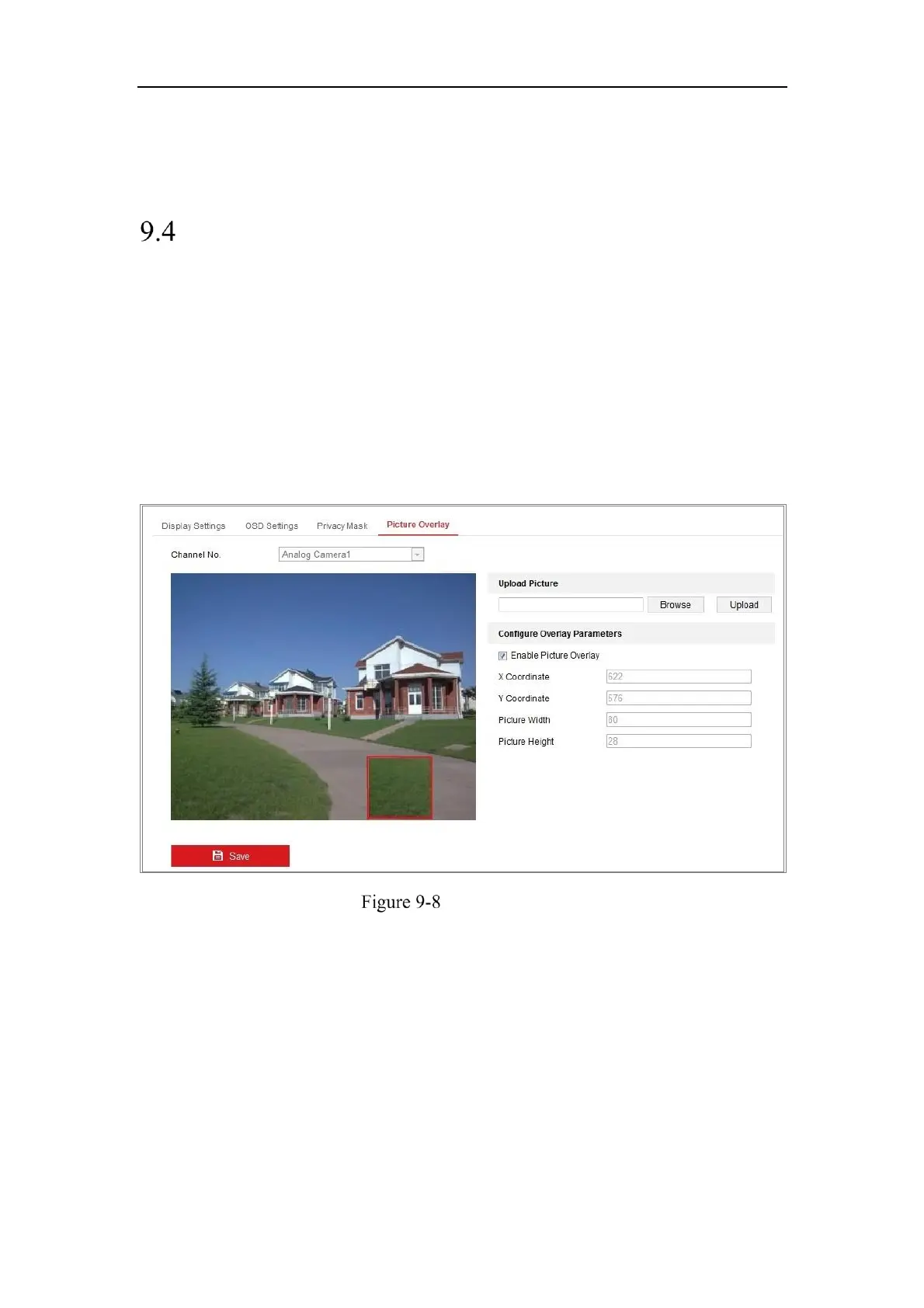
1. Enter the Picture Overlay Settings interface, Configuration > Image > Picture
Overlay.
Picture Overlay
2. Click Browse to select a picture.
3. Click Upload to upload it.
4. Check Enable Picture Overlay checkbox to enable the function.
5. Set X Coordinate and Y Coordinate values adjust the picture position on the
image. Adjust Picture Width and Picture Height to the desired size.
6. Click Save to save settings.
Note: The picture must be in RGB24 bmp format and the maximum picture size is



 To Next Page
 Loading...