Network Camera User Manual
89
Custom Video Settings
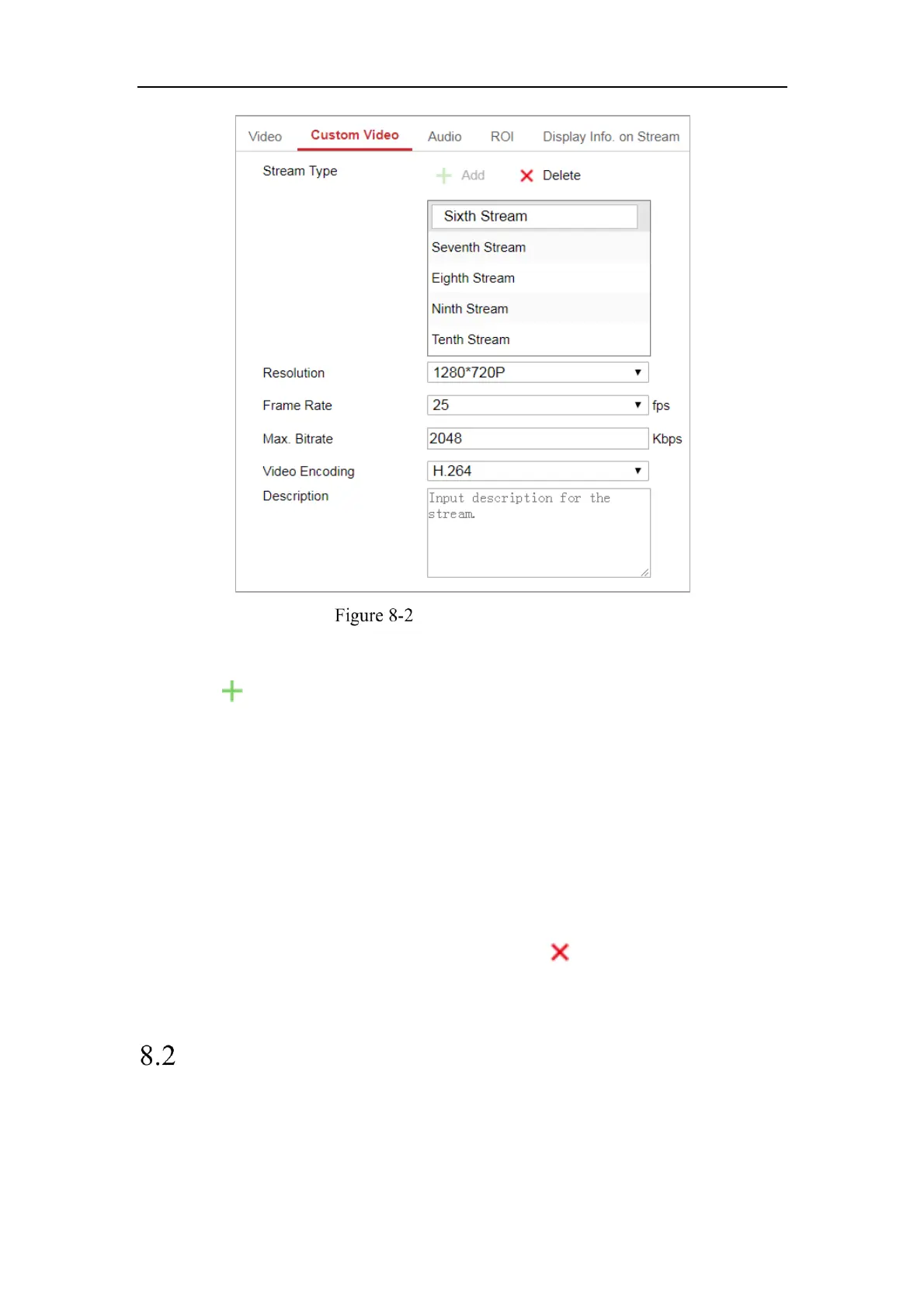
Steps:
1. Click to add a stream.
2. Change the stream name if needed.
Note: Up to 32 letters and symbols (except &, <, >, ', or ") are allowed for the
stream name.
3. Customize the stream parameters (resolution, frame rete, max. bitrate, video
encoding). For parameter introduction, see Section 8.1.1.
4. (Optional) Add stream description is needed.
5. (Optional) If a custom stream is not needed, click to delete it.
6. Save the settings.
Configuring Audio Settings
Steps:
1. Enter the Audio Settings interface: Configuration > Video/Audio > Audio.



 To Next Page
 Loading...