UM DS-2CE7xH0T-ITxxx Series Turret 052020NA 14
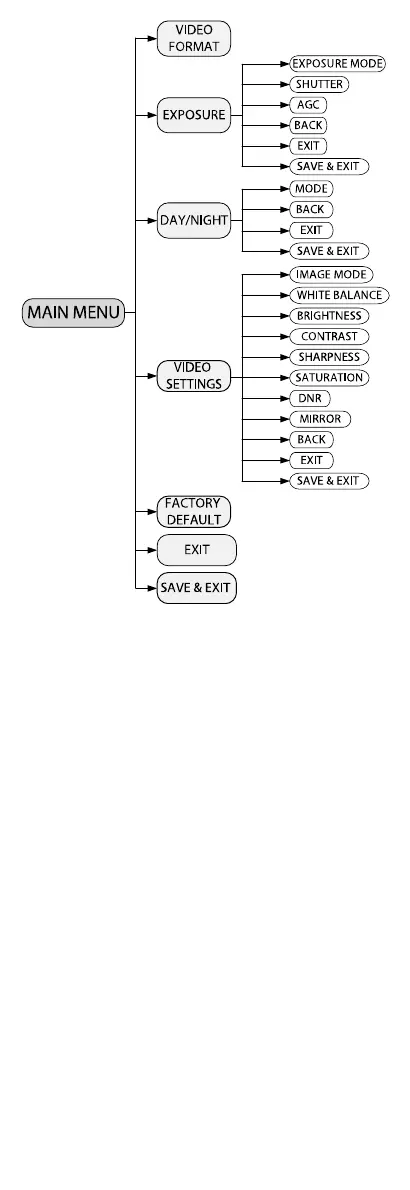
Figure 18, Main Menu Overview
5. Click the direction arrow to control the camera.
1)
Click up/down direction button to select the
item.
2)
Click Iris+ to confirm the selection.
3)
Click left/right direction button to adjust the
value of the selected item.
4.1
Video Format
You can set the video format to 5 MP @ 20 fps, 4 MP
@ 30 fps, 4 MP @ 25 fps, 2 MP @ 30 fps, or 2 MP @
25 fps.
4.2
Exposure
Exposure describes the brightness-related
parameters, which can be adjusted by EXPOSURE
MODE, SHUTTER, and AGC.



 To Next Page
 Loading...