EasyManua.ls Logo

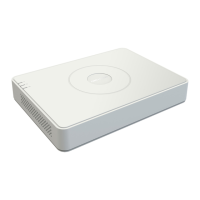
HIKVISION DS-7004HI-S - User Manual

HIKVISION DS-7004HI-S
121 pages
Print Icon
To Next Page IconTo Next Page
Loading...
User Manual of DS-7000HI-S Series Net DVR
Page 1
DS-7000HI-S Series Net DVR User Manual
V2.1
Thank you for purchasing our Net DVR. This manual is applicable to DS-7000HI-S series
Net DVR. Please read this User Manual carefully to ensure that you can use the device correctly
and safely.
The contents of this Manual are subject to change without notice.

Table of Contents

Other manuals for HIKVISION DS-7004HI-S

Questions and Answers

  • P
    patrickmyersAug 15, 2025
    Why does my HIKVISION DS-7004HI-S continuously reboot after startup?
    • A
      allencalebAug 15, 2025
      If your HIKVISION DVR continuously reboots after startup and makes a 'ticktack' sound every 10 seconds, it could be due to several reasons. One possibility is that the wrong firmware was installed during an upgrade; if so, revert to the correct firmware. Alternatively, the compression board or the main board might have problems, requiring inspection and possible replacement.
  • T
    Timothy GardnerAug 18, 2025
    What to do if my HIKVISION DVR cannot find the hard disk in the reboot process?
    • B
      bridgesgregoryAug 18, 2025
      If your HIKVISION DVR cannot find the hard disk during the reboot process, check the hard disk cable and replace it if necessary. Also, ensure the hard disk's power cable is properly connected. If the issue persists, the hard disk itself might be faulty and need testing or replacement.
  • M
    mark09Aug 21, 2025
    Why can't client software view the live image from my HIKVISION DVR?
    • D
      Derek ReyesAug 21, 2025
      If your client software can't display the live image from your HIKVISION DVR, the issue might stem from network errors. Ensure your network connections are correctly configured. Also, double-check that you're using the correct IP address, port number, username, and password when connecting to the DVR.
  • A
    antonio71Aug 25, 2025
    How to troubleshoot a HIKVISION DS-7004HI-S that can't control PTZ through the RS-485 port?
    • R
      ruth12Aug 26, 2025
      If your HIKVISION DVR cannot control PTZ (Pan, Tilt, Zoom) functions via the RS-485 port, first verify that the RS-485 cable connections are correctly configured and that the cable is not broken. Next, check and correct the PTZ parameters in the DVR's settings. If the problem persists, the RS-485 port on the DVR may be defective and require inspection or replacement.
  • S
    sue89Aug 28, 2025
    What to do if there are no images on the monitor connected with VOUT after my HIKVISION DVR is started?
    • J
      Jeffrey WashingtonAug 28, 2025
      If there are no images on the monitor connected via VOUT after starting your HIKVISION DVR, check the monitor cable and replace it if broken. If the cable is not the issue, the real board or the main board of the DVR might have problems and require inspection or replacement.
  • D
    Daniel FoxSep 1, 2025
    What to do if the power light doesn't turn on and the fan doesn't work on my HIKVISION DS-7004HI-S?
    • S
      Sarah WilsonSep 1, 2025
      If the 'POWER' light on the front panel of your HIKVISION DVR doesn't turn on and the fan doesn't work after plugging in the power and turning on the switch, the power cable might be broken, so check the power cable and replace it if needed. Alternatively, the power supply itself may be faulty and require testing and replacement.
  • T
    Tracy HernandezSep 4, 2025
    Why is there no response in the HyperTerminal interface with my HIKVISION DS-7004HI-S DVR?
    • T
      Thomas JamesSep 4, 2025
      If there is no response in the HyperTerminal interface when connecting to your HIKVISION DVR, the baud rate may not be matched. Adjust the baud rate to match the settings. Additionally, the RS-232 cable or the serial port of your PC may be broken, requiring inspection and replacement or repair. Finally, the RS-232 port of the DVR itself might be defective, requiring a check and repair.
  • T
    Terry AndersonSep 7, 2025
    What to do if the fan doesn't work on my HIKVISION DVR but the power light is green?
    • A
      Allison HartSep 7, 2025
      If, after plugging in the power and turning on the switch, the 'POWER' light turns green and the indicator lights on the panel turn on, but the fan does not work on your HIKVISION DVR, ensure the ATX plug in the main board is securely plugged in.
  • M
    Mark WilliamsonSep 12, 2025
    Why does the power light turn green, but the fan doesn't work on my HIKVISION DS-7004HI-S DVR?
    • D
      Dustin ClarkSep 12, 2025
      If the 'POWER' light on the front panel of your HIKVISION DVR turns green but the fan doesn't work, the front panel cable might be broken, so inspect and replace it if needed. Alternatively, the fan itself may be broken, requiring a functionality check and replacement if it is malfunctioning.

HIKVISION DS-7004HI-S Specifications

General IconGeneral
BrandHIKVISION
ModelDS-7004HI-S
CategoryDVR
LanguageEnglish

Related product manuals