
 Need help?
Do you have a question about the HIKVISION DS-K1201AEF and is the answer not in the manual?
Overview of the fingerprint and card reader's features, high-speed processor, and RS-485 communication.
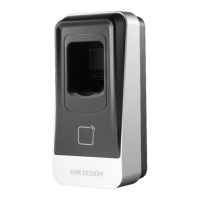
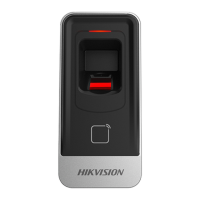
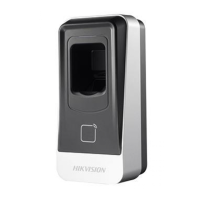
Visual depiction and labeling of the front and rear components of the device.
Explanation of the DIP switch module and its role in setting the RS-485 address.
Details cable color codes and provides instructions for RS-485 communication wiring.
Step-by-step guide for physically mounting the card reader, including plate fixation and securing.
Explains the device's power-on sequence sounds and various operational beep patterns.
Details the meanings of different LED light states for device feedback and operational status.
Guidance on selecting fingers and the correct horizontal scanning method for optimal recognition.
Advice on avoiding direct high light, extreme temperatures, and humidity for scanner performance.
Recommendations for shallow or injured fingerprints and using alternative authentication methods.
This document serves as the user manual for a Fingerprint and Card Reader, a high-performance access control device designed for security applications. The device integrates fingerprint scanning and card reading functionalities, offering a comprehensive solution for identity verification and access management.
The Fingerprint and Card Reader is equipped with a 32-bit high-speed processor, enabling efficient and rapid processing of authentication requests. Its primary function is to communicate with an access controller via the RS-485 protocol, facilitating seamless integration into existing access control systems. The device supports various authentication methods, including card swiping and fingerprint recognition, or a combination of both for enhanced security.
A key security feature of the reader is its built-in tamper-proof module. This module is designed to protect the device from malicious damage or unauthorized attempts to compromise its integrity, ensuring the reliability of the access control system.
The device provides clear feedback to the user through both sound prompts and an LED indicator. Upon power-on, the LED indicator performs a sequence of green and red blinks, followed by a beep sound, to confirm successful startup. During operation, different sound prompts and LED statuses are used to communicate various events and states. For instance, a single beep indicates a card swipe or a prompt to press a fingerprint for authentication in Card + Fingerprint mode. Two rapid beeps signify a valid operation, while three slow beeps indicate an invalid operation. Rapidly continuous beeps alert to a tamper-proof alarm or a general buzzer alarm, and slowly continuous beeps indicate that the card reader is unencrypted.
The LED indicator also provides visual cues for different operational statuses. A green blink followed by three red blinks signals that the card reader is powered on. Green and blinking LEDs indicate a prompt to press the fingerprint after swiping a card in Card + Fingerprint authentication mode, or that the device is in the process of configuring the fingerprint. A solid green LED for 2 seconds confirms a valid card swipe operation. A solid red LED indicates that the card reader is working normally. Red and blinking LEDs for 3 times signify an invalid card swipe operation. For RS-485 protocol, red and blinking LEDs indicate that registration has failed or the card reader is offline.
The installation process for the card reader is straightforward, beginning with setting the DIP switch for the RS-485 address. The DIP switch module, consisting of four switches, allows for configuring the device's RS-485 address, with each switch representing a binary value (ON for 1, OFF for 0). This flexibility ensures compatibility with various access control devices that may require different DIP switch addresses.
Wiring the cables between the controller and the card reader is crucial for establishing communication. The device utilizes five cables with specific color codes: blue for RS-485-, yellow for RS-485+, red for PWR (DC +12V), and two black cables for GND (Power Grounding) and GND (RS-485 Grounding), respectively. These connections enable the flow of power and data between the reader and the access controller.
Physical installation involves fixing a mounting plate to the wall using provided screws, ensuring the plate is not warped during the process. After connecting the necessary cables, the card reader is buckled onto the plate and then secured with a set screw at the bottom.
For fingerprint scanning, the manual provides specific tips to ensure correct and successful authentication. Recommended fingers for scanning include the forefinger, middle finger, or the third finger. Users are advised to press their finger horizontally on the scanner, aligning the center of the finger with the scanner's center. Incorrect scanning postures, such as vertical placement or scanning only the edges of the finger, should be avoided.
Environmental conditions can affect fingerprint recognition. The scanner should not be exposed to direct high light, high temperatures, humid conditions, or rain. Dry conditions can sometimes hinder recognition, in which case blowing on the finger and scanning again after drying is suggested. If a user's fingerprint is shallow or difficult to scan, alternative authentication methods are recommended. Additionally, if there are injuries on the scanned finger, the scanner may not recognize it, prompting the user to try another finger.
Proper maintenance and handling are emphasized to ensure the longevity and optimal performance of the Fingerprint and Card Reader. Users are instructed to use only the power adapter provided by a reputable company, ensuring that the power consumption meets the required value. Connecting multiple devices to a single power adapter is discouraged to prevent overload, which could lead to overheating or fire hazards.
Before performing any wiring, installation, or dismantling of the device, it is critical to disconnect the power to prevent electrical accidents. When installing the product on a wall or ceiling, it must be firmly fixed to avoid accidental falls or damage.
In case of any unusual occurrences, such as smoke, odors, or noise emanating from the device, users should immediately turn off the power, unplug the power cable, and contact the service center. Users are explicitly warned against attempting to disassemble the device themselves, as unauthorized repairs or maintenance can void responsibility for any resulting problems.
To prevent physical damage, the device should not be dropped or subjected to physical shock. It should also be protected from high electromagnetic radiation. Installation on vibrating surfaces or places prone to shock should be avoided, as this can cause equipment damage. The device should not be placed in extremely hot, cold, dusty, or damp locations. For indoor use, the device cover must be kept away from rain and moisture.
Exposure to direct sunlight, low ventilation, or heat sources like heaters or radiators is forbidden, as this can pose a fire danger. The device should not be aimed at the sun or other extra bright places, as this can cause blooming or smearing, potentially affecting the sensor's endurance.
When opening the device cover, users are advised to use the provided glove to avoid direct contact with the cover. This precaution helps prevent acidic sweat from fingers from eroding the surface coating of the device. For cleaning internal and external surfaces, a soft and dry cloth should be used, and alkaline detergents should be avoided.
Finally, users are encouraged to retain all original wrappers after unpacking the device. In the event of a failure requiring the device to be returned to the factory, the original wrapper should be used for transportation to prevent damage and additional costs. The manual also includes a warning regarding improper battery use or replacement, which could lead to an explosion, and advises replacing batteries only with the same or equivalent type, disposing of used batteries according to manufacturer instructions.
 General
| Model | DS-K1201AEF |
|---|---|
| Category | Card Reader |
| Communication Interface | RS-485 |
| Wiegand Interface | Wiegand 26/34 |
| Operating Voltage | 12 V DC |
| Power Supply | 12 V DC |
| Power Consumption | ≤ 3 W |
| Audio | Buzzer |
| Operating Humidity | 10% to 90% (non-condensing) |
| Protection Level | IP65 |
| Installation | Wall-mounted |
| Supported Card Types | EM |
| Card Reading Frequency | 125 kHz / 13.56 MHz |


 To Next Page