This document provides an installation guide for the Face Recognition Swing Barrier, a device designed for access control using both face recognition and card verification. The guide is a simplified edition, version 1.1, dated February 15, 2019, and is produced by the Hikvision Product Support Team.
The primary function of the Face Recognition Swing Barrier is to manage access to a controlled area. It integrates a swing barrier mechanism with a face recognition module (DS-K5603-Z) and can also utilize card readers for verification. This dual-authentication capability enhances security and flexibility in access management. The system is designed to allow entry upon successful verification and to close automatically after the authorized person has passed through.
Technical Specifications and Components:
The system comprises several key components, including:
- Swing Barrier Control Board (K3M200): This board is the central control unit for the swing barrier mechanism. It manages the movement of the barrier and communicates with other system components.
- Face Recognition Module (DS-K5603-Z): This module is responsible for capturing and processing facial data for authentication. It connects to the swing barrier system to enable face-based access.
- Card Readers (Optional): The system supports optional card readers for card-based authentication, providing an alternative or supplementary method of access control.
- Air Switch: A safety component for power management, ensuring that power can be turned off before any wiring or maintenance to prevent electrical hazards.
- Interconnecting Cable: Used to establish communication and power connections between left and right barrier units in a multi-barrier setup.
- Infrared (IR) Sending/Receiving Boards: These boards are likely used for detecting the presence of individuals passing through the barrier, ensuring proper opening and closing sequences, and preventing the barrier from closing on a person.
- Barrier Position Control Board: Manages the precise positioning and movement of the swing barrier.
- IR Adaptor: Facilitates the connection and operation of the IR components.
- Main Controller and Lane Controllers (Master/Slave): These controllers manage the overall operation of the access lane, coordinating between different modules.
- Motor: Drives the swing barrier mechanism.
- Switch Power Supply: Provides the necessary power to the various electronic components of the system, including a 12V supply for the face module.
- Heating Module (Optional): Suggests the system can be equipped for operation in colder environments to prevent component malfunction due to low temperatures.
- Lithium Battery (Optional): Indicates potential for backup power, ensuring continued operation during power outages.
- DIP Switches: Used for configuring the operating mode of the swing barrier, particularly during the "study mode" for calibration.
- Network Switch: A standard network device used to connect the swing barrier control board and the face recognition module to a PC for software configuration and data management. This ensures that both devices can be managed simultaneously and share consistent data.
- RS232 Cable: Connects the face module to a reserved interface on the barrier control board for data communication.
- Power Cable: Connects the system to the main power supply.
Usage Features:
The Face Recognition Swing Barrier offers a streamlined access control experience:
- Dual Authentication: Supports both face recognition and card verification, allowing for flexible and secure entry methods.
- Automated Operation: Once an authorized person is verified (either by card or face), the barrier automatically opens. It then closes automatically after the person has passed through, ensuring efficient traffic flow and security.
- Software Configuration: The system is managed through Hikvision's iVMS-4200 software. This software allows for:
- Device Management: Adding and activating the swing barrier control board (K3M200) and the face recognition module (DS-K5603-Z).
- Remote Configuration: Setting up RS-485 parameters for communication between devices, including bitrate, data bit, stop bit, and parity. This is crucial for establishing proper communication between the control board and other peripherals.
- Person Data Management: Adding new users, including their card information and face pictures. The software allows linking face pictures to specific card numbers for comprehensive user profiles.
- Data Synchronization: Synchronizing person data (including card and face information) from the software to both the swing barrier and the face recognition module, ensuring that all devices have the most up-to-date access credentials.
- Study Mode: A calibration process for the swing barrier. In this mode, the barrier learns its full range of motion and proper alignment. This involves:
- Powering off the device.
- Manually aligning the two swings on a straight line.
- Setting the DIP switch to a specific configuration (10000000) and powering on the device.
- After the study mode is complete (the swing stops moving), powering off the device again.
- Adjusting the DIP switch back to its normal operating configuration (00000000) and powering on the device. The barrier will then perform an automatic open and close cycle to confirm calibration.
Maintenance Features:
- Safety First: The guide explicitly states to "Power OFF before wiring to ensure safety," highlighting a critical maintenance and installation safety protocol.
- Clear Wiring Diagrams: The document provides detailed images and diagrams for power cable wiring and interconnecting cable connections, simplifying installation and troubleshooting.
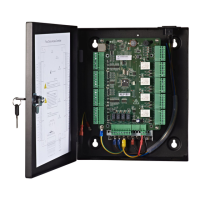
- Component Identification: Various internal components are clearly labeled in diagrams, aiding in identification for maintenance or replacement.
- Software-Based Management: The iVMS-4200 software provides a centralized platform for managing device settings, user data, and synchronization, which simplifies ongoing maintenance and updates.
- Troubleshooting Assistance: The "Testing" section outlines basic verification steps (card and face verification) to confirm proper functionality after installation and configuration, serving as an initial troubleshooting guide.

 Need help?
 General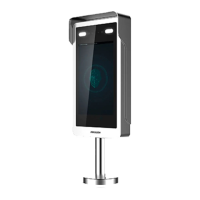



 To Next Page