EasyManua.ls Logo

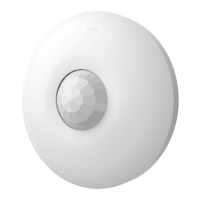
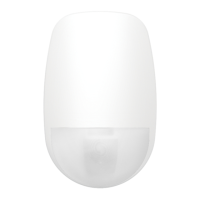
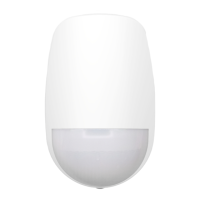
HIKVISION DS-PDCL12-EG2-WB - User Manual

HIKVISION DS-PDCL12-EG2-WB
142 pages
Print Icon
To Next Page IconTo Next Page
Loading...
AX PRO
User Manual

Table of Contents

Other manuals for HIKVISION DS-PDCL12-EG2-WB

Questions and Answers

  • R
    Ryan WilliamsSep 3, 2025
    Why am I unable to send mails to Yahoo from my HIKVISION Security System?
    • S
      smithmeganSep 4, 2025
      If you cannot send emails to Yahoo, the security level of your mailbox might be too high. Go to your mail account settings and enable 'less secure sign-in'.
  • C
    Christopher WallaceSep 18, 2025
    What to do if the alarm clearing operation on the HIKVISION Security System panel does not produce the alarm clearing report?
    • M
      Michael SmithSep 18, 2025
      If there is no alarm, no report will be uploaded for arm clearing.
  • K
    Kenneth CooperSep 16, 2025
    What to do if the HIKVISION Security System failed to send test mail?
    • T
      Timothy FreySep 16, 2025
      If the test mail fails to send, review and correct the mailbox configuration information as shown in table 1/1.
  • S
    Scott PowersSep 14, 2025
    What to do if HIKVISION Security System zone triggered/fault?
    • W
      William Valdez MDSep 14, 2025
      Reset the detector.
  • D
    David ButlerSep 12, 2025
    What causes failure in arming HIKVISION Security System?
    • C
      Cynthia FinleySep 13, 2025
      Arming may fail if the panel doesn't enable 'forced arming' and there's a fault in the zone. To fix this, either turn on 'forced arming' or restore the zone to its normal status.
  • W
    William RobinsonSep 12, 2025
    What to do if HIKVISION Security System zone is tamper-proof?
    • A
      Amy BrownSep 12, 2025
      Ensure the tamper-proof button of the detector is held down.
  • E
    Elizabeth BrownSep 9, 2025
    What to do if my HIKVISION Security System failed to send mail during use?
    • J
      James MortonSep 9, 2025
      If the system fails to send mail, it could be that the mailbox server has restricted access. Log in to your mailbox to check if it is locked.
  • M
    Michael LopezSep 7, 2025
    Why am I unable to enter registration mode on my HIKVISION Security System?
    • N
      Natasha HendersonSep 7, 2025
      If you can't enter registration mode, it might be because the panel is in 'Hotspot' mode. Switch the panel to 'station' mode and try again.
  • J
    Jordan MartinezSep 5, 2025
    What to do if HIKVISION Security System zone is offline?
    • J
      John RamirezSep 5, 2025
      If a zone is offline, it's likely because the detector reports undervoltage. Replace the detector battery to resolve this.
  • V
    vwilliamsAug 21, 2025
    How to fix HIKVISION Security System IP conflict?
    • C
      Christopher AndersonAug 21, 2025
      To resolve an IP conflict, first, find the currently available IP address using the ping command. Then, change the IP address and log in again.

HIKVISION DS-PDCL12-EG2-WB Specifications

General IconGeneral
ModelDS-PDCL12-EG2-WB
CategorySecurity Sensors
Detection Range12m
Detection Angle90°
Wireless Frequency868 MHz
Operating Humidity10% to 90% (non-condensing)
MaterialPlastic
Battery TypeCR123A
Battery Life3 years
Operating Temperature-10°C to 55°C
Power SupplyBattery

Related product manuals