4.
Oponal: Set correct DNS server address if the device needs to visit Hik-Connect server via a
domain name.
5. Click Save.
Wi-Fi
You can set the Wi-Fi parameters if there are secure and credible Wi-Fi networks nearby.
Steps
1. In the client soware, select the device on the Device Management page and click , or enter
the device IP address in the address bar of the web browser and log in.
2. Click
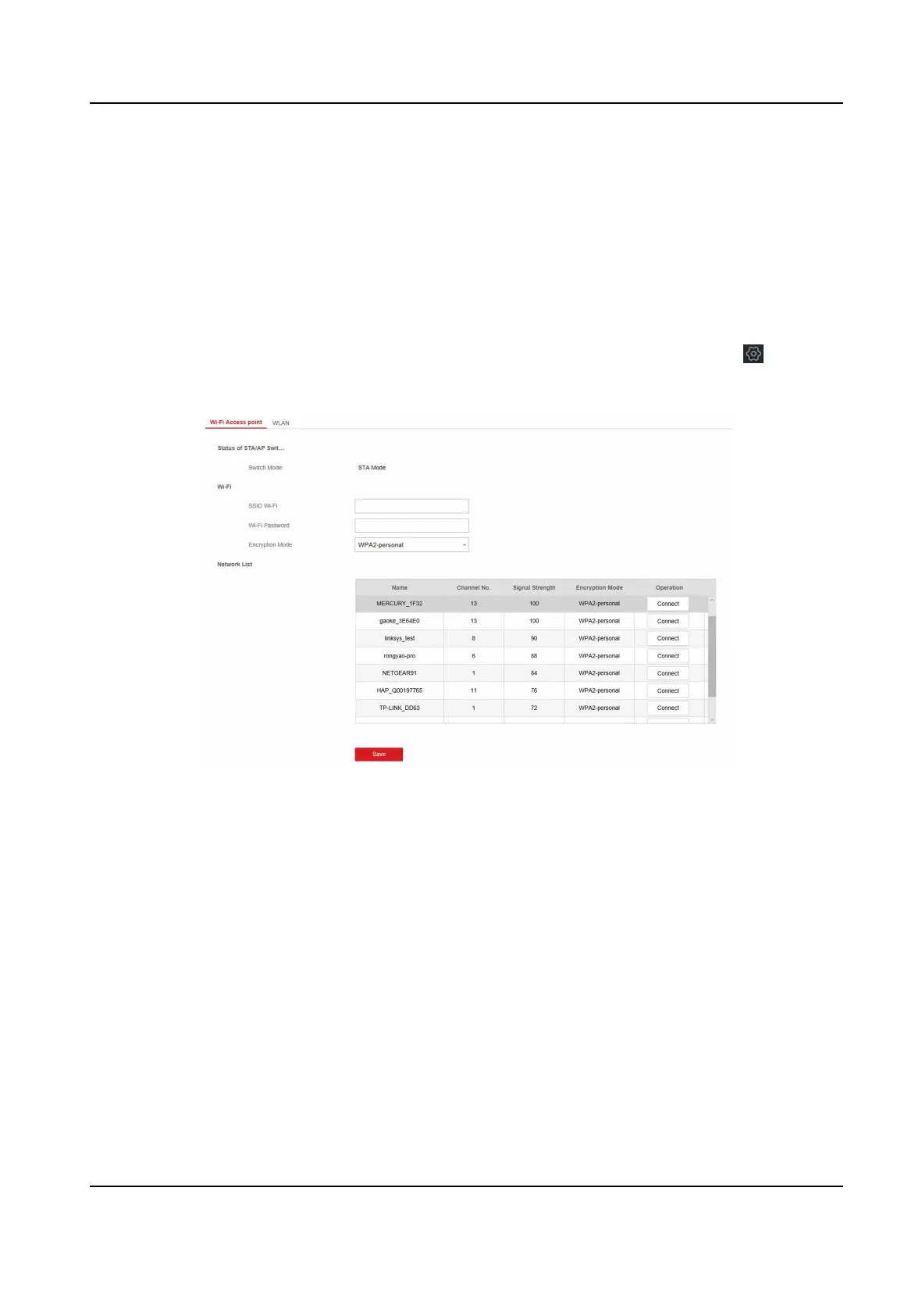
Conguraon → Communicaon Parameters → Wi-Fi to enter the Wi-Fi page.
Figure 4-2 Wi-Fi Sengs Page
3. Connect to a Wi-Fi.
-
Manually Connect: Input the SSID Wi-Fi and Wi-Fi Password, select Encrypon Mode and
click Save.
-
Select from Network List: Select a target Wi-Fi from the Network list. Click Connect and input
Wi-Fi password and click Connect.
4. Click WLAN to enter the WLAN page.
Hybrid Security Control Panel User Manual
11











 To Next Page