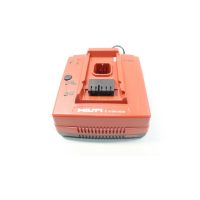
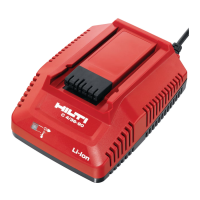
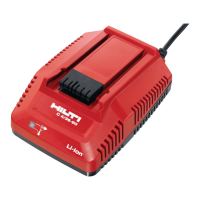
This document provides comprehensive information regarding the Hilti C 4/36 MC4 multi-bay charger, designed for professional use with Hilti Li-ion batteries. It emphasizes safe operation, proper handling, and maintenance to ensure trouble-free use and longevity of the product.
Function Description
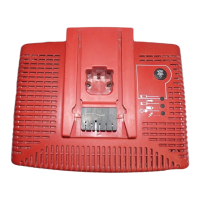
The Hilti C 4/36 MC4 is a multi-bay charger specifically designed for Hilti Li-ion batteries with a rated voltage range of 7.2 to 36 volts. Its primary function is to efficiently and safely recharge these batteries. The charger is intended for connection to standard power outlets providing an AC voltage of 100 to 127 V, depending on the country-specific version.
A key feature of this charger is its multi-bay design, allowing for the simultaneous insertion of multiple batteries. The charging process is managed sequentially; batteries are charged in the order they are inserted, starting with the battery in interface 1. If the power supply is interrupted, charging resumes this sequential order once power is restored.
The charger incorporates several indicator LEDs to provide clear information about its operational status and the charging progress of the inserted batteries. These include a supply voltage LED, state-of-charge LEDs for each battery, and a battery temperature LED. These indicators help users monitor the charging process and identify any potential issues, such as a battery being too hot or too cold, or a malfunction of either the battery or the charger itself.
The charger is designed to identify the battery when fully inserted and engaged, initiating the charging process automatically. Hilti Li-ion batteries are designed to be ready for use at any time, even when only partly charged, offering flexibility in professional work environments.
Usage Features
To ensure safe and effective use, several guidelines are provided. Users are instructed to read the documentation thoroughly before initial operation. The charger should only be used to charge Hilti Li-ion batteries approved for use with this specific model. Using the charger with other battery types may pose a risk of fire.
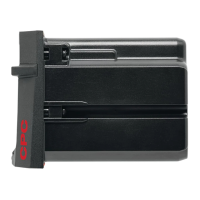
Before inserting a battery, it is crucial to check that the battery contacts are clean and free from grease to ensure proper connection and efficient charging. Batteries should be pushed firmly into the provided interface, ensuring a keyed fit with the charger.
The charger's design includes a release button for easy removal of batteries once charging is complete or if a battery needs to be removed for other reasons. For safety, it is recommended to remove batteries from the charger once their charging cycle is finished.
The charger is equipped with a display system that indicates the charge state of the Li-ion batteries. This display, activated by a release button on the battery, shows the charge level through a series of LEDs. For instance, three LEDs lit and one blinking indicate a charge state of 75% to 100%, while one blinking LED signifies less than 25% charge. This allows users to quickly assess the battery's readiness.
Environmental considerations for usage include operating the charger in a clean and cool location, protected from frost. The charger must have unobstructed air vents to dissipate heat during operation, meaning it should not be operated inside a closed container or toolbox.
In case of troubleshooting, the manual provides a table of common malfunctions, their possible causes, and recommended actions. For example, if the battery temperature LED blinks, it indicates the battery is either too hot or too cold, and the charger will automatically switch to charging mode once the battery reaches the required temperature. For more complex issues or persistent problems, users are advised to contact Hilti Service.
Maintenance Features
Proper care and maintenance are essential for the safe and prolonged operation of the Hilti C 4/36 MC4 charger. A critical safety instruction is to always unplug the supply cord from the power outlet before performing any care or maintenance tasks to prevent the risk of electric shock and serious injury.
Routine care involves keeping the tool clean. Stubborn dirt should be carefully removed. The air vents, vital for heat dissipation, must be cleaned carefully with a dry brush to ensure they remain unobstructed. For cleaning the casing, only a slightly damp cloth should be used. It is explicitly stated not to use cleaning agents containing silicone, as these can damage the plastic parts of the charger.
Maintenance also includes regular checks of all visible parts and controls for signs of damage and to ensure they function correctly. If any signs of damage are found or if parts malfunction, the charger should not be operated. Instead, any damage must be repaired immediately by Hilti Service. This ensures that the charger remains in a safe and operational condition.
Repairs to the electrical components of the charger should only be carried out by trained electrical specialists to avoid the risk of electric shock and serious injury. After any cleaning or maintenance, all guards or protective devices must be refitted, and their correct function verified.
The document also provides guidelines for the careful handling and use of batteries, emphasizing the observation of special guidelines for the transport, storage, and use of lithium-ion batteries. Batteries should not be exposed to high temperatures, direct sunlight, or fire, nor should they be taken apart, squashed, or incinerated. Damaged batteries (e.g., with cracks, broken parts, or bent contacts) should not be charged or continued to be used. If a battery is too hot to touch, it may be defective and should be placed in a non-flammable location to cool down, followed by contacting Hilti Service.
Disposal instructions highlight the importance of proper disposal to prevent injury and environmental pollution. Defective batteries should be disposed of immediately and kept out of reach of children. Batteries that have reached the end of their life must be disposed of in accordance with national regulations or returned to Hilti for recycling. Most materials used in Hilti tools and appliances are recyclable, and users can contact Hilti Service for information on returning old tools for recycling.



 To Next Page
 General