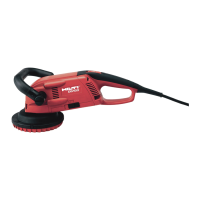
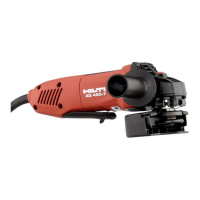
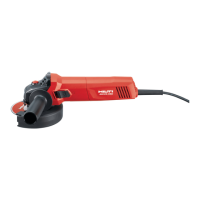
The Hilti DG 150 grinder, used in conjunction with the DPC 20 power conditioner, is an electrically powered diamond grinder designed for professional use in grinding mineral materials. This system is specifically intended for dry abrasive removal of uncoated mineral materials and thin coatings on concrete and similar mineral materials, with a maximum layer thickness of 3 mm (0.12 in). It is crucial to always use a dust extractor to ensure optimum dust removal during operation. The product is not designed for use in explosive atmospheres, wet grinding, or for working on hazardous or flammable materials such as asbestos, magnesium, or wood.
Important Technical Specifications (DG 150 Grinder):
- Rated speed, speed I: 4,700 /min
- Rated speed, speed II: 6,600 /min
- Weight (in accordance with EPTA procedure 01/2003): 4.1 kg
- Protection class (EN 60745-1): Class II (double-insulated)
- Quick stop after power OFF: ≤ 2 s
- Optimum gap between lamellar seal and work surface: 0 mm - 1 mm
- Typical A-weighted emission sound pressure level (LPA): 88 dB(A)
- Typical A-weighted sound power level (LWA): 99 dB(A)
- Uncertainty (noise): 3 dB
- Triaxial vibration value: 5.8 m/s²
- Uncertainty (K) (vibration): 1.5 m/s²
Important Technical Specifications (DPC 20 Power Conditioner):
- Rated current: 9.2 A
- Power input: 2,100 W
- Rated frequency: 50 Hz
- Weight (in accordance with EPTA procedure 01/2003): 3.4 kg
- Rated voltage: 230 V (actual figures may vary for country-specific versions and voltage supply differences). If powered by a generator or transformer, its power output must be at least twice the rated input power, and the operating voltage must be within +5% and -15% of the rated voltage.
Usage Features:
The DG 150 features an on/off switch, a side handle for improved control, a complete guard, a clamping band, and a clamping lever. An LED indicator provides status information. The machine supply plug connects to the DPC 20 power conditioner, which has a speed selector switch (speeds 1 and 2), a side-handle locking screw, and an adjusting screw.
Adjusting the guard: The guard can be adjusted by releasing the clamping lever, turning the retaining ring with the lamellar seal to achieve the correct gap between the seal and the work surface, and then turning the guard to the desired position. For working close to an edge, the top part of the guard can be turned relative to the bottom part. If the guard is not secure when closed, the clamping band can be tightened with a screwdriver. If it's too tight to move when open, the clamping band can be loosened.
Adjusting the side handle: The side handle can be slackened by turning its securing screw counter-clockwise, swung to the desired position (forward or back), and then secured by turning the screw clockwise.
Fitting a diamond cup wheel: The clamping flange is fitted onto the spindle with the O-shaped depression facing the tool. The grinding disc is then placed onto the centering collar of the clamping flange. The clamping nut is screwed on clockwise and tightened with a wrench against the motor/gearing resistance.
Removing a diamond cup wheel: Press and hold the arbor lockbutton, then release the clamping nut by turning it counter-clockwise with a wrench. Remove the clamping nut, release the arbor lockbutton, and remove the diamond cup wheel.
Setting the speed:
- Speed I (4,700 /min): Recommended for grinding soft mineral materials (e.g., paint from cement rendering) and coatings from soft materials, making the tool easier to guide and providing better dust control.
- Speed II (6,600 /min): Recommended for applying full power when grinding hard mineral materials such as concrete, floor screeding, or natural stone.
Switching on:
- Connect the grinder to an industrial vacuum cleaner.
- Plug the grinder's supply cord into the power outlet of the DPC 20.
- Plug the DPC 20 into the main electricity supply. The LED on the DPC 20 will light green.
- Lift the power tool clear of the work surface.
- Push the on/off switch forward to the "on" position (I). The switch will engage.
Grinding operation: Always keep the grinder close to the work surface, move the device back and forth, and apply moderate pressure without digging the tool into the material.
Switching off: Press the on/off switch; it will return to the "off" position (0) when released. Disconnect the supply cord plug from the power outlet and, if used, disconnect the vacuum cleaner hose.
Safety warnings:
- Read all safety warnings and instructions to prevent electric shock, fire, and serious injury.
- Keep the work area clean and well lit, and keep children and bystanders away.
- Ensure power tool plugs match outlets and avoid adapter plugs with earthed tools.
- Avoid body contact with earthed surfaces.
- Do not expose power tools to rain or wet conditions.
- Do not abuse the cord; keep it away from heat, oil, sharp edges, and moving parts.
- Use an extension cord suitable for outdoor use when operating outdoors.
- Use a residual current device (RCD) protected supply in damp locations.
- Stay alert, wear eye protection, and use personal protective equipment (dust mask, non-skid safety shoes, hard hat, hearing protection).
- Ensure the switch is in the off-position before connecting to power source or battery pack.
- Remove any adjusting key or wrench before turning the power tool on.
- Do not overreach; keep proper footing and balance.
- Dress properly; do not wear loose clothing or jewelry.
- Connect dust extraction and collection facilities properly.
- Do not force the power tool; use the correct tool for the application.
- Do not use the power tool if the switch does not turn it on and off.
- Disconnect the plug from the power source before making adjustments or changing accessories.
- Store idle power tools out of reach of children.
- Maintain power tools; check for misalignment, binding, or breakage of parts.
- Keep cutting tools sharp and clean.
- Use the power tool, accessories, and tool bits according to instructions and intended use.
- Have the power tool serviced by a qualified repair person using identical replacement parts.
- This power tool is intended for grinding; operations like sanding, wire brushing, polishing, or cutting are not recommended.
- Do not use accessories not specifically designed and recommended by the manufacturer.
- The rated speed of the accessory must be at least equal to the maximum speed marked on the power tool.
- The outside diameter and thickness of the accessory must be within the capacity rating of the power tool.
- Threaded mounting of accessories must match the grinder spindle thread.
- Do not use a damaged accessory. Inspect accessories before each use and run the power tool at maximum no-load speed for one minute after installation.
- Wear personal protective equipment (face shield, safety goggles, dust mask, hearing protectors, gloves, workshop apron).
- Keep bystanders a safe distance away.
- Hold the power tool by insulated gripping surfaces when cutting near hidden wiring or its own cord.
- Position the cord clear of the spinning accessory.
- Never lay the power tool down until the accessory has come to a complete stop.
- Do not run the power tool while carrying it at your side.
- Regularly clean the power tool's air vents.
- Do not operate the power tool near flammable materials.
- Do not use accessories that require liquid coolants.
- Kickback prevention: Maintain a firm grip, use the auxiliary handle, never place your hand near the rotating accessory, position your body away from the kickback path, use special care when working corners/sharp edges, and do not attach saw chain woodcarving or toothed saw blades.
- Do not tamper with or alter the device.
- Keep grips dry, clean, and free from oil and grease.
- Ensure the side handle is fitted correctly and tightened securely.
- Take breaks and do relaxation/finger exercises.
- The power tool is not intended for use by debilitated persons without special training.
- Keep the power tool out of reach of children.
- Do not touch rotating parts.
- Be aware of hazardous grinding dust; use a dust extractor with an officially approved protection class.
- Dust from materials like lead-based paint, certain woods, concrete/masonry/stone containing quartz, minerals, or metal can be harmful. Use a dust extractor whenever possible and wear a respirator.
- Remove protruding parts (nails, screws) before grinding.
- Grinding produces flying sparks; ensure no one is endangered.
- Secure the workpiece with clamps or a vice.
- Before starting work, check the working area for concealed electric cables or gas/water pipes.
- Never disconnect the DPC 20 plug while the DG 150 is under load.
- Check the machine's supply cord and extension cords regularly for damage.
- Have dirtied or dusty power tools used on conductive materials checked by Hilti Service.
- Ensure the workplace is well ventilated and wear a filter class P2 dust mask.
- The diamond cup wheel, guard parts, or gear head can become hot; wear gloves to avoid burns.
Maintenance Features:
- Keep the grinder, especially its grip surfaces, clean and free from oil and grease. Avoid cleaning agents containing silicone.
- Never operate the grinder with blocked air vents. Clean air vents carefully with a dry brush.
- Clean the outside of the device at regular intervals with a slightly damp cloth. Do not use a sprayer, steam pressure cleaning equipment, or running water.
- Removing the guard lamellar seal: Remove the diamond cup wheel. Use a screwdriver to ease the three clamping tongues of the retaining ring over the guard edge. Remove the large lamellar seal from the retaining ring. Push a screwdriver into the two slots on the outside of the guard to disengage the small lamellar seal.
- Installing the guard lamellar seal: Remove coarse dust from the retaining grooves. Press the small lamellar seal into the guide in the guard until it engages. Position the large lamellar seal in the groove of the retaining ring. Push the retaining ring complete with lamellar seal over the edge of the guard until it engages.
Troubleshooting (DG 150):
- Tool doesn't switch on: Possible cause is an interruption in the electric supply. Action: Slide the on/off switch to "off" (0) and then back to "on" (I).
- Tool doesn't achieve full power: Possible cause is low supply voltage. Action: Use a compatible electric supply.
- LED blinks red: Possible cause is the power tool has overheated. Action: Switch the power tool off and allow it to cool down until the red LED goes out.
- A lot of dust escapes from the guard:
- No vacuum cleaner connected. Action: Connect a vacuum cleaner.
- Lamellar seal not flush with working surface. Action: Adjust the guard position.
- Lamellar seal is worn. Action: Replace the lamellar seal.
- Vacuum cleaner suction performance too low due to clogged filter. Action: If automatic filter cleaning is deactivated, activate it and run vacuum cleaner for 30 seconds. Close hose end with hand and run vacuum cleaner for 30 seconds. Use a water hose to rinse the V 20/40 universal filter and VC 20/40 performance filter (do not beat out the filter).
- Wrong filter fitted. Action: Change the filter.
- Material being ground tends to block the filter. Action: Use the V 20/40 universal filter or VC 20/40 performance filter for damp material. Use the VC 20/40 performance filter for large quantities of mineral dust. Use a VC 20/40 performance filter or a dust filter bag.
- Vacuum cleaner hose connector doesn't fit: Possible cause is wrong hose connector. Action: Change the suction adapter.
- Rate of working progress decreases: Possible cause is a blunt diamond cup wheel. Action: Sharpen segments by making cuts in an abrasive material (Hilti sharpening plate or abrasive sand-lime block).
- Grinder leaves undesired grinding marks: Possible cause is an aggressive cup wheel. Action: Use a less aggressive cup wheel.
Troubleshooting (DPC 20):
- LED doesn't light:
- Supply cord not plugged in correctly. Action: Plug the supply cord into the power outlet.
- Supply cable is defective. Action: Have the DPC 20 checked by Hilti Service.
- No electric power at the DPC 20. Action: Check that the vacuum cleaner selector switch is set to AUTO when the DPC 20 is connected to the vacuum cleaner.
- LED blinks green: Possible cause is low supply voltage. Action: Use a compatible electric supply.
- Tool doesn't achieve full power: Possible cause is inadequate extension cord conductor cross section. Action: Use an extension cord with an adequate conductor cross section.
- LED blinks red: Possible cause is the power tool has overheated or there are irregularities concerning the electric supply or temperature. Action: Switch the power tool off and allow it to cool down until the green LED lights again. If the green LED doesn't light, check the circuit breaker or fuse.
For unlisted faults or if unable to remedy a problem, contact Hilti Service.
Disposal: Most materials from Hilti tools and appliances are recyclable. Materials must be correctly separated. Old tools, machines, or appliances can be returned to Hilti for recycling. Disposal of electric tools or appliances with household waste is not permissible.

 Need help?

 To Next Page
 General