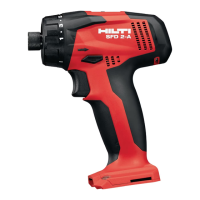
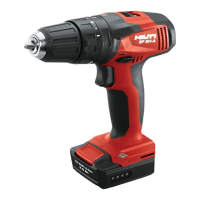
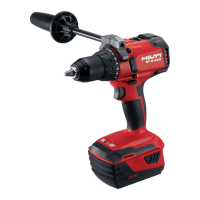
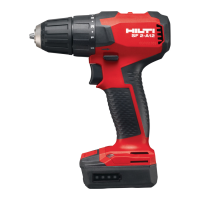
EasyManua.ls Logo

Hilti SF 4-A22 - User Manual

Hilti SF 4-A22
76 pages
Print Icon
To Next Page IconTo Next Page
Loading...
SF 4-A22
English 1
Français 16
Español 33
Português 50

Questions and Answers

  • A
    Alvin RoseJul 28, 2025
    What to do if Hilti Drill becomes very warm?
    • M
      Maria CollinsJul 28, 2025
      If your Hilti Drill or its battery is getting very warm, immediately switch off the power tool, remove the battery, keep it under observation, and allow it to cool down. This could be due to an electrical fault or because the tool is overloaded. If it's overloaded, select a suitable power tool for the application.
  • T
    Tammy SmithAug 4, 2025
    How to fix a stuck control switch on Hilti Drill?
    • S
      Steven BarryAug 4, 2025
      If the control switch on your Hilti Drill is stuck, it's likely because the forward/reverse switch is in the middle position. Simply push the forward/reverse switch to the left or right to resolve this.
  • H
    Heidi Henderson DDSAug 12, 2025
    Why my Hilti Power Screwdriver does not work?
    • C
      Christina WyattAug 12, 2025
      Your Hilti Power Screwdriver might not be working because the battery isn't fully inserted. Make sure to push the battery in until you hear a click. Alternatively, the battery might be low, so try changing it and charging the empty one.
  • E
    Emily WilsonAug 19, 2025
    What to do if my Hilti Power Screwdriver or battery becomes very warm?
    • K
      knewmanAug 19, 2025
      If your Hilti Power Screwdriver or its battery gets very warm, it could be due to an electrical fault. Immediately switch off the power tool, remove the battery, keep it under observation, and allow it to cool down. It could also mean that the tool is overloaded because application limits were exceeded, so select a suitable power tool for the application.

Summary

Manual and Symbol Reference

Documentation Overview

Information on the manual's purpose and how to use its safety instructions.

Symbol Explanations

Covers warning signals, document symbols, illustration symbols, and product symbols.

Product Information and Safety Fundamentals

Product Details

Product type, serial number, and product-specific symbols for operation.

Declaration of Conformity

Compliance statements and technical documentation details.

General Power Tool Safety

Essential safety rules for work area, electrical, and general power tool use.

Operational Safety and Battery Handling

Personal Safety Practices

Guidelines for operator alertness, protective equipment, and preventing accidents.

Tool and Battery Care

Instructions for safe use, maintenance, and care of power tools and Li-ion batteries.

Specific Safety Instructions

Safety for drilling, additional precautions, and battery handling/disposal.

Product Description and Features

Product Overview and Intended Use

Identifies tool components, explains its intended application, and lists items supplied.

ATC Functionality

Explains the Active Torque Control (ATC) feature for enhanced safety.

Technical Data and Battery Status

Battery Status Indicators

How to interpret LED indicators for battery charge and tool status.

Technical Specifications

Key performance data including voltage, weight, speed, and torque ranges.

Operation and Accessories

Accessory Compatibility

Lists permissible diameters for accessory tools like drill bits and chucks.

Battery Charging Procedures

Step-by-step instructions for safely charging the Li-ion battery.

Tool Assembly and Functions

Battery Installation and Removal

Procedures for inserting and removing the battery with safety warnings.

Accessory Attachment

Instructions for fitting optional belt hooks, bit holders, and retaining straps.

Tool Operation Modes and Settings

Accessory Tool Fitting

How to securely insert and tighten accessory tools into the chuck.

Gear Selection

Guidance on selecting the appropriate gear for different tasks.

Torque and Rotation Settings

Adjusting torque for screwdriving and setting forward/reverse rotation.

Drilling and Screwdriving Modes

Steps to configure the tool for drilling and screwdriving operations.

Maintenance and Troubleshooting

Tool Care and Maintenance

Procedures for cleaning the tool and batteries, and general maintenance checks.

Troubleshooting Common Issues

Identifies common problems with their causes and solutions.

Storage, Transport, and Disposal

Transport and Storage Guidelines

Safety rules for transporting and storing tools and batteries to prevent damage or accidents.

Product Disposal Procedures

Instructions and warnings for the safe and environmentally responsible disposal of batteries and tools.

Hilti SF 4-A22 Specifications

General IconGeneral
Battery Voltage21.6 V
Chuck Capacity1.5 - 13 mm
Maximum Torque50 Nm
Voltage22 V
Battery TypeLi-ion
Max Torque (Alternate)50 Nm
Max Torque (Soft/Hard Joint)50 Nm
Chuck TypeKeyless
Weight (Alternate)2.1 kg (with battery)

Related product manuals