FRONT OF THE CONTROL UNIT| PAG. 4
2. FRONT OF THE CONTROL UNIT
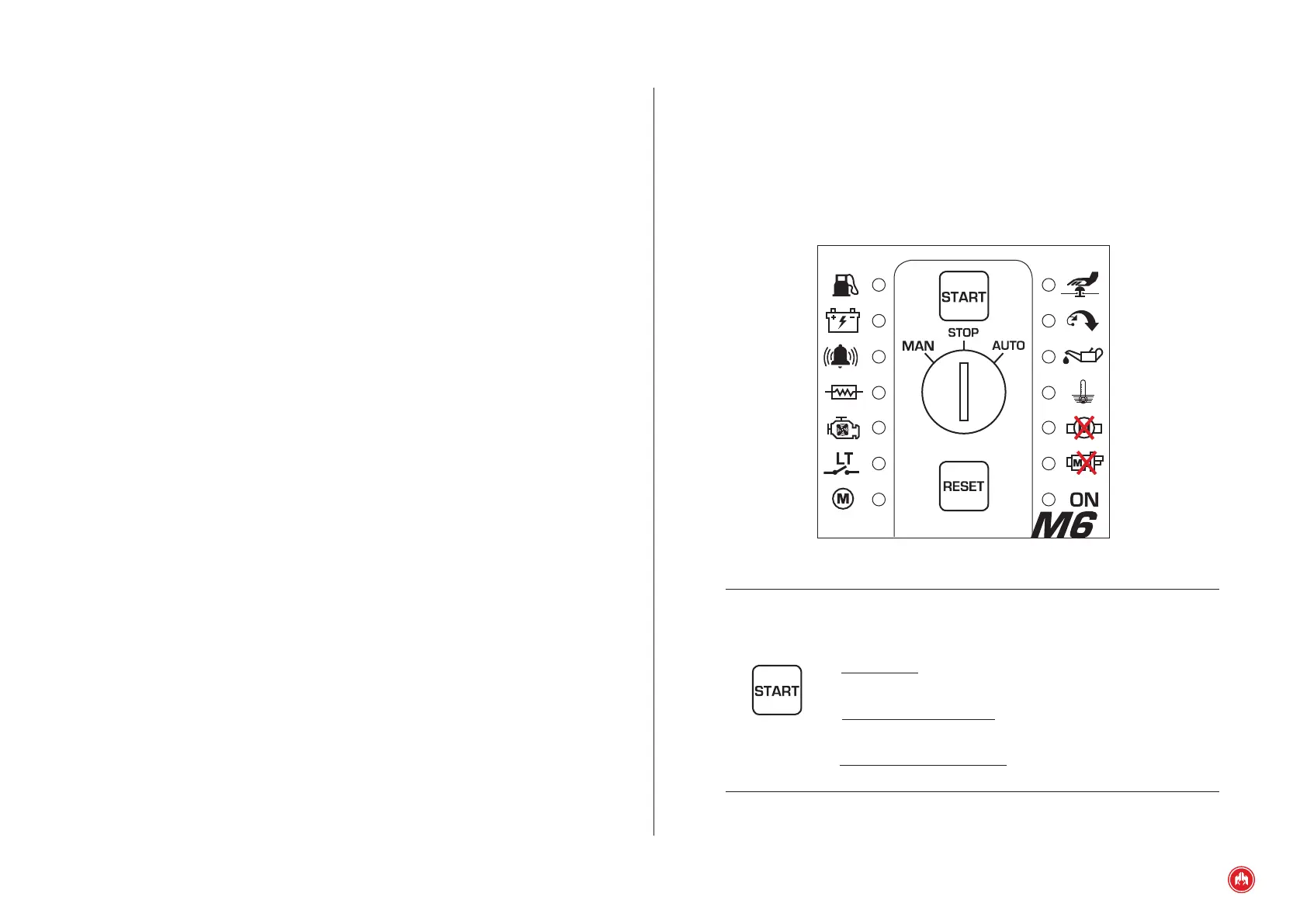
On the front of the M6 control unit you can nd:
• 2 buttons for control unit operation in manual mode (START/RESET)
• Operating mode selection key (MAN STOP AUT)
• 14 LEDs to indicate status:
Start button. It is used to engage the starting and stopping of
the control unit in manual mode (mode selection key in the
MAN position):
- Start motor: with the engine stopped and in manual mode,
press once to start the engine.
- Stop motor with cooling: with motor running and in manual
mode, press once to stop the motor with cooling.
- Stop motor without cooling: with motor running and in manual
mode, press twice to stop the motor without cooling.



 To Next Page