Need help?
Do you have a question about the Hioki DT4280 Series and is the answer not in the manual?
Defines characters marking the end of a command string, requiring two bytes.
Specifies the format of results returned after a query command, typically <Result><CR><LF>.
Details the ASCII string formats for meter responses, including numeric and literal types.
Explains accepted UPPER CASE commands, providing syntax and examples for meter control.
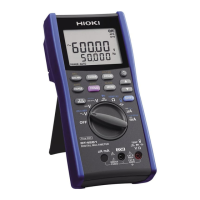
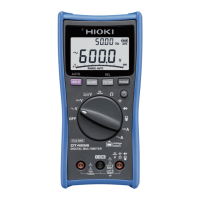
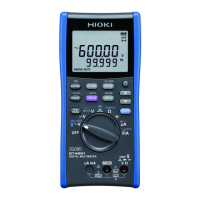
The HIOKI DT4280 Series Digital Multimeter is a versatile measurement device designed for remote operation, offering a range of functions and features for various electrical measurements. This remote operation manual, revised in August 2021, outlines the commands and parameters necessary for controlling the multimeter via a host computer or terminal.
The DT4280 Series Digital Multimeter can be controlled remotely via a virtual COM port established through a USB connection. This allows users to query the meter's model, identification, and current settings, as well as configure its measurement ranges and various operational parameters. The device supports querying both main and sub-function display settings, as well as configuring them.
Key measurement functions include:
The multimeter also provides commands for querying measured count values, including main and sub measured counts, maximum and minimum measured counts, and peak maximum and minimum counts. It can query the offset values for relative measurements (main and sub).
The remote interface operates over a virtual COM port with the following parameters:
Commands are sent as ASCII strings, with a two-byte terminator consisting of Carriage Return (
The device returns specific count values for abnormal data conditions:
The battery level can be queried, returning a value from "0" to "3", indicating four steps of remaining battery life.
The DT4280 Series offers several features to enhance usability and measurement control:
:CONF command, specifying the desired function and range (e.g., :CONF RES, 60k).:SYST:RST (reset), :SYST:LLO (local lockout), and :SYST:GTL (go to local) provide control over the meter's operational state.:CALC:STAT:MAX?, :CALC:STAT:MIN?) and peak maximum/minimum count values (:CALC:PEAK:MAX?, :CALC:PEAK:MIN?).:CALC:REL:OFFS?, :CALC:REL:OFFS2?).:SYST:APS), control the beeper (:SYST:BEEP), and manage the backlight (:SYST:BLIT, :SYST:BLA for auto backlight).:SYST:FILTER) and set an averaging function (:SYST:SLOW) for measurements.:SYST:CONDUCT), diode tests (:SYST:DIODE), and standard impedance for dBm measurements (:SYST:DBM).:SYST:CPER).:STAT? command provides a comprehensive status string, indicating the state of various functions such as recording, relative value, filter, beep, APS, battery level, input warning, rotary position, HOLD, Auto Hold, Auto Range, backlight, backlight auto OFF, SLOW, Peak measurement, Clump range, DCmA percentage, and thresholds for continuity, diode, and dBm impedance.The manual highlights several features related to the maintenance and initial setup of the device:
:SYST:DEFA command allows users to return all meter settings to their factory defaults, which can be useful for troubleshooting or resetting configurations.:SYST:INIT command puts the meter into a power-on-reset state, ensuring a fresh start for operations.:SYST:CLEAR command is available to clear certain internal states or buffers.*CLS (clear system error queue), *RST (power-on-reset), LLO (local lockout), GTL (go to local), and FETC? [@2] (return primary or secondary function value). This ensures continuity for users familiar with previous models.The DT4280 Series is designed for robust and flexible operation, making it suitable for a wide range of applications requiring precise electrical measurements and remote control capabilities.
 General
| Brand | Hioki |
|---|---|
| Model | DT4280 Series |
| Category | Multimeter |
| Language | English |

 To Next Page