EasyManua.ls Logo

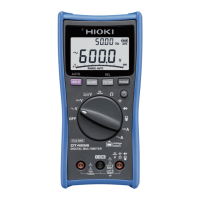
Hioki DT4254 - User Manual

Hioki DT4254
116 pages
Print Icon
To Next Page IconTo Next Page
Loading...
EN
DIGITAL MULTIMETER

Instruction Manual
Aug. 2019 Revised edition 3
DT4251A981-03 19-08H
DT4252
DT4253
DT4254
DT4255
DT4256
EN
DIGITAL MULTIMETER

Instruction Manual
Aug. 2019 Revised edition 3
DT4251A981-03 19-08H
DT4252
DT4253
DT4254
DT4255
DT4256

Table of Contents

Other manuals for Hioki DT4254

Questions and Answers

  • A
    anthonydavisAug 7, 2025
    What to do if nothing appears on my Hioki Multimeter display?
    • A
      Anthony RichardsAug 7, 2025
      First, check that the batteries are not exhausted and replace them with new ones. Also, verify that the auto power save function has not been activated and check its settings.
  • K
    Karen ChavezAug 12, 2025
    What to do if my Hioki DT4254 Multimeter is not communicating with PC?
    • M
      Miss Ashley RobertsAug 12, 2025
      Check the communication settings between the instrument and the PC to ensure they are correct. Verify that the baud rate and parity check are set correctly. Ensure the USB cable is correctly connected. Also, confirm that the light receiving and emitting parts are clean.
  • L
    Lindsey BakerAug 17, 2025
    Why Hioki Multimeter measurement value does not appear?
    • R
      Rebecca WilliamsAug 18, 2025
      If the measured current value does not appear, check if the fuse is blown and replace it with the specified fuse if needed. Ensure that the fuse holder is not deformed; if it is, restore its shape using needle-nose pliers. Check that the test lead is not broken by performing a continuity check and replace the lead if necessary. Also, verify that the test leads have been properly inserted. Finally, confirm that the measurement method being used is correct.
  • B
    Benjamin BurkeAug 22, 2025
    What to do if Hioki DT4254 Multimeter display shows '-----'?
    • T
      turnerbrittanyAug 23, 2025
      The '----' appears when the rotary switch position is not confirmed. Set the rotary switch to the proper position.
  • M
    Michelle SchneiderAug 27, 2025
    Why does the Hioki Multimeter display fluctuate?
    • W
      walterlisaAug 27, 2025
      Ensure that the input signal is within the input range for the instrument. If noise is affecting the reading, use the filter function of the instrument.
  • E
    Elizabeth ArnoldSep 1, 2025
    What to do if turning on Hioki DT4254 brings up error display?
    • T
      Troy DaySep 2, 2025
      Reset the instrument. If the same symptom still occurs even after resetting the instrument, send the instrument for repair.

Hioki DT4254 Specifications

General IconGeneral
BrandHioki
ModelDT4254
CategoryMultimeter
LanguageEnglish

Related product manuals