EasyManua.ls Logo

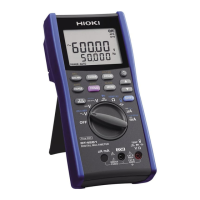
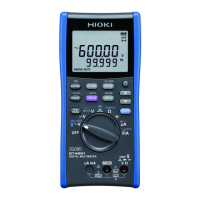
Hioki DT4282 - User Manual

Hioki DT4282
122 pages
Print Icon
To Next Page IconTo Next Page
Loading...
EN
DT4282
DIGITAL MULTIMETER
DT4281

Instruction Manual
Mar. 2021 Revised edition 8
DT4281A981-08 21-03H
EN
DT4282
DIGITAL MULTIMETER
DT4281

Instruction Manual
Mar. 2021 Revised edition 8
DT4281A981-08 21-03H
HIOKI DT4281A981-08

Table of Contents

Other manuals for Hioki DT4282

Questions and Answers

  • K
    Karen YoungAug 17, 2025
    How to fix a Hioki Multimeter when nothing appears on the display?
    • Z
      zhallAug 17, 2025
      If nothing appears on the Hioki Multimeter display, or the display disappears quickly, first, check if the batteries are exhausted and replace them if needed. Second, ensure the auto power save function is not activated and adjust its settings if necessary.
  • V
    Victoria FosterAug 20, 2025
    What to do if the measured value does not appear during current measurement on Hioki Multimeter?
    • E
      ernestandersonAug 20, 2025
      If, during current measurement with your Hioki Multimeter, the measured value does not appear, you should check the following: * Verify that the fuse is not blown. If it is, replace it with a new fuse specified by Hioki. * Inspect the fuse holder for any deformation. If deformed due to excessive force, use needle-nose pliers to restore its shape. * Ensure the test lead is not broken by performing a continuity check. If broken, replace the lead.
  • J
    John MerrittAug 22, 2025
    What to do if nothing appears on my Hioki DT4282 Multimeter display?
    • T
      theresa08Aug 23, 2025
      First, ensure that the batteries are not exhausted and replace them with new ones. Also, verify that the auto power save function has not been activated and check its setting.
  • C
    Chloe EdwardsAug 26, 2025
    Why does my Hioki DT4282 Multimeter not show a current measurement?
    • W
      Walter CampbellAug 26, 2025
      There are several reasons why your Hioki Multimeter might not be displaying a current measurement. First, check if the fuse is blown and replace it with a new fuse specified by our company. Also, inspect the fuse holder for any deformation and restore its shape if necessary. Then, check if the test lead is broken by performing a continuity check. Also, make sure that the test leads have been properly inserted and that you are using the correct measurement method. If no problems have been found, the circuit may be malfunctioning. Send the instrument for repair.
  • V
    Victoria WagnerAug 27, 2025
    Why does my Hioki DT4282 display [-----]?
    • M
      Michael OneillAug 27, 2025
      If your Hioki Multimeter displays [-----], ensure the rotary switch is set to the appropriate position for the measurement you are trying to perform.
  • Y
    ydaltonAug 30, 2025
    What to do if Hioki DT4282 Multimeter shows 0 even after connection?
    • J
      Jacob DelacruzAug 30, 2025
      If your Hioki Multimeter's measured value doesn't appear (except during current measurement) and '0' persists even after connection or measurement, make sure the test leads are fully inserted at the ends. Also, verify that you are using the correct measurement method. Finally, check if the fuse is blown. If the problem persists after these checks, the circuit may be malfunctioning, and the instrument may need repair.
  • S
    Stacey PerezSep 1, 2025
    Why does my Hioki DT4282 show an error display on startup?
    • B
      Benjamin WaltonSep 1, 2025
      If your Hioki Multimeter displays an error upon turning on, or when nothing is connected, try resetting the instrument. If the error persists after resetting, the instrument may require repair.
  • D
    Donald RiveraSep 4, 2025
    What to do if Hioki Multimeter doesn't show measured value after short circuit?
    • C
      Courtney RiosSep 4, 2025
      If, after short-circuiting the probe, the measured value does not appear on your Hioki Multimeter, and zero adjustment is impossible, check if the fuse is blown. If it is, replace it with the specified fuse.
  • W
    Wesley RasmussenSep 6, 2025
    How to stabilize the display on a Hioki DT4282?
    • A
      Amanda HicksSep 6, 2025
      To stabilize the display and make the value easier to read on your Hioki Multimeter, set the display update to a slower rate by pressing the SLOW button for 1 second. This can help eliminate fluctuations.
  • L
    Laura BrownSep 9, 2025
    Why does my Hioki DT4282 Multimeter show a value when nothing is connected?
    • S
      Sandra ParkerSep 9, 2025
      If a numerical value appears on your Hioki Multimeter when nothing is connected during DC voltage (DCV) or AC voltage (ACV) measurement in the 60 mV or 600 mV range, this is normal and does not indicate a malfunction.

Summary

Safety Notes

Hazard Levels and Warnings

Defines hazard symbols (DANGER, WARNING, CAUTION) and critical safety precautions for instrument use.

Measurement Categories and Safety Standards

Classifies measurement categories (CAT II-IV) and instrument conformity to safety standards for safe operation.

Usage Notes

Installation and Location Precautions

Provides guidelines on instrument installation and precautions for unsuitable operating environments.

Cable Handling and Safety

Explains safe handling of test leads, including cable insulation care and avoiding damage.

Measurement Precautions

Outlines critical safety measures during measurement, including input range limits and test lead usage.

1 Overview

1.2 Parts Names and Functions

Identifies and describes the main parts of the instrument, including the front and rear panels.

1.4 Alarm and Battery Indicators

Details alarm conditions like range over, broken thermocouples, and explains the battery charge level indicator.

2 Preparation for Measurements

2.2 Inserting;Replacing Batteries

Provides instructions and safety precautions for installing and replacing the instrument's batteries.

2.3 Using Test Leads

Explains how to safely connect and use the provided test leads, including sleeve attachment and removal.

3 Performing Measurements

3.1 Inspection Before Use

Outlines checks for the instrument and test leads before first-time use, including appearance and operation checks.

3.2 Measuring Voltage

Covers procedures for measuring AC voltage, DC voltage, and synthesized DC/AC voltages.

3.3 Measuring Frequencies

Explains how to measure AC frequency, which is displayed on the sub-display during AC voltage/current measurements.

3.4 Decibel Conversion (dBm;dBV)

Describes how AC voltage measurements are converted to dBm or dBV for display, including impedance settings.

3.5 Checking Continuity

Details the process of checking continuity, including threshold settings and buzzer/backlight indications.

3.6 Measuring Diode

Explains how to measure the forward voltage of a diode, with information on thresholds and connection states.

3.11 Measuring Current

Covers procedures for measuring DC and AC current in µA, mA, and A ranges, including unknown current measurement.

3.12 Measuring AC Using Clamp-on Probe (DT4281)

Explains how to measure AC current using an optional clamp-on probe and the required conversion adapter.

4 Using Instrument Conveniently

5 Specifications

6 Maintenance and Service

6.2 Troubleshooting

Troubleshooting Common Issues

Offers solutions for common instrument malfunctions, including display, measurement, and connection problems.

6.3 Error Display

6.4 Replacing Fuses

Hioki DT4282 Specifications

General IconGeneral
Frequency Range99.99 Hz to 99.99 kHz
DC Voltage Range60.00 mV to 1000 V
AC Voltage Range6.000 V to 1000 V, 4 ranges
DC Current Range600 μA to 10 A
AC Current Range600 μA to 10 A
Resistance Range600 Ω to 60 MΩ
Capacitance Range1.000 nF to 10.00 mF
Temperature Range-40.0°C to 400.0°C
Display6000 count
Safety StandardCAT IV 600 V, CAT III 1000 V
Measurement FunctionsVoltage, Current, Resistance, Capacitance, Frequency, Temperature

Related product manuals