EasyManua.ls Logo

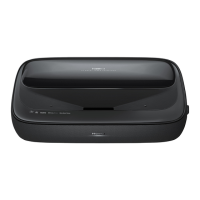
Hisense 100L5HD - User Manual

Hisense 100L5HD
31 pages
Print Icon
To Next Page IconTo Next Page
Loading...
LASER TV USER MANUAL
Before using the TV, read this manual thoroughly. We recommend that you keep
the manual for future reference.
ENGLISH
ES-A2008X1
Questo manuale d’istruzione è fornito da trovaprezzi.it. Scopri tutte le offerte per Hisense 100L5F-
D12 o cerca il tuo prodotto tra le migliori offerte di Videoproiezione
Questo manuale d’istruzione è fornito da trovaprezzi.it. Scopri tutte le offerte per Hisense 100L5HD
o cerca il tuo prodotto tra le migliori offerte di Videoproiezione

Other manuals for Hisense 100L5HD

Questions and Answers

  • M
    Mary WeberAug 11, 2025
    What to do if the Hisense Projector fan speed is abnormal?
    • D
      Debra WatsonAug 11, 2025
      If your Hisense Projector's fan speed is abnormal or the fan stops rotating, it might be due to a foreign object jamming the fan, a broken fan, or poor fan transmission. Try cleaning the fan first. If that doesn't work, the fan may need to be replaced, or the display spinning board may need replacement.
  • J
    James SwansonAug 17, 2025
    What to do if Hisense Projector shows a DLP system error?
    • G
      garylawrenceAug 17, 2025
      If your Hisense Projector is showing a DLP system error, the FFC might be poorly plugged or failing; the DMD part might not be installed correctly, or the DMD itself or its board might be failing; or the display board might be failing. Try reinserting or replacing the FFC. If that doesn't work, try reassembling the DMD or replacing the DMD or DMD board. As a last resort, replace the display board.
  • T
    Todd KirbyAug 22, 2025
    What to do if Hisense Projector has communication failure from the display board to the mainboard?
    • D
      Danielle LeeAug 22, 2025
      If there's a communication failure from the display board to the mainboard in your Hisense Projector, it could be due to a problem with the connection cable, a failure of the display board, or a failure of the mainboard. First, try reinserting or replacing the cable. If the problem persists, the display board or the mainboard might need to be replaced. Also, investigate all intermediate links.
  • M
    michael57Aug 28, 2025
    Why failure light is on Hisense Projector?
    • W
      William MosesAug 29, 2025
      The failure light on your Hisense Projector might be triggered by a shield in the air outlet or inlet, a high ambient temperature, NTC failure or poor plug-in, or a bad NTC. Remove any shield and reduce the ambient temperature. If that doesn't work, try shutdown cooling (25 degrees). If the problem continues, replace the NTC resistance.
  • M
    Melissa ChaneySep 3, 2025
    What to do if the red led is on Hisense Projector?
    • C
      Christie WallaceSep 4, 2025
      If the red LED is on in your Hisense Projector, check whether the eye protection plate is poorly plugged and re-inserted, as the eye protection sensor may not be connected.

Hisense 100L5HD Specifications

General IconGeneral
BrandHisense
Model100L5HD
CategoryTV
LanguageEnglish

Related product manuals