NOTES
The unit only recognizes a USB Memory Stick.
Do not use a USB hub or an extension cable to connect an external hard disk
drive to the unit. (Not supported)
Always insert a USB Memory Stick in the port correctly.
A USB Memory Stick is not supplied with this unit.
We do not guarantee that all USB Memory Sticks can be supported by this unit.
Be sure to keep a backup copy of the original files on your device before you
play them back on this unit. Hisense will not be responsible if your data is damaged
or lost.
To protect your USB Memory Stick files from being erased place the write protect
sliding tab in the protect position.
When you are ready to remove a USB Memory Stick, set the unit to go into
Standby mode to avoid any damage to your data and the unit.
A USB Memory Stick that requires its own driver or the device with a special
system such as fingerprint recognition is not supported.
This unit is not allowed to use the USB Memory Stick which requires an external
power supply (500mA or more).
25 26
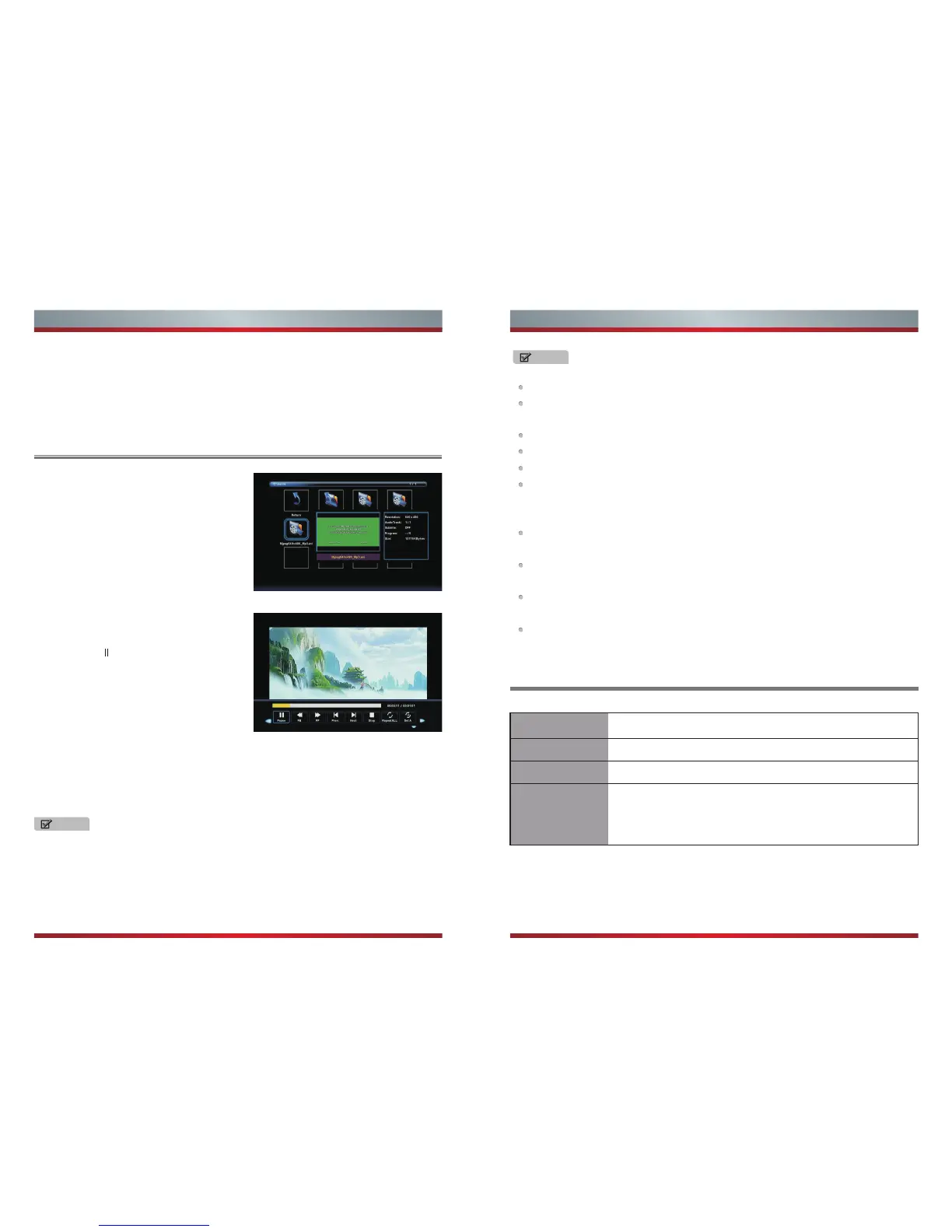
Press [◄ / ►] button to select drive disk,
then press [OK] button to enter.
Press [◄ / ►] button to select return option
to back.
Press [ ] button to hide the menu in the
bottom. When you press [DISPLAY], the
menu in the bottom will appear again.
NOTE
When highlighting the option, the file information will appear on the right
and the preview of the photo or movie will appear in the center.
Enjoy Video Files
Playable format list
Press [◄ / ►] button to select the file you
want to watch in the file selecting menu.
Press [OK or► ] button to display and
operate file details.
▼
Press [◄ / ►] button to select the file folder and press [OK] button to enter sub-menu.
Press [◄ / ►] button to select menu in the bottom you want to run,then press [OK]
button to operate.
Press [Exit] button to back to the previous menu.
Press[ ] button to hide the menu in the bottom.
Advanced Features Advanced Features
Press [◄ / ►] button to select menu in the bottom you want to run,then press [OK]
button to operate.
Press [Exit] button to back to the previous menu .
Press [▼] button to hide the menu in the bottom.
Files Format Playable format
Photo
Music
Video
JPG
MP3
MPEG1(.dat/.mkv),MPEG2(.mpg/.ts/.vob),MPEG4(.mp4/
.mov/.mkv),XviD(.avi),H.264(.avi/.mp4/.mov/.mkv/.ts/.FLV),
Motion JPEG(.avi/.mov)
▼
Disclaimer: Images throughout this document are for illustrative purposes only and
may differ from the actual product.



 To Previous Page