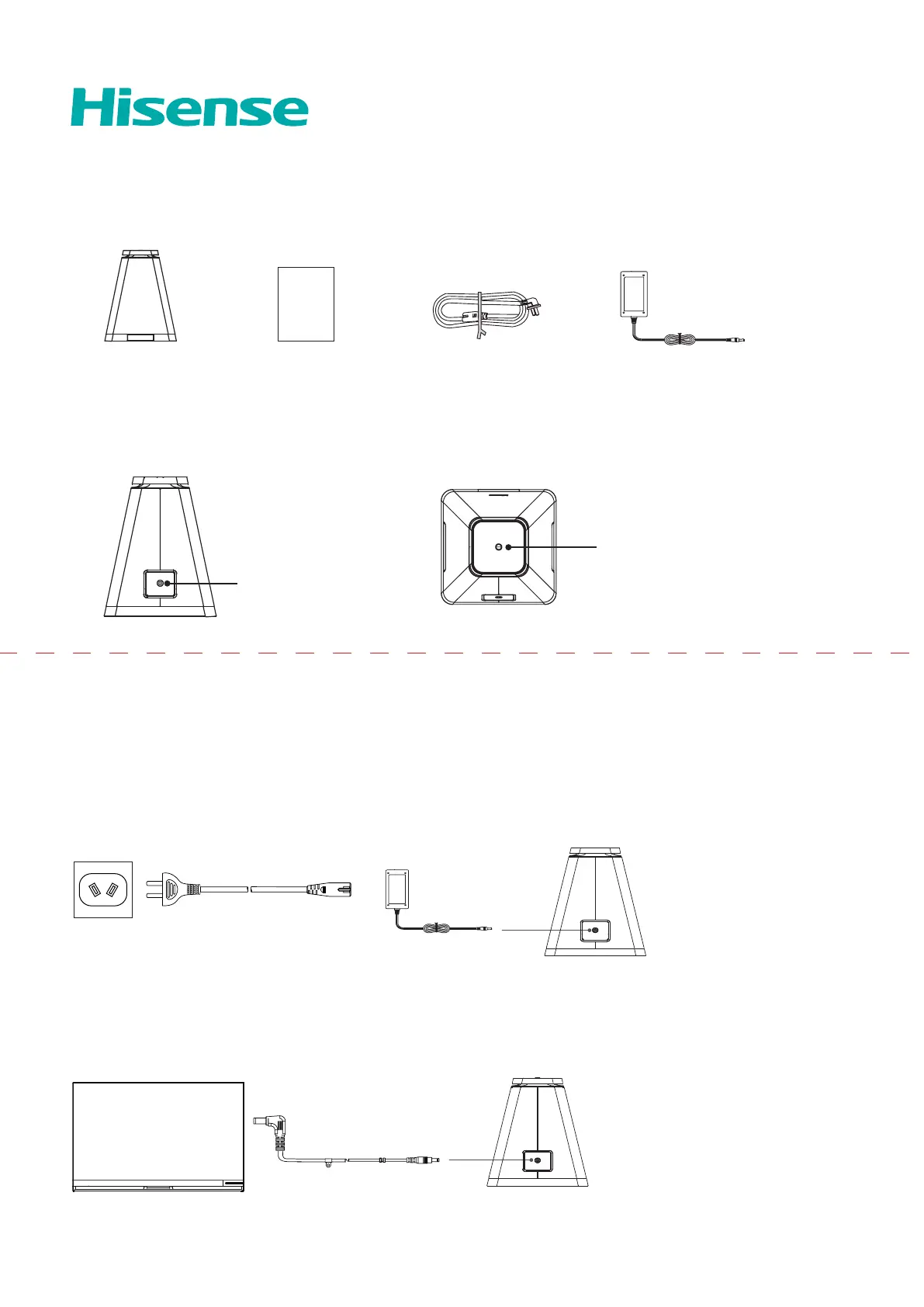
Subwoofer × 1
User Manual
User Manual × 1
Power Cord × 1
Adapter × 1
Button / Power Indicator
Power Socket
Power Cord
Power Connection (When the TV is on the wall)
Put the subwoofer on the ground, and make sure the distance between the subwoofer and the TV is in the range of wireless
connection.
Insert the plug of the power cord into the power socket, connect the other end of the cord to the subwoofer adapter. And then
insert the plug of the adapter into the subwoofer power socket.
Adapter
Power Cord
Accessories List
Product Illustration
Connecting Instruction
Power Connection (When the TV is on the base)
Use the power cord in the subwoofer connector to connect the
TV to the subwoofer.
RSAG8.805.**** A



 To Next Page