9
EN
:<
)5'>/'2
:<
.KGJVNUTK
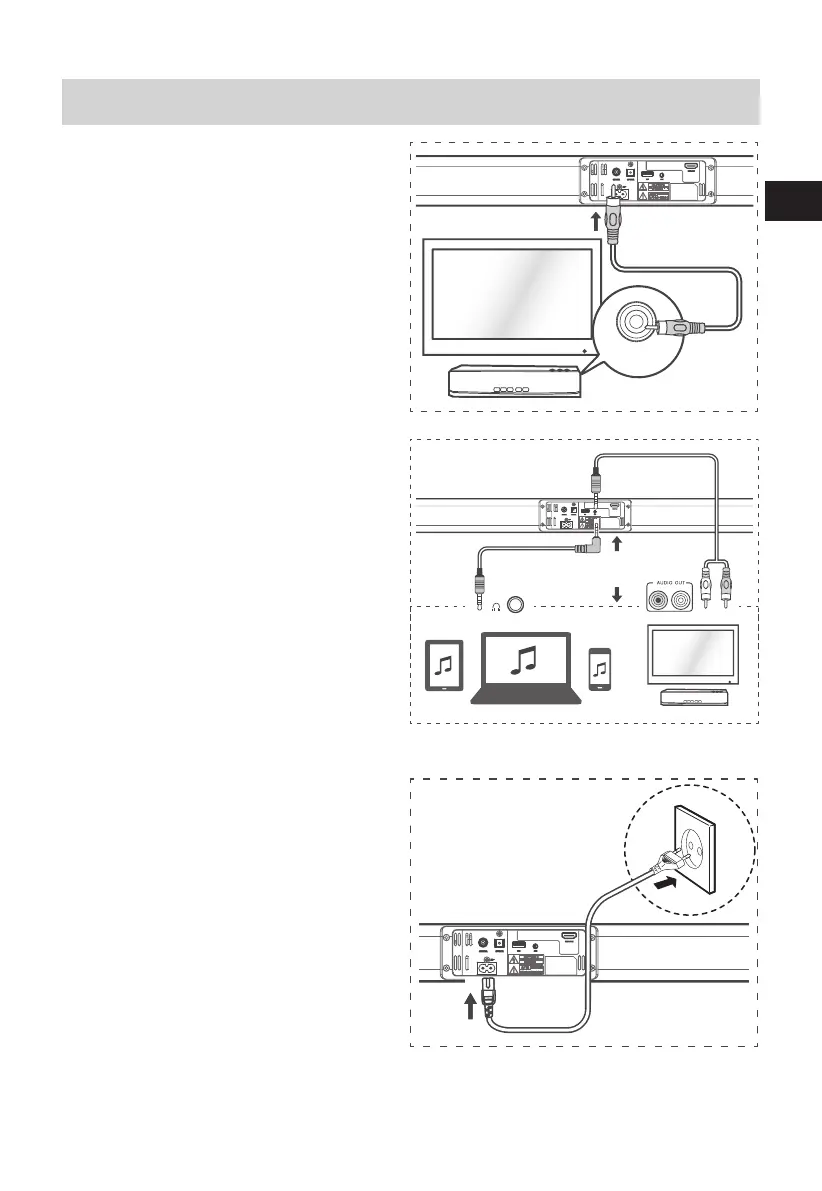
COAXIAL Socket
You also can use the COAXIAL (included)
cable to connect the TV's COAXIAL OUT
socket and COAXIAL socket on the unit.
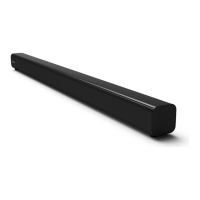
Use the AUX Socket
A. Use a RCA to 3.5mm audio cable (included) to
connect the TV’s audio output sockets to the
AUX socket on the unit.
B. Use a 3.5mm to 3.5mm audio cable (included)
to connect the TV’s or external audio device
headphone socket to the AUX socket on the
unit.
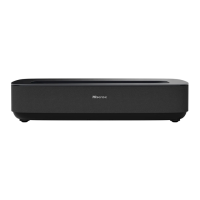
Connect Power
Risk of product damage!
Ensure that the power supply voltage
corresponds to the voltage printed on the back
or the underside of the unit.
- Before connecting the AC power cord, ensure
you have completed all other connections.
• Connect the mains cable to the AC~ Socket
of main unit and then into a mains socket.
Connections


 To Next Page