10
EN
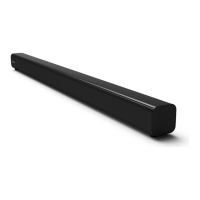
Basic Operation
Standby/ON
• When you rst connect the unit to the main socket, the unit will be in STANDBY mode. The POWER
indicator will light up red.
• Press the button on the remote control to switch the main unit ON or OFF.
• Disconnect the main plug from the main socket if you want to switch the unit o completely.
- If a TV or an external device is connected, the unit will switch on automatically when the TV or the
external device is switched on.
- When there is no input signal from the unit in over 15 minutes, then it will automatically switch to
Standby mode.
Select Modes
Press the button on the unit or the HDMI ARC, (Bluetooth), OPTICAL, COAXILA, USB and AUX
buttons on the remote control to select the desired mode.
• Green: In AUX mode.
• Orange/Orange ash: In Optical/Coaxial mode.
• Blue: In Bluetooth mode.
•
White
/
White
ash: In HDMI ARC/USB mode.
Adjust the Volume
- Press the VOL+ / VOL- buttons on the unit or on the remote control to adjust the volume.
- If you wish to turn the sound o, press the button on the remote control. Press the button again
or press the VOL+ / VOL- buttons on the unit or on the remote control to resume normal listening.
- While adjusting the volume, the status indicator ashes quickly.
- While the volume level reaches its maximum level, if you press the VOL+ button again, the status
indicator ashes once. While the volume level reaches its minimum level, if you press the VOL- button
again, the status indicator ashes once.
Select a Preset Sound Eect
While playing, press the NEWS or MOVIE or MUSIC buttons on the remote control to select between
preset equalizers: Movie (recommended for viewing movies), Music (recommended for listening to
music), NEWS (recommended for listening to NEWS).
AUX / OPTICAL /COAXIAL / HDMI ARC Operation
1 Ensure that the unit is connected to the TV or audio device.
2 Press the button on the unit or the AUX / OPTICAL / COAXIAL / HDMI ARC button on the remote
control to select the desired mode.
3 Operate your audio device directly for playback features.
4 Press the VOL +/– button to adjust the volume to your desired level.
Tip: While in OPTICAL or HDMI ARC or COAXIAL mode, if there’s no sound output from the unit, you
may need to activate PCM Signal output on your source device (eg. TV, DVD or Blu-ray player).


 To Next Page