USER MANUAL Connections
|
10
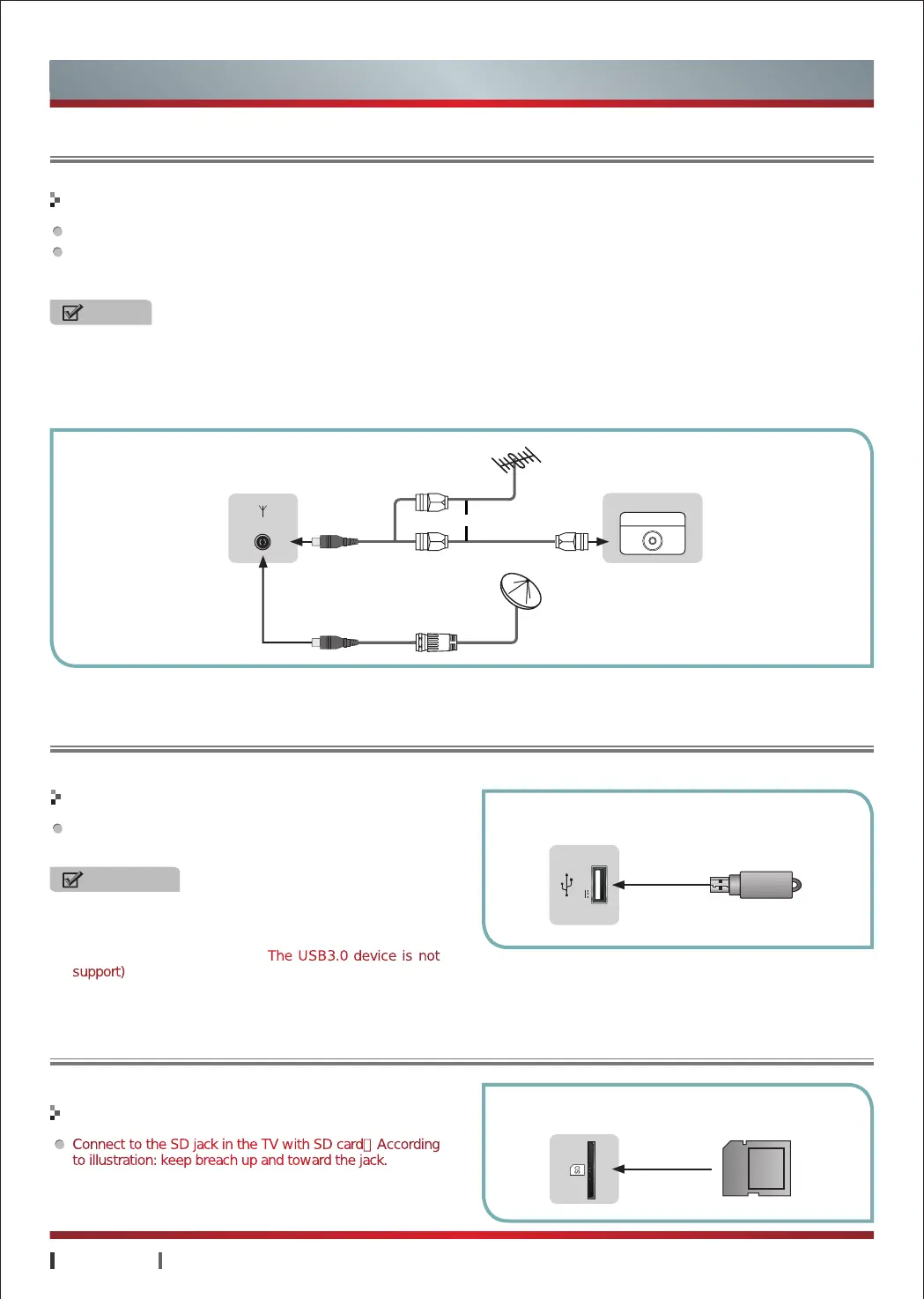
The TV must receive the signal from one of the following Sources: antenna or CATV network.
Antenna should be placed away from roads, power distribution lines, neon signs and other places, so as to avoid disruption of
television signals, this can prevent accidents from happening. In addition, as long-term exposure outside, antenna prone to
degradation, if the image is not clear, you should first turn off the power, and then check the antenna.
Connect to the USB jack in the TV with USB cable or
directly USB port.
Making Connections
Making Connections
NOTES
·
When using the outdoor antenna, please unplug the cord of the indoor antenna (if any) from the antenna terminal outlet.
·
It is recommended that coaxial cable (75Ω) be used to eliminate the interference caused by the mismatched impedance.
·
The antenna cable should not be bound together with the power cord.
·
When using the CATV or closed circuit TV, please insert the plug of the coaxial cable (75Ω).
EXTERNAL DEVICES
EXTERNAL DEVICES
TV JACK
TV JACK
WARNING
All the set's USB jacks to connect external devices while
the total current is not more than 1200 mA. If more than
the output current limit, causing the unit to malfunction,
not covered under warranty.(The USB3.0 device is not
support)
USB
DC5V 0.5A(MAX)
or
ANT OUT
EXTERNAL DEVICESTV JACK
ANT 75Ω
Connections
Connecting an Antenna or Cable
Connecting a USB Device
Connecting a SD Device
Connect to the SD jack in the TV with SD card(According
to illustration: keep breach up and toward the jack.
Making Connections
SD
Card


 To Next Page
 Loading...