11
|
Connections USER MANUAL
While the headphone is connected, the sound from the
built-in speakers will be disabled.
Headphones can be connected to the HEADPHONE
output on the TV.
Making Connections
HEADPHONE
EXTERNAL DEVICESTV JACK
Connections
Connecting a Headphone
EXTERNAL DEVICES
DVD/VCD
Video
Camera
Set-top box
Satellite Receiver
VCR
A/V OUT
Video
Audio L
Audio R
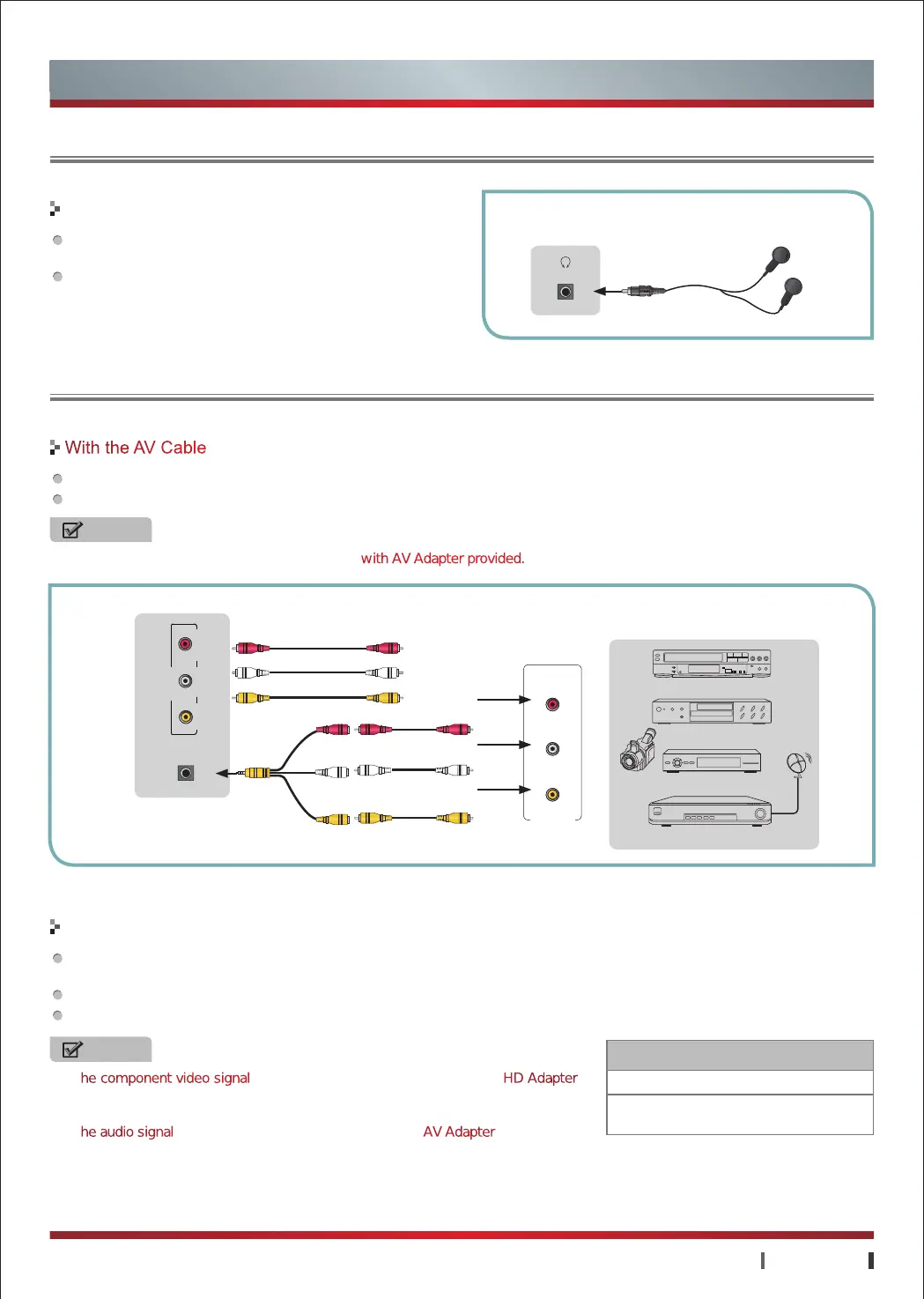
Connect the TV's AV1/AV2 jack to video output jack of the external A/V devices (VCD, DVD, VCR or Camcorder).
Connect the TV's AV1/AV2 jack to audio output jacks (Audio Left/Right) of the external A/V devices.
Connect the TV's COMPONENT jack to component video output jack (Y, P
B
, P
R
) of the external A/V devices (VCD, DVD, VCR or
Camcorder).
Connect the TV's AUDIO IN jack to audio output jacks (Audio Left/Right) of the external A/V devices.
Component output jacks in VCD/DVD may be marked with Y, B-Y, R-Y or Y, C
B
, C
R
.
With the AV Cable
With the Component Cable
Video
Video Video
Audio L
Audio L Audio L
Audio R
Audio R Audio R
NOTES
·
The component video signal are connected to external devices with HD Adapter
provided. Please make sure that the audio connects, otherwise the sound will be
abnormal.
·
The audio signal are connected to external devices with AV Adapter provided.
·
For video format supported by component input, refer to the form.
NOTE
AV2 signal are connected to external devices with AV Adapter provided.
White
Yellow
Red
TV JACK
Component Input
480i, 480p, 576i, 576p
720p/60Hz, 1080i/50Hz, 1080i/60Hz,
1080p/50Hz, 1080p/60Hz
Connecting an A/V Device
AV 2
VIDEO
AUDIO/L AUDIO/R
AV 1


 To Next Page
 Loading...